Working with paths
Path Time
A path is a continuous curve made up of anchors. We can use path.anchors to get information about the path at the anchor points, but what about in-between the anchors?
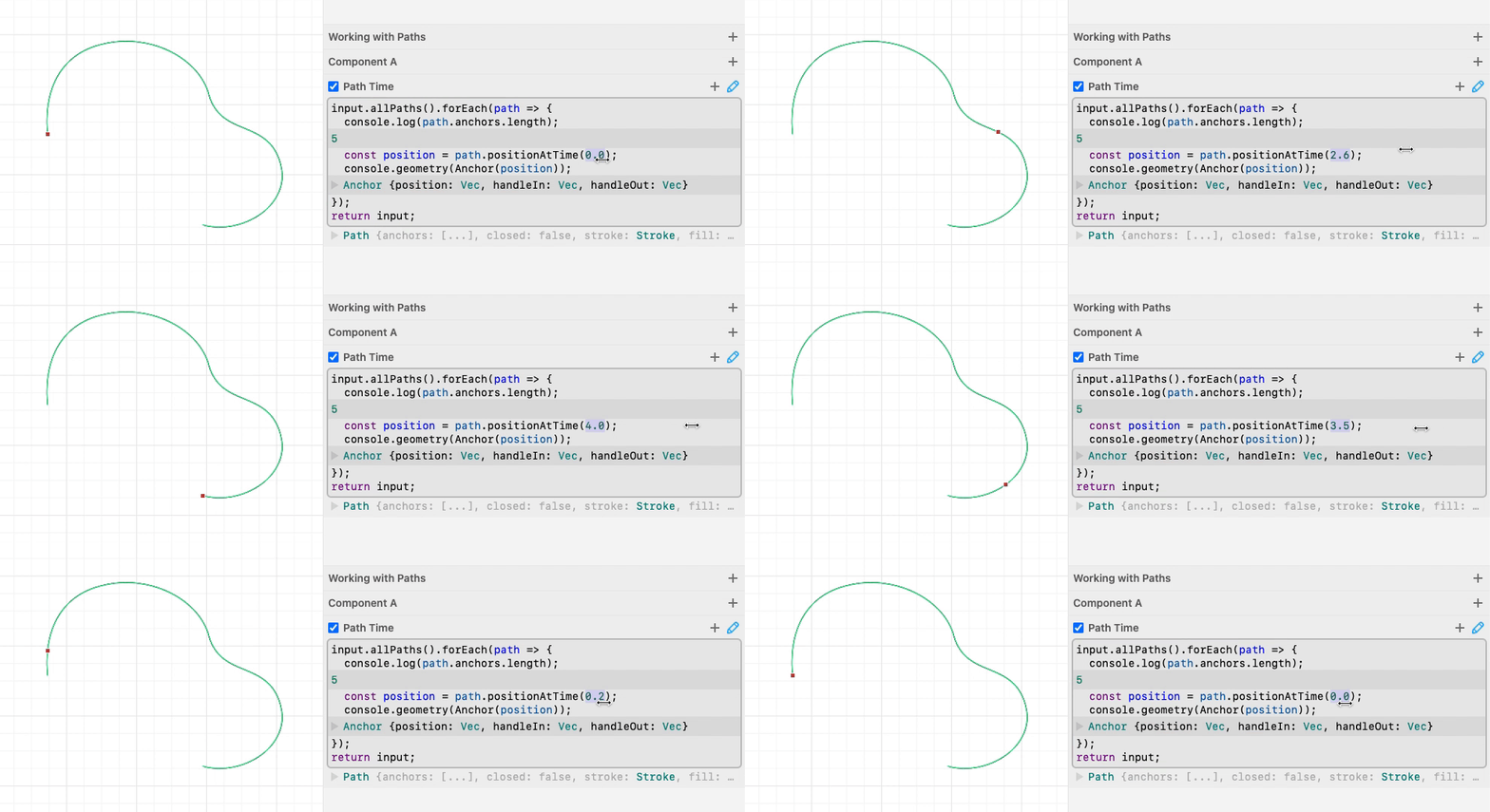
That’s where path “time” comes in. For an open path, time is a number that goes from 0 to anchors.length - 1. On closed paths, time can go up to anchors.length (completing the loop). You can think of time as an animation from the start of the path when time is 0, to the end.
Note: Time is an integer at anchors, so path.positionAtTime(1) will return the position of the path’s second anchor.
Let’s use path time to get a continuous position along the path:
Example: Repeating a shape along a Path
Now that we can get the position on a path at any time, let’s use it to place some shapes.

Time at Distance
You might have noticed that our shapes are not evenly spaced in the previous example. That’s because Bezier paths are non-linear, meaning the “position” on the path might speed up or slow down depending on the anchor handles.
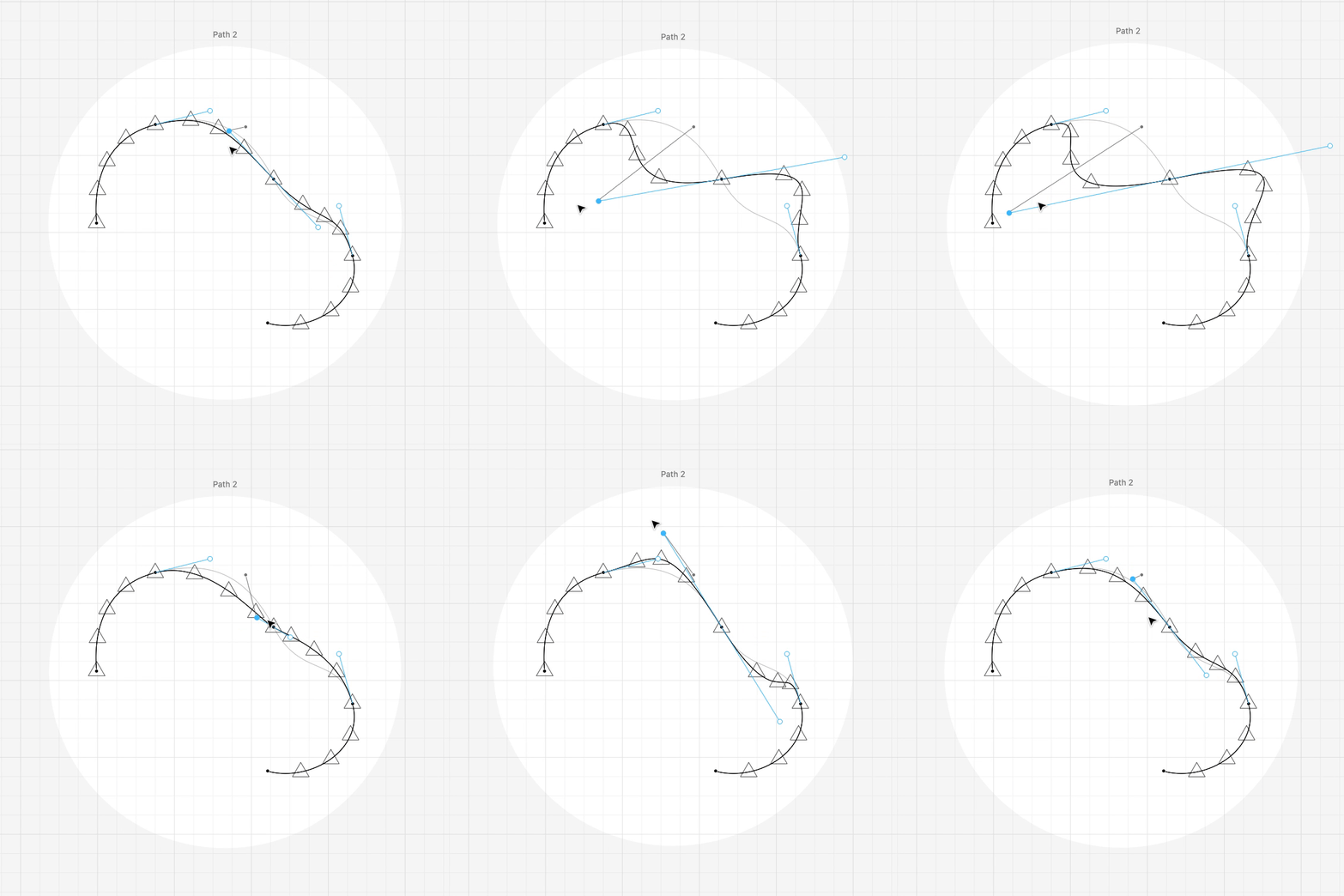
If we want our shapes spaced evenly, we need to step along the path by “distance” rather than time. We can use the path.timeAtDistance() to turn a distance into a time, and then use the time to get a position.
Example: Repeating along a Path (Distance)
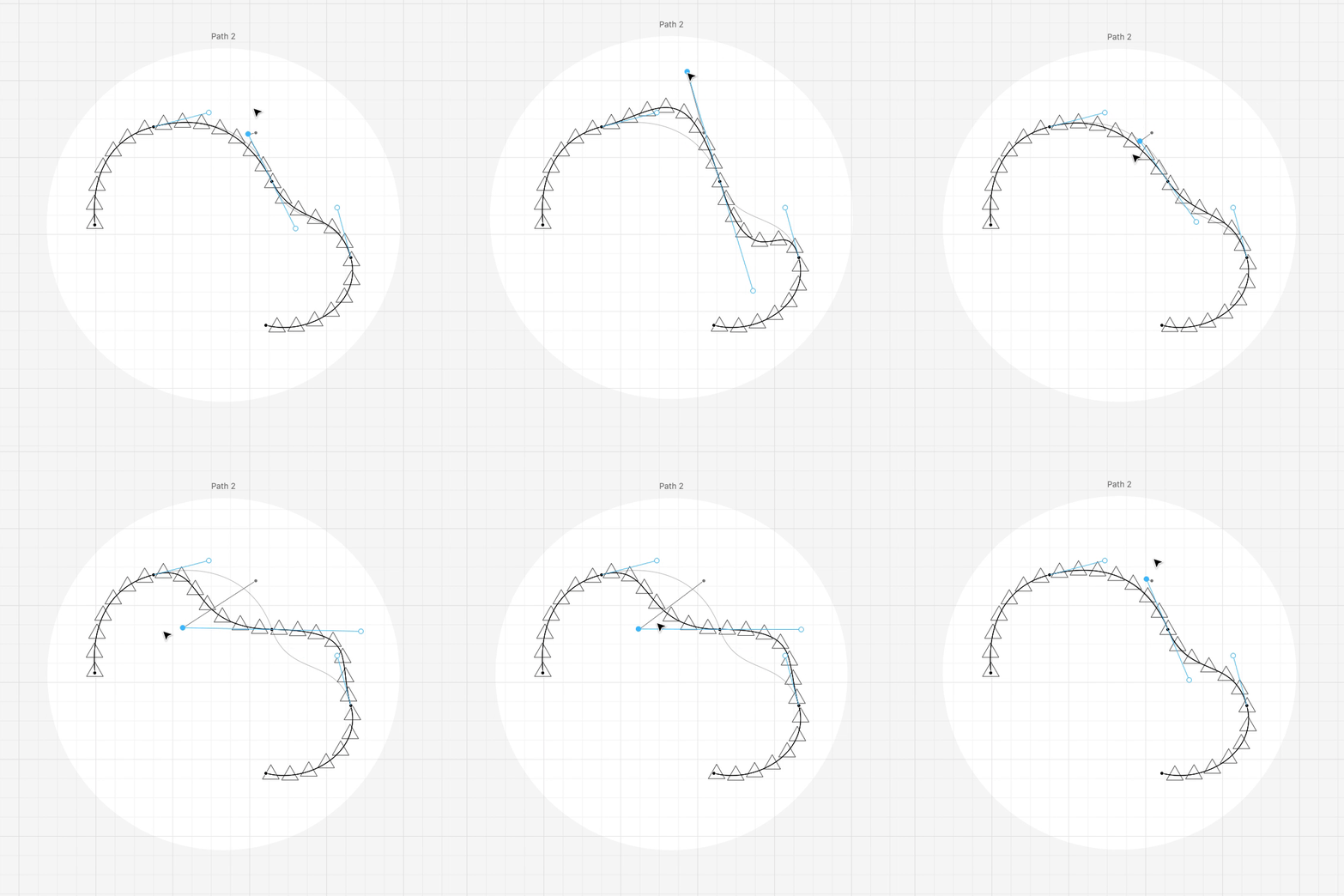
Instead of stepping along the path at a fixed time interval, we’ll step at a fixed distance up to the length of the path.

Now our triangles are spaced more evenly! You can see that as the length of the path changes, the number of triangles also changes.
Tangents and Normals
Now we can place shapes at positions along a path, but what if we want to orient the shapes to the face in the direction that the path is heading?
For this, we can use the path “tangent”. A tangent is like an anchor handle. It’s a unit vector that faces in the direction of the path, and we can get one for any time along the path.
Let’s write a simple modifier that logs tangents at fixed distances along the path.

We can show normals, too. A path “normal” is like a tangent, but oriented perpendicular to the path. A normal vector is actually just a tangent vector rotated by 90°.

Example: Putting it all together!
We can use tangent.angle() to rotate our triangles to face in the direction of the path.
