Getting started with parameters
Parameters let you define a value (for example material thickness) in one place and then reference that value throughout your project. When you change the parameter, everywhere where you’re using that parameter automatically updates.
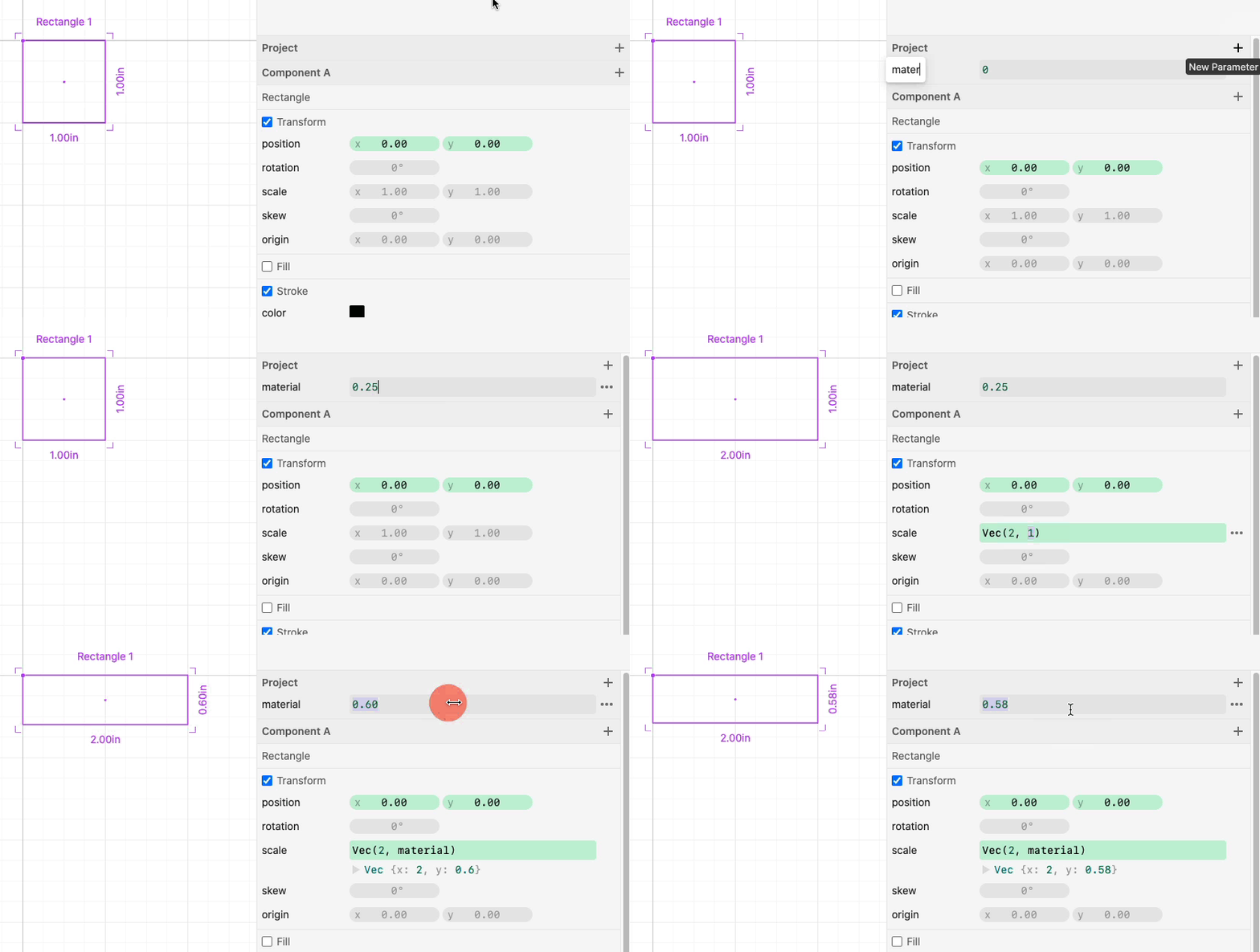
Parameters can reference other parameters and use math expressions. For example:

See Math Reference and Vector Reference for a list of all the operators and functions you can use.
Parameter Types
You can create project parameters which are accessible everywhere in your project.
You can also create component parameters which are only accessible within the component you create them in. These parameters can then be modified for each instance of the component.
Multi-line Expressions
You can use multiple lines of javascript in an expression. You’ll need to return a value.

Expressions don’t need to evaluate to a number. You can return any javascript value including arrays, objects, functions, etc.