Slots Best Practices

Cuttle is ideal for designing laser-cut projects with tab-and-slot assembly or finger joints because thickness can be made variable.
There are two effective methods for achieving a good fit between parts with a variety of materials. Both work well, but it’s important to be clear about which one you’re using to set users up for success.
Use proper parameter naming and include the right resources and instructions on the Read Me depending on the method you choose.
Method 1: Slot Tester + Empirical Fit

This method uses a slot tester to find the best-fitting value through real-world testing. The user needs to cut the slot tester tool and they simply enter the value that works in practice, there is no kerf compensation.
- Use
slotSizeas your parameter name. - Make sure to include brief instructions and a link to the Slot Size Tester.
- Optionally you can add a link to the Slot Size Test Squares template.
Method 2: Calipers + Kerf Compensation

This method uses a precise material thickness measured with calipers and applies kerf compensation to achieve a tight press fit. Cuttle’s finger joints kit and all Cuttle’s box templates are constructed using this method.
- Use
materialThicknessas the parameter name for the thickness of the material. This conveys the idea that the number you measure with your calipers is the one you enter in the parameter, so it’s very close the actual material thickness. - Include a parameter named
kerfto compensate for the material taken out by the laser beam. It should work in such a way that a bigger kerf value equals a tighter fit. A good starting value for this parameter is 0.007 inches. - Optionally you can include links to the Finger Joints Kerf Tester or Tab and Slot Tester where appropriate.
Notes for Designers

When compensating for the kerf on these kind of projects we add or subtract the kerf value on the sections that are likely to be consistent because they are cut by the laser.
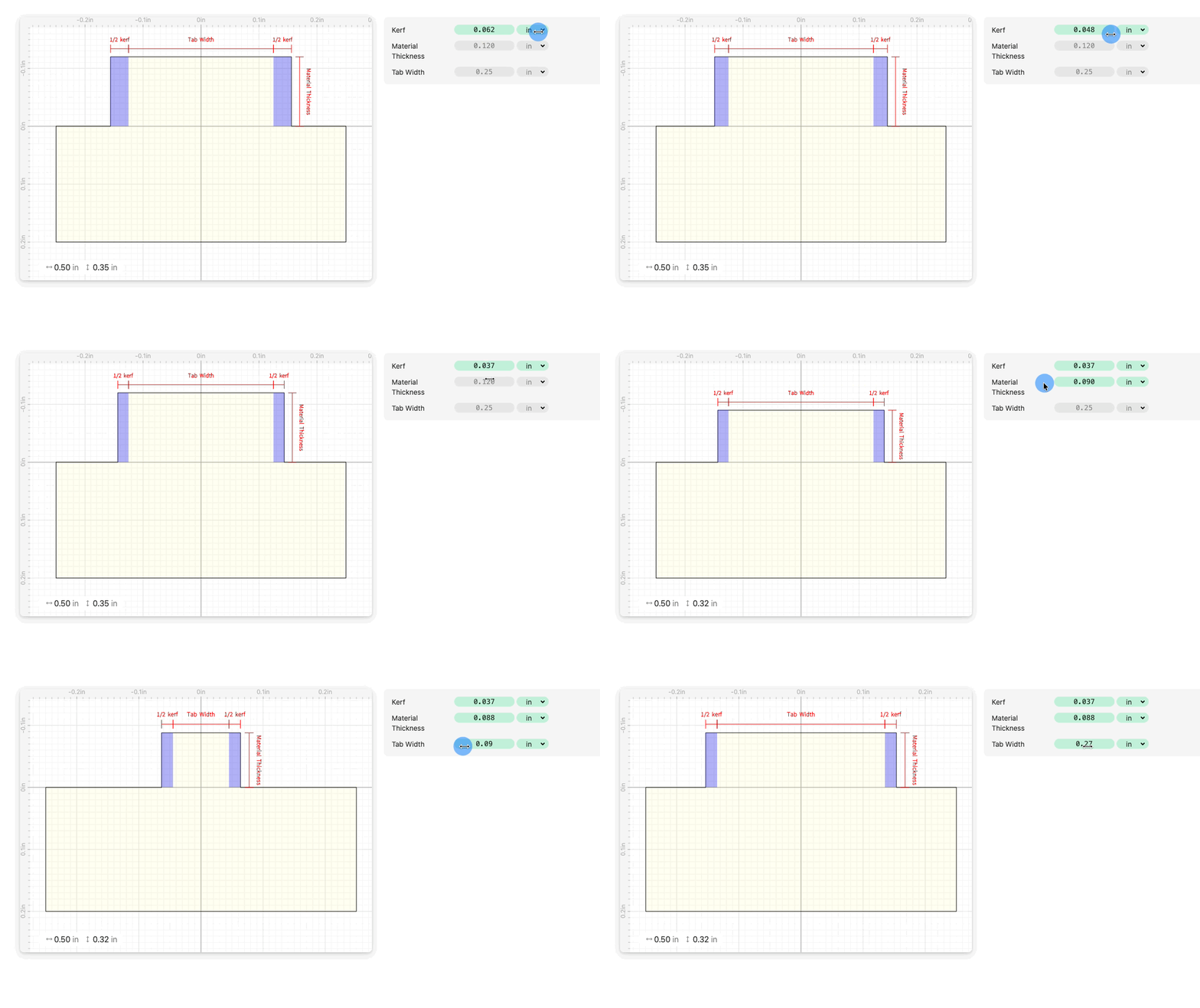
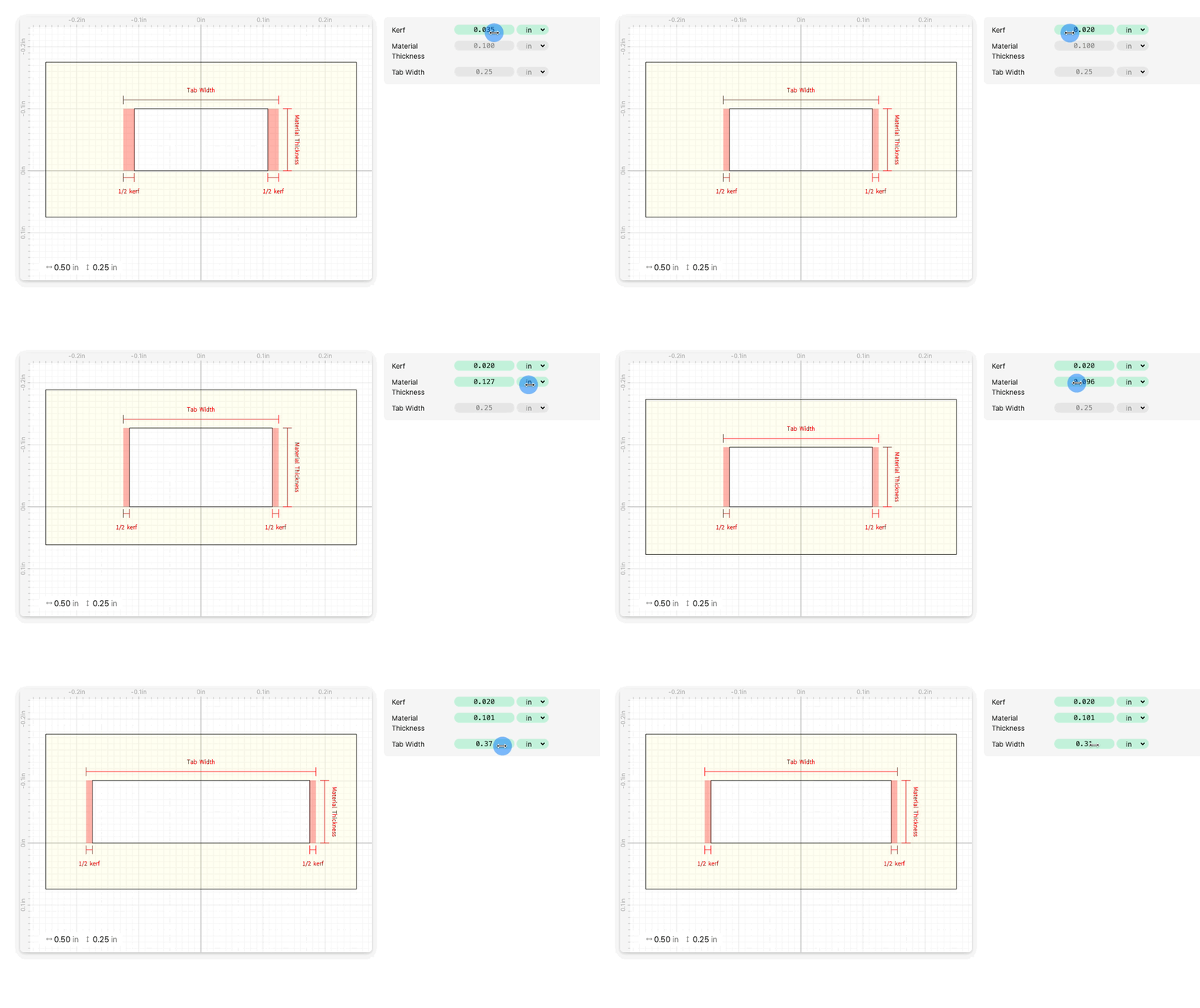
On the sections determined by the materialThickness we don't use the kerf value because there will always be some variation on the actual thickness of any given piece of material, so materialThickness is mostly useful for determining the height of the joints but not for affecting the fit. This might be more clear with a few diagrams. See this project for an interactive explainer.
Kerf compensation on tabs
Half the kerf gets added on each side of the tab, and the tab height is materialThickness.
(tabWidth + kerf, materialThickness)

Kerf compensation on slots
Half the kerf gets subtracted on each side of the slot, and the slot height is materialThickness.
(tabWidth - kerf, materialThickness)

Learn More
Watch this one to learn how to make projects with simpler slots and a slot tester.
The following video is a deep dive on using the Finger Joints Kit.