Copying components
How do I copy components from one project to another?
We’re working on a more convenient way to do this, but for now you can use Cuttle’s copy (cmd/ctrl + c) and paste (cmd/ctrl + v).
When you copy a selection, any “dependencies” will also get copied. These include components, custom modifiers, and project parameters.
In the below example I copy a shape that depends on the Pentagon Piece and Tab components and the tabHeight project parameter. When I paste it in the new project, these dependencies automatically get added to the new project.
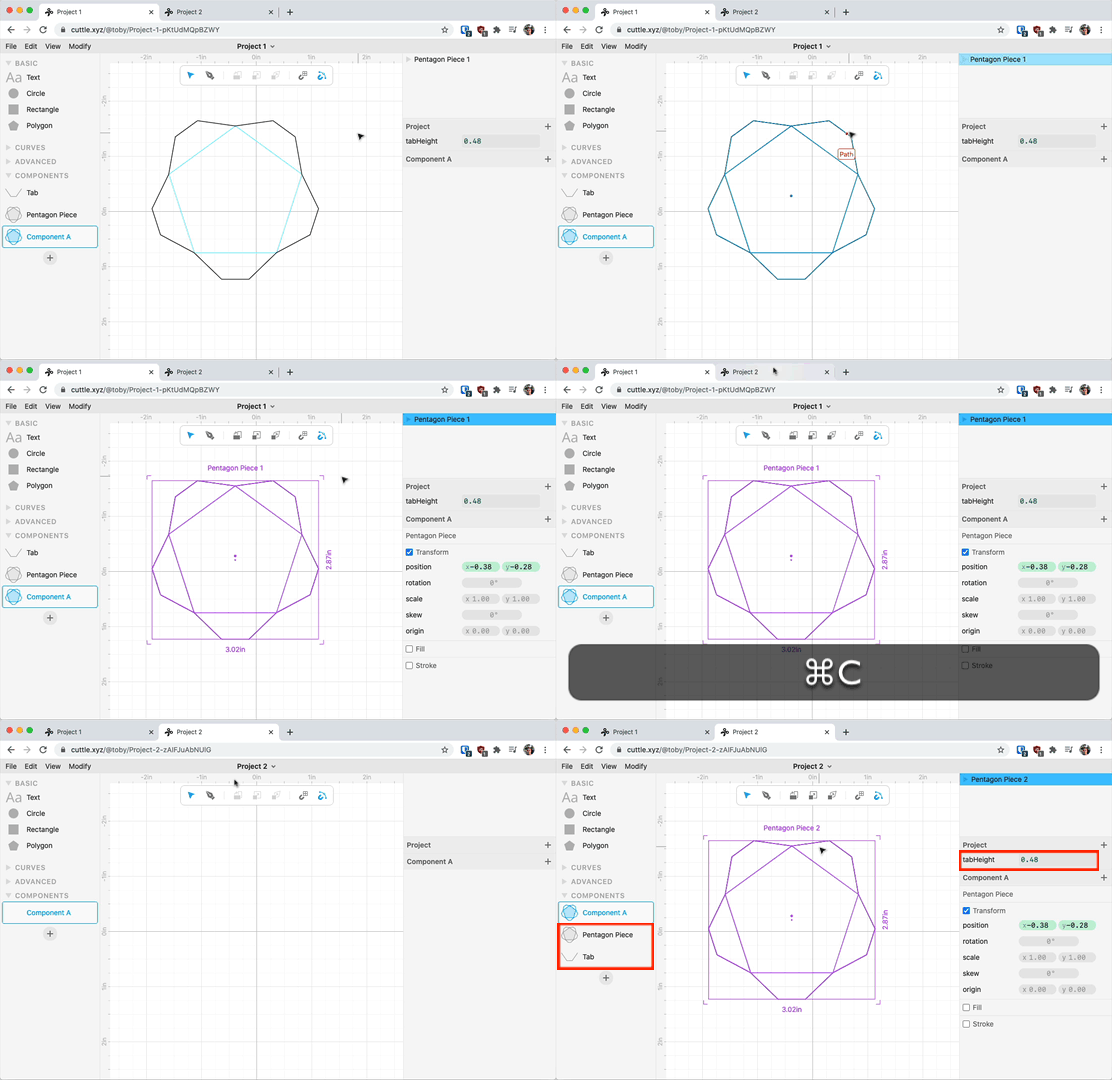
Technical Note: we use the names of definitions to “link” them. So for example if your new project already had a component named Tab, your pasted shape would link to that pre-existing Tab component and would not copy the Tab over from the previous project.