Create a grid of hexagons with Tile Repeat
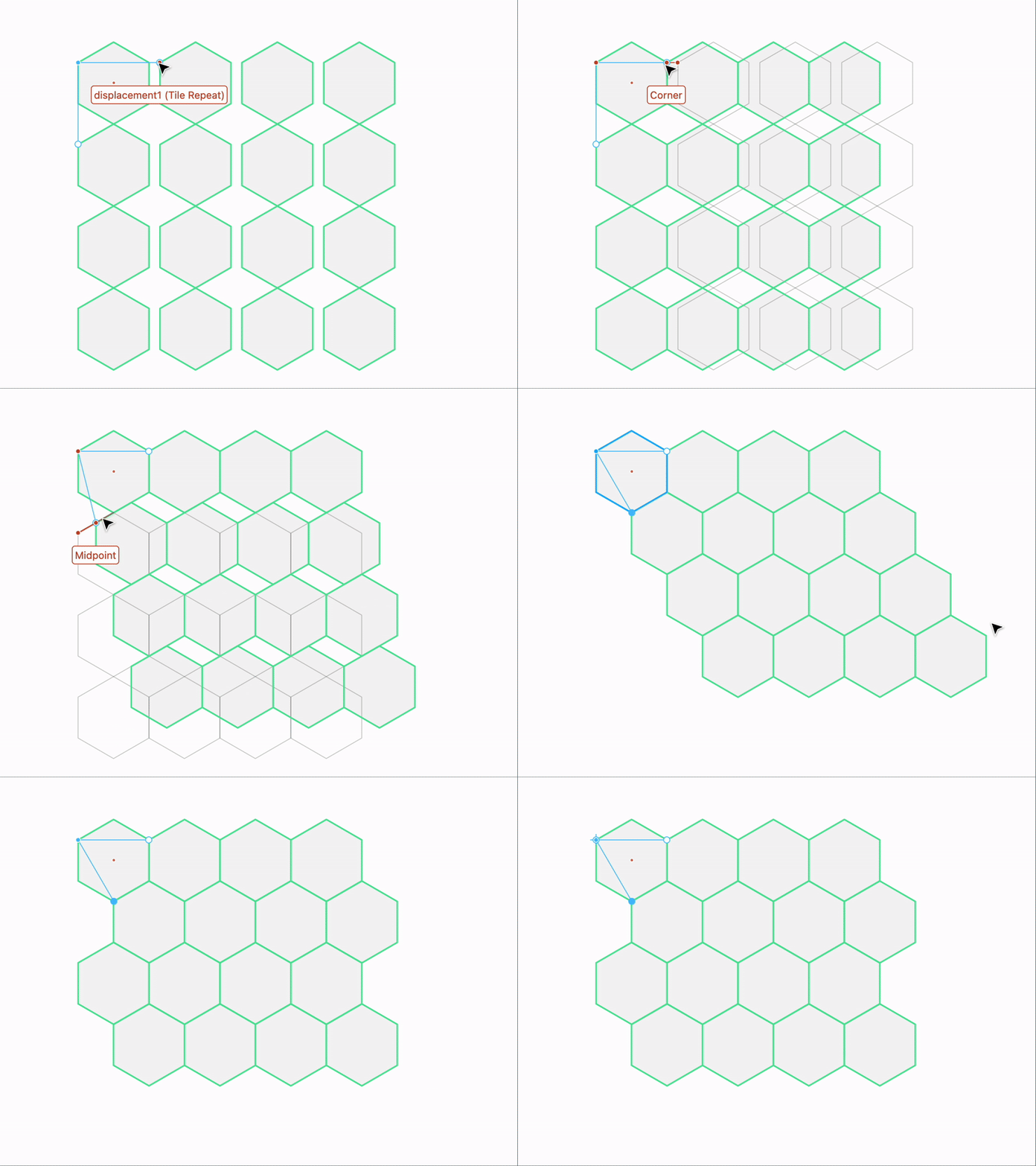
A hexagon is a six-sided polygon. In order to create a seamless grid of hexagons with no overlaps, the most important step is to transform the center of the hexagon. This lets you snap the handles of the Tile Repeat Modifier to two corners of the hexagon.
- Create a hexagon
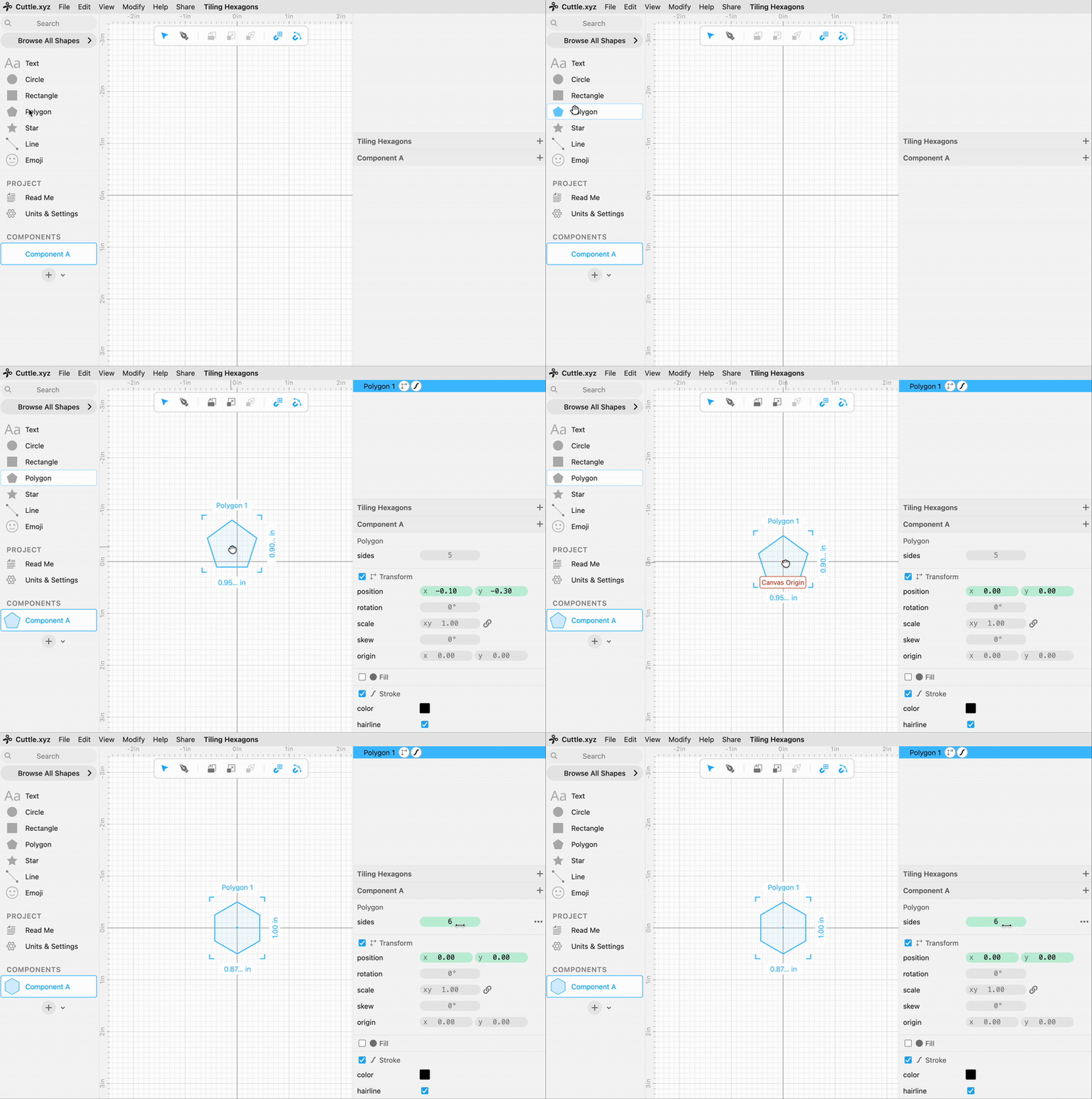
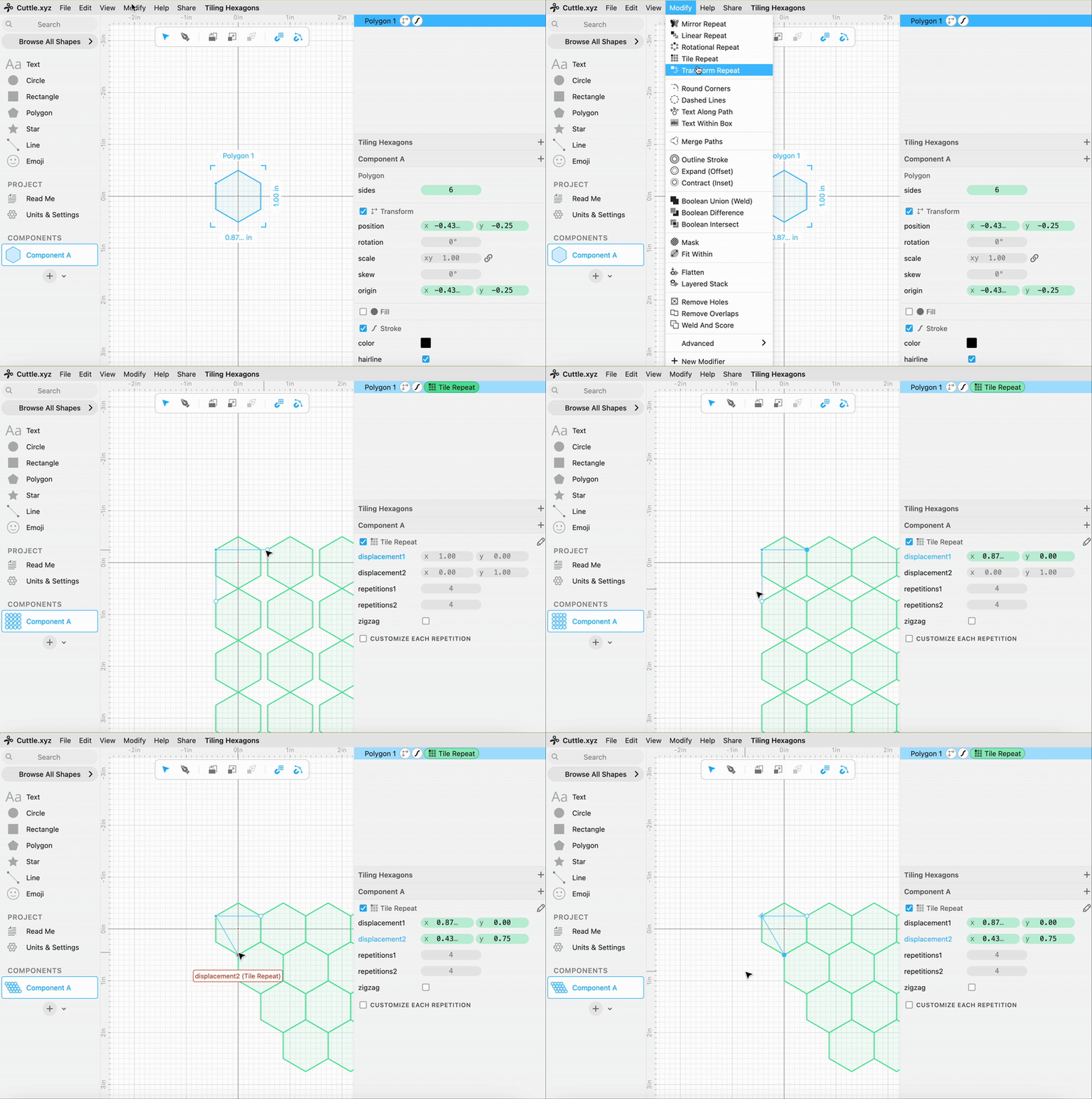
To create a hexagon in Cuttle, start by dragging a Polygon shape onto the Canvas, and changing the number of sides to 6.
- Transform Center of Hexagon
With the hexagon selected, hold down
Cmdon Mac, orCtrlon Windows and drag the center point to the top left corner of the hexagon.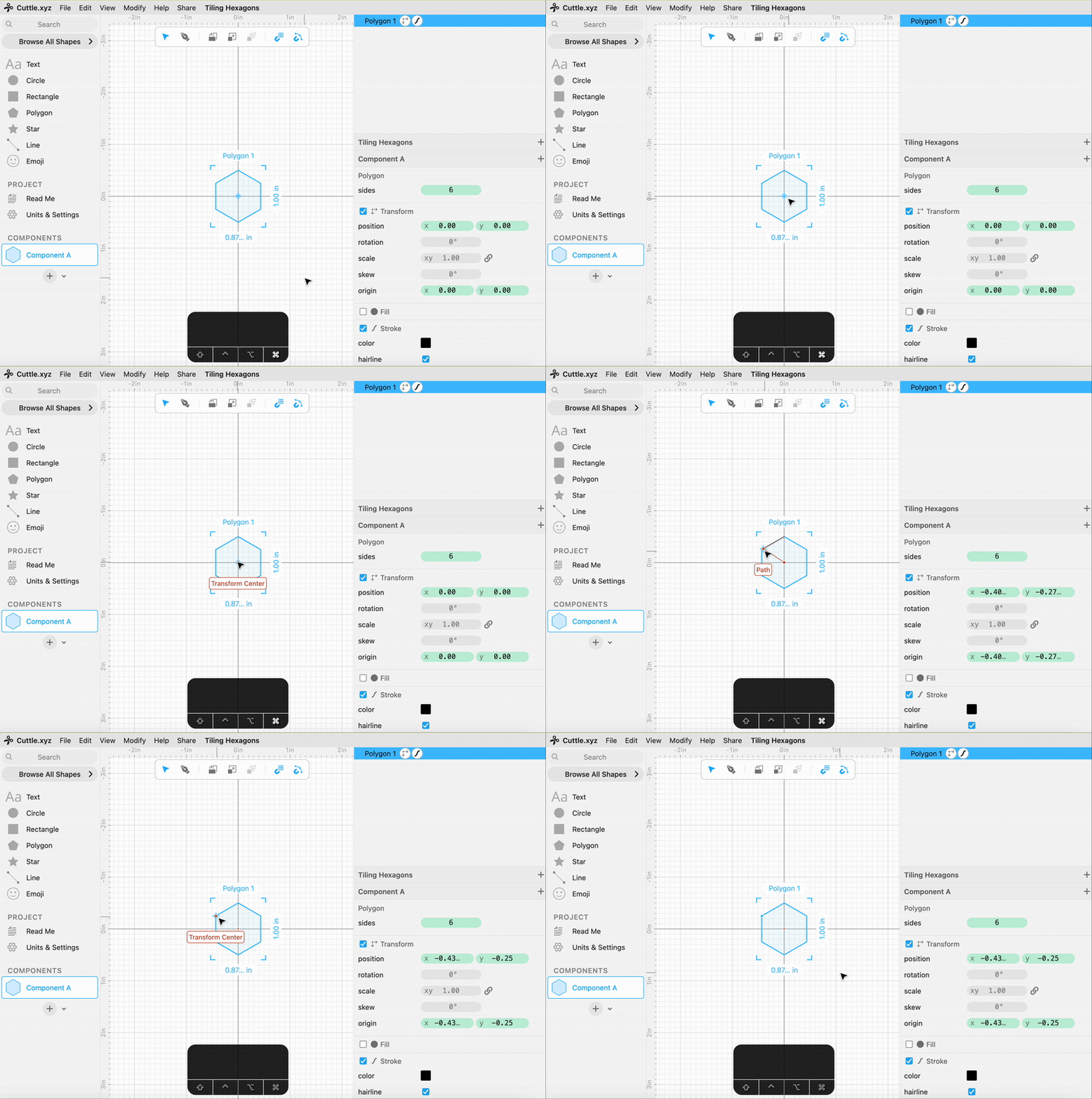
- Apply Tile Repeat Modifier
With the hexagon selected, apply the Tile Repeat Modifier from the Modify menu. Adjust the handles of the Tile Repeat Modifier to snap to the top-right and bottom corners of the hexagon, as shown below.
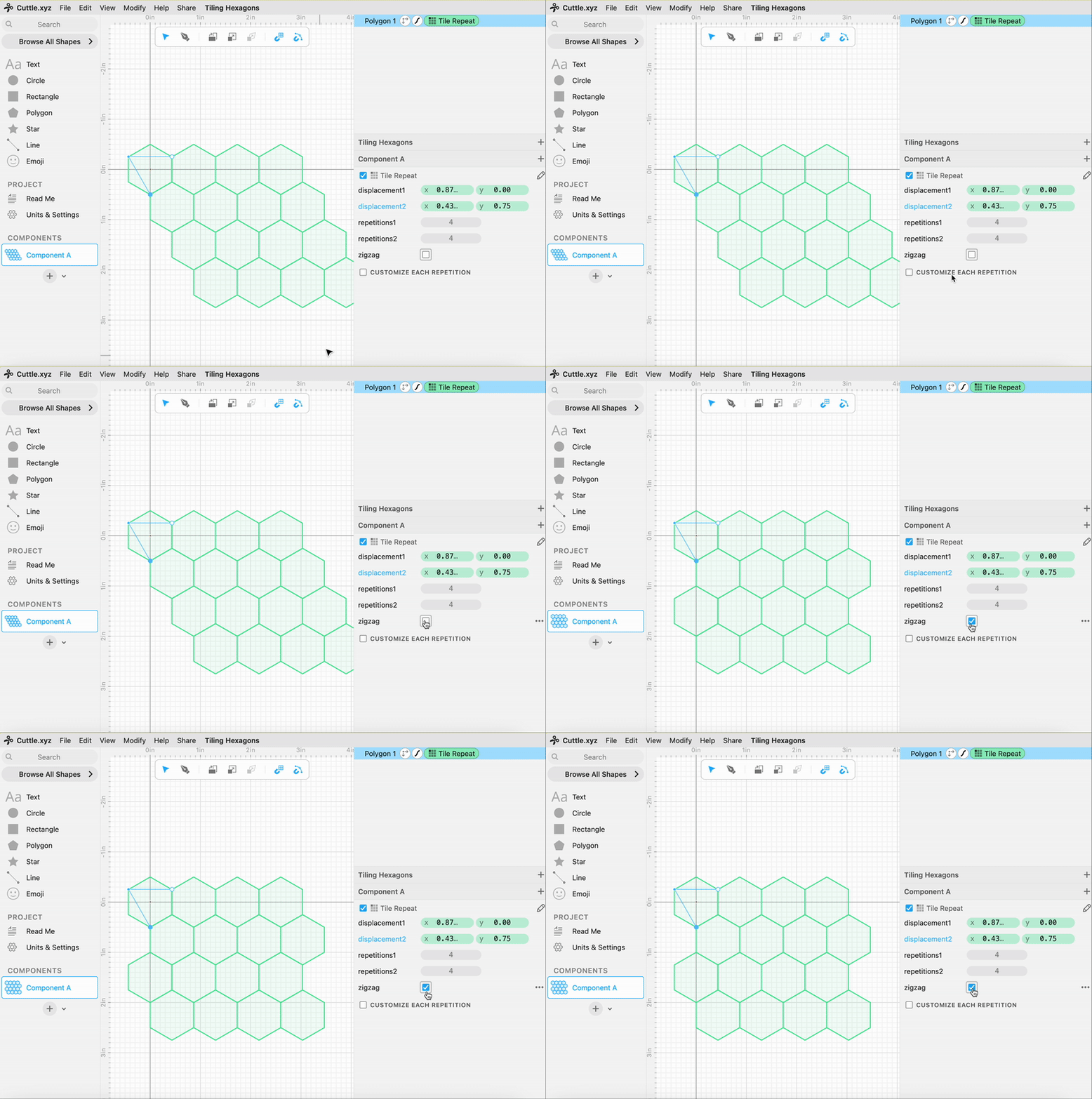
- [Optional] Check zigzag to straighten grid
With the Tile Repeat Modifier selected in the Outline View, check the zigzag option in the Transform menu on the bottom right to make the grid of hexagons more square.