How to add recommended fonts
By adding a few recommended fonts to your template, you make it easier for users to achieve good results. This also allows you to curate a list of fonts that look really good with your designs.
Recommended fonts will appear as a category in font choice menu.

Here is how you can add this feature to your template:
To recommend a font, your template must already include a font parameter.
- Start by choosing the font you want to recommend in your font parameter.
- Go to the 3 dot menu and select Add Font to Recommended
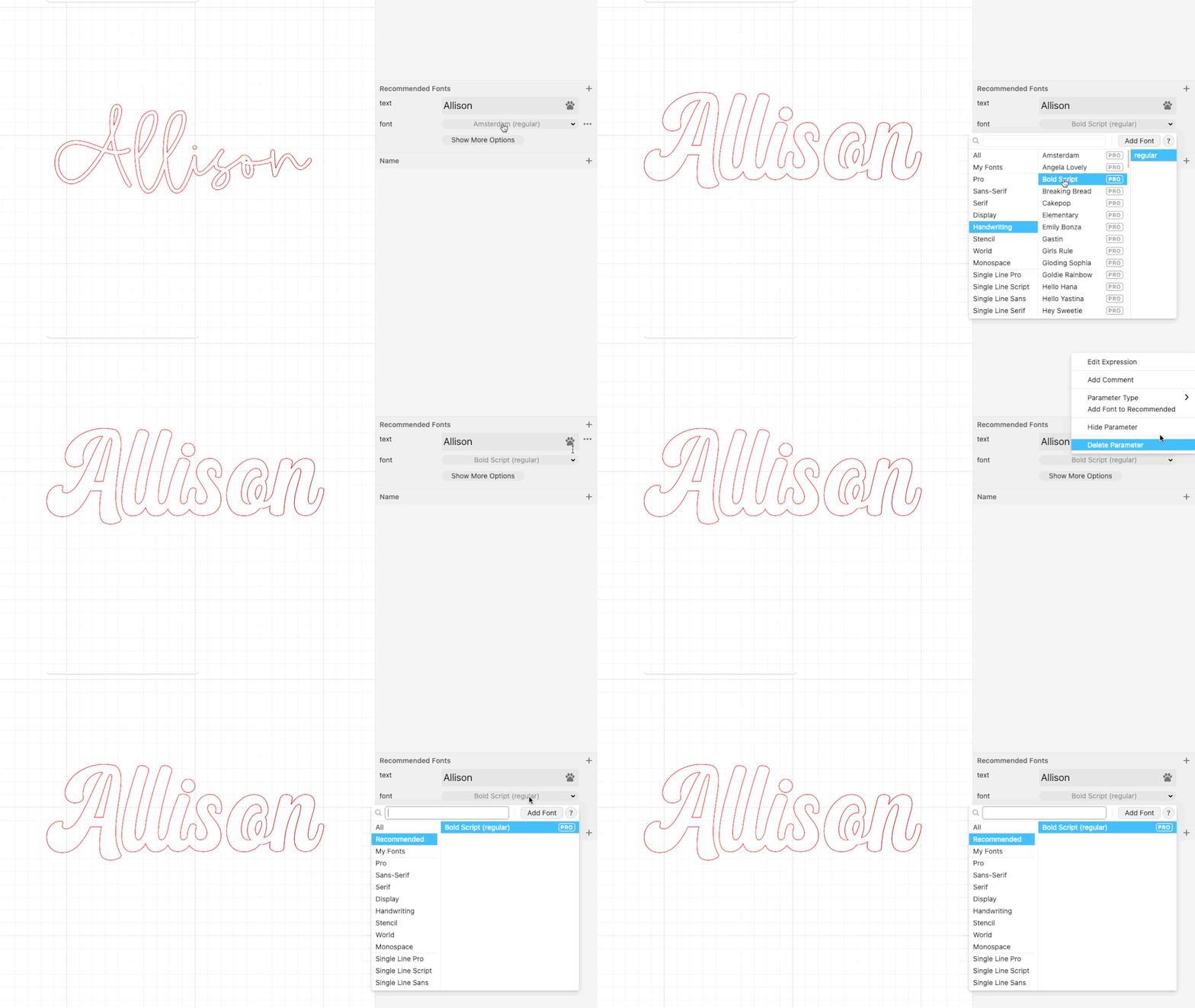
- Repeat the same operation for any additional fonts you want to recommend.
- If you need to remove a font from the list you can select it and then you’ll see the option Remove Font from Recommended in the 3 dot menu.

The following video also has a detailed walk through of this process.