Visible
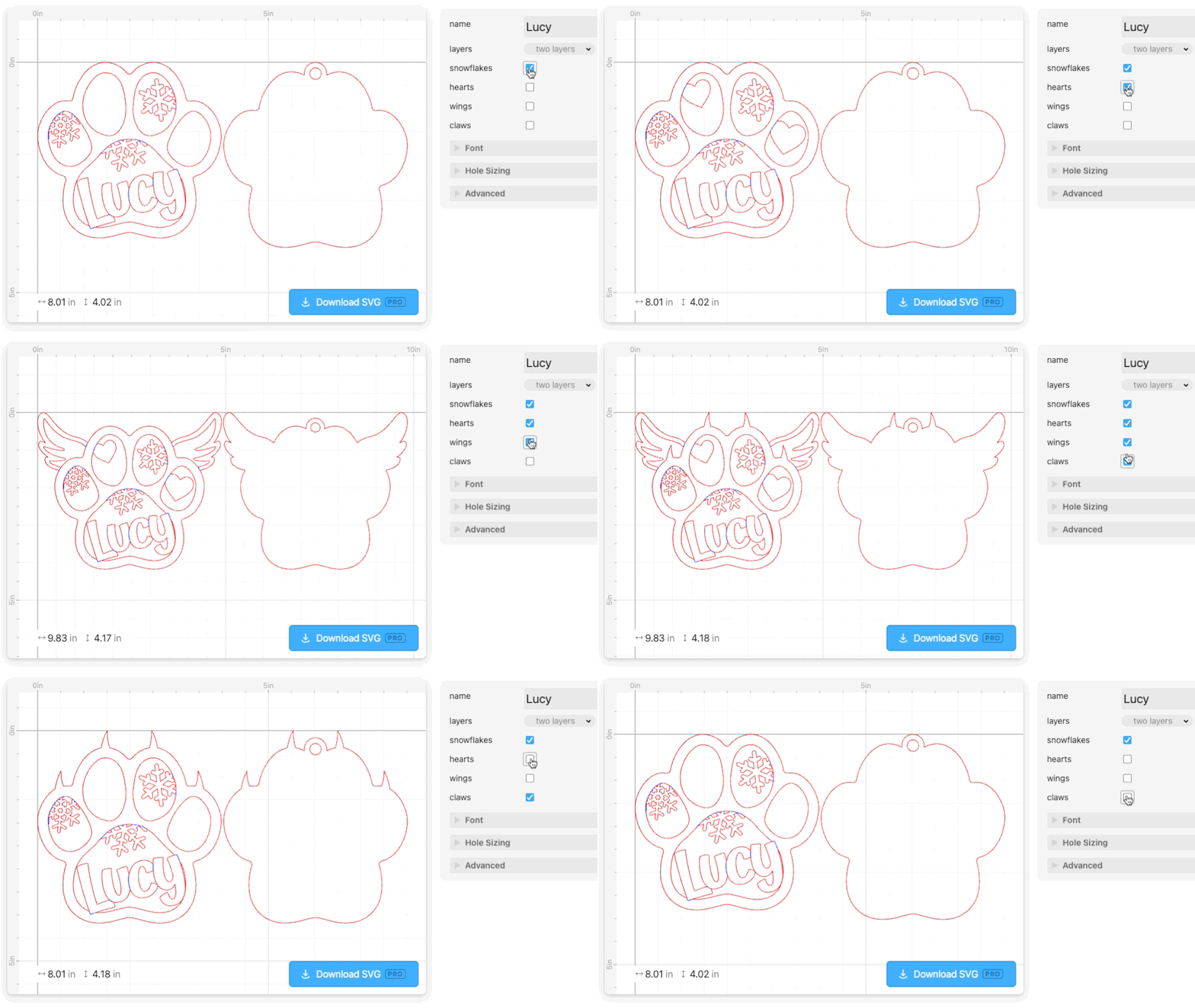
The Visible modifier is useful when you want elements in a template to be toggled on and off individually, and it works best when combined with the Checkbox parameter.
With the Visible modifier you can create designs that allow the user to choose any combination of elements (like snowflakes, hearts, wings or claws in the Paw Ornament) or when you have a single option that can be turned on or off, like including a backer or a hole.
How to use it
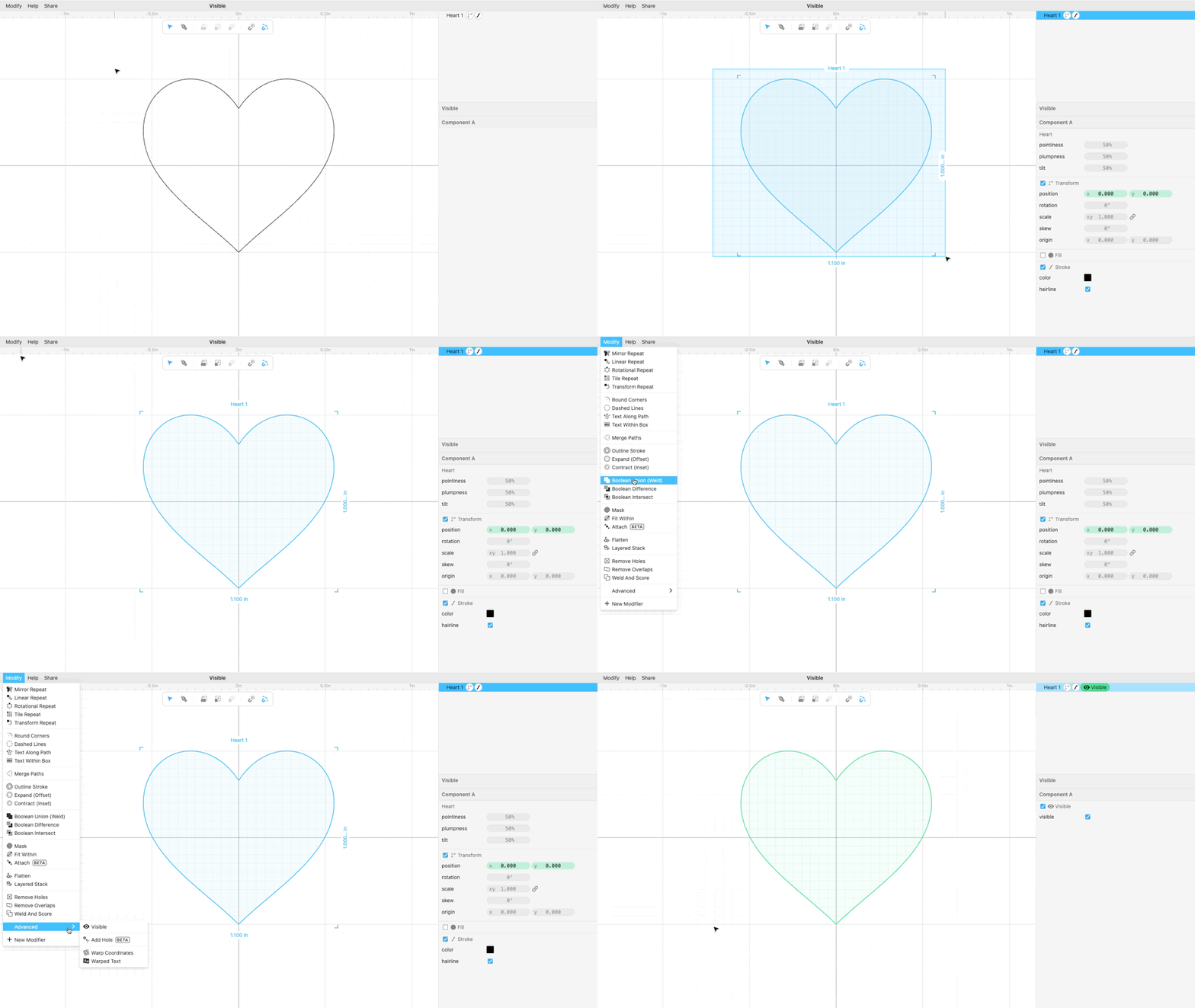
- Select the element you want to toggle, in this case a heart shape, and go to Modify>Advanced>Visible
- Create a new parameter (
heartin this example) and change its type to Checkbox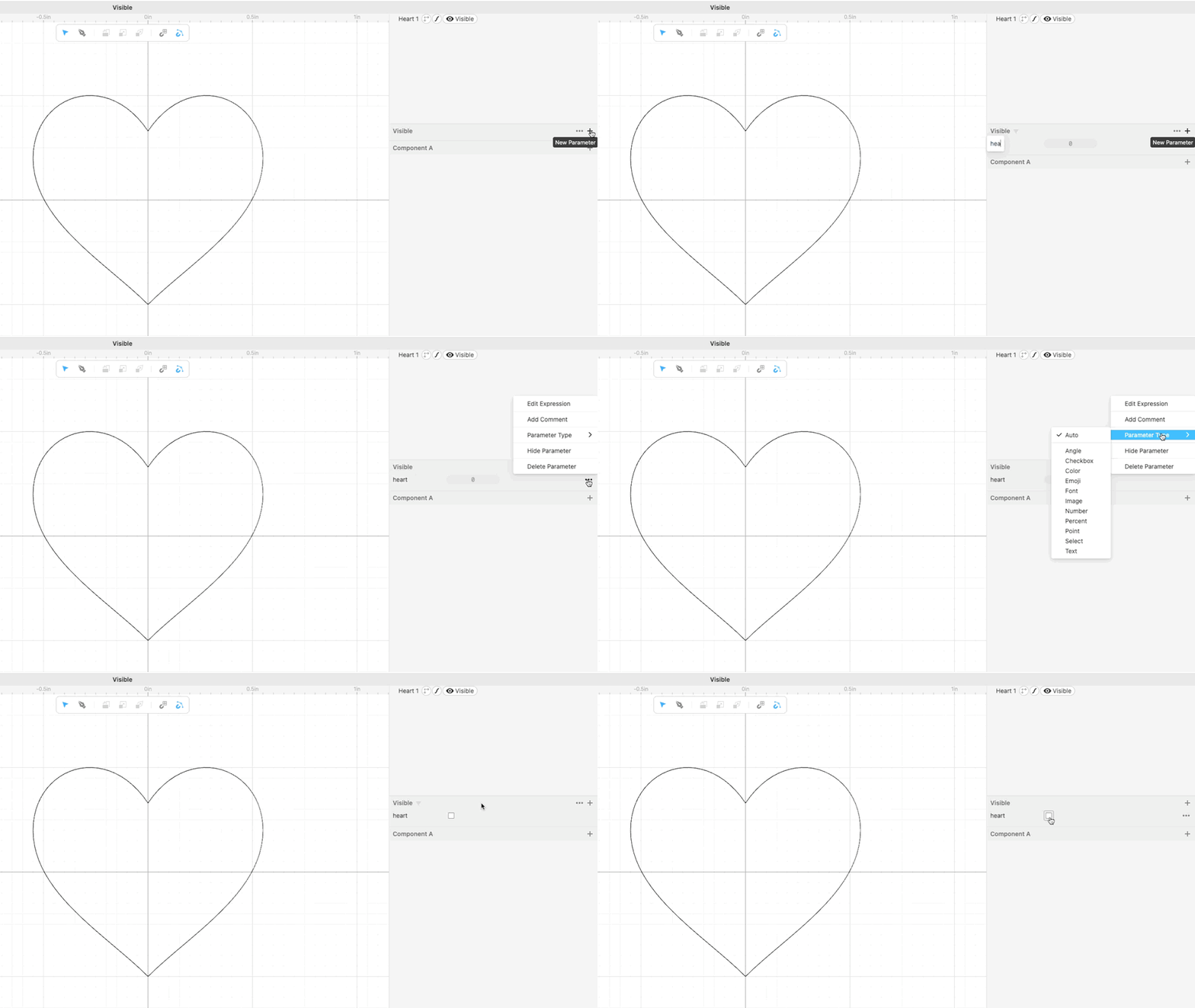
- Now to connect the
heartparameter to the Visible modifier applied to the heart shape, select the modifier and click on the 3 dot menu next to the check box, then select “Edit Expression” and typeheart(or the specific parameter name that you chose).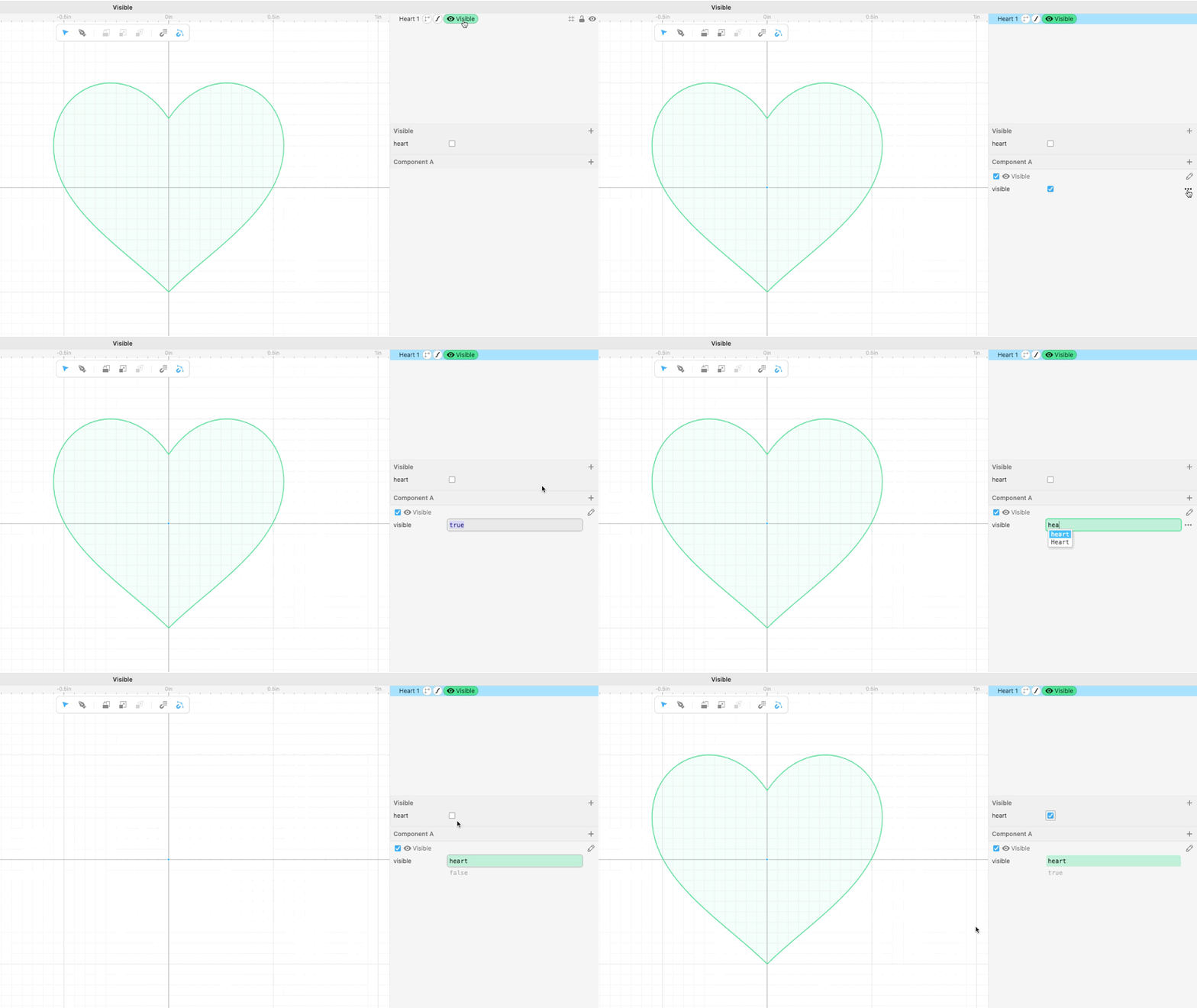
Apply the Visible modifier to each shape you want to toggle on and off, and create an additional Checkbox parameter that is “connected” to it by typing the parameter name in the modifier options.
