Text with Tails and Hearts
 Cuttle Official
Add “tails” to the sides of words or “heart connectors” between words. This works with a selection of calligraphy fonts. Dots on i’s are also connected. Use this for elegant wedding place cards or within your own designs.
How this works
Some calligraphy fonts have special “alternate characters” to add tails or hearts to letters, like this:

Previously, to access these characters you had to open a character picker like Windows Character Map or Mac Font Book, hunt down the special character, and copy and paste it into your design.
This new feature lets you automatically add tails to the start or end of words and heart connectors between words.
There are several options you can choose for tails at the start or end of words and how you want to connect words together.
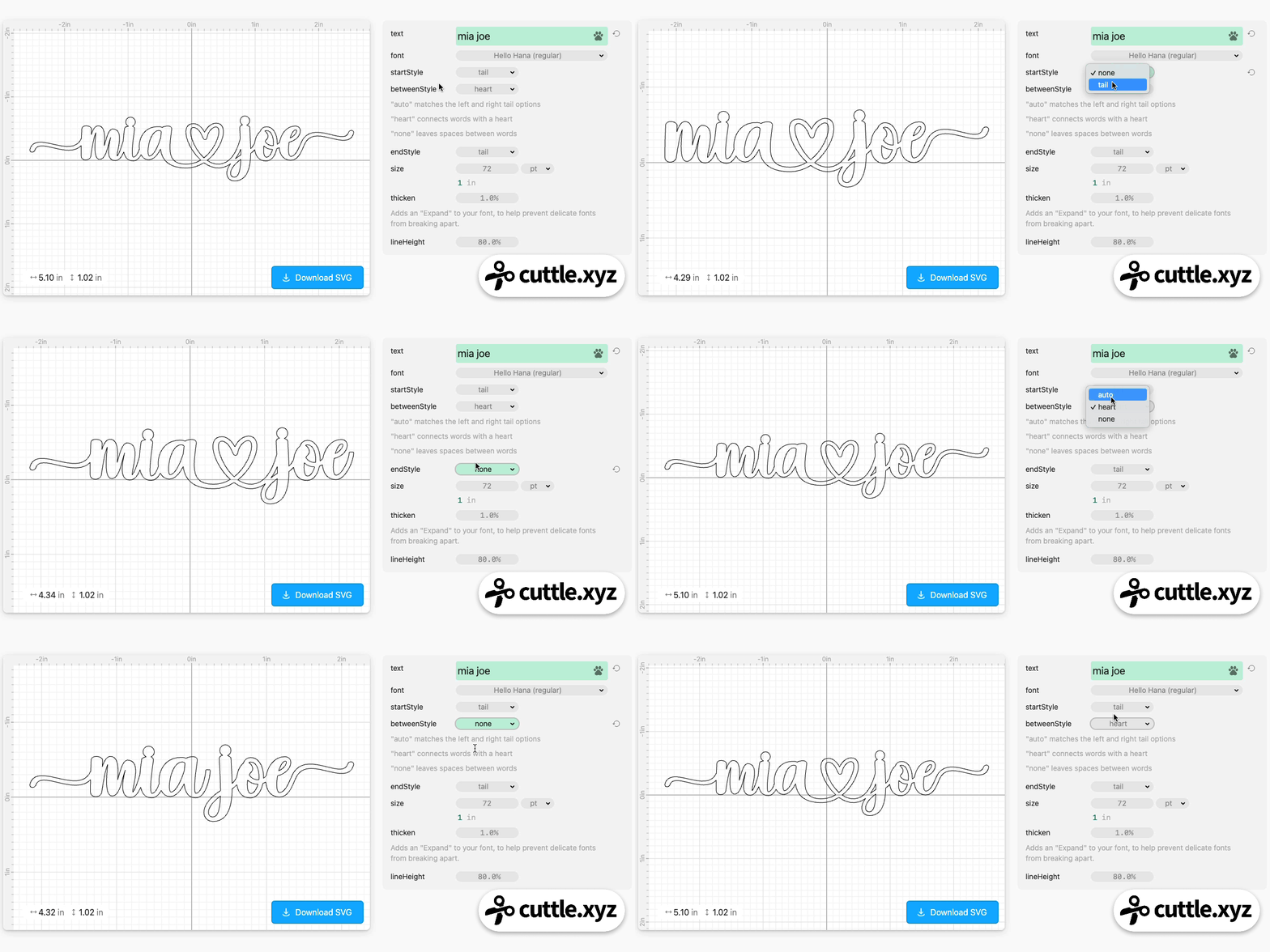
Since this feature is usually used in cases where you’re cutting out text, we also automatically connect dots on i’s using Cuttle’s popular Connected Text feature.
Fonts that support tails and hearts
Only some fonts have these special characters. Also they are usually only supported on lowercase letters.
Here are the current fonts that are supported:

Note that user uploaded fonts do not yet support automatically adding tails and hearts, even if the uploaded font includes those character alternates. To access character alternates in uploaded fonts, you will still need to open the font in Windows Character Map or Mac Font Book and copy and paste the desired character into your text.
But we plan to add more fonts with these features to the Pro Fonts collection. If you have a favorite font that you’d like to see in the collection, please let us know!
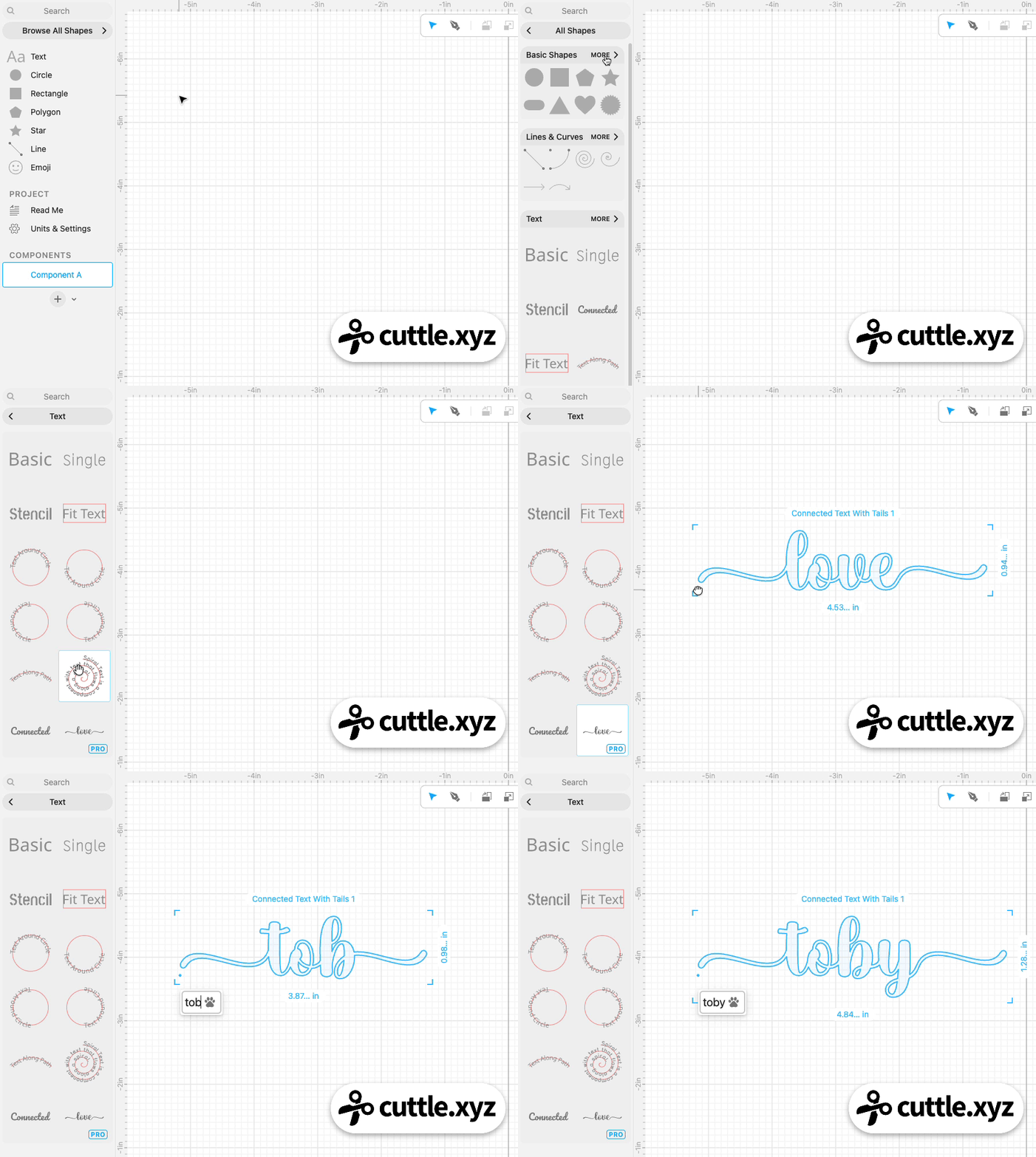
How to create text with tails and hearts in the Cuttle Editor
You can use this new feature in your own designs!
In the Cuttle Editor left sidebar, click Browse All Shapes > Text > then drag out a Connected Text With Tails shape.