Ship Lap Ornament / Tag
 Thirsty Man Designs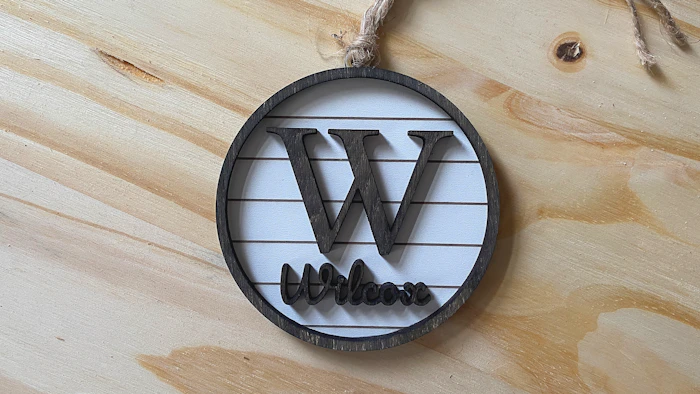
Create a truly personalized piece with this versatile laser-cut design! This file is fully customizable, allowing you to adjust the overall size, change shiplap-lines, include an optional outer ring, and personalize it with an initial and name.
Name
Enter the full name exactly as you want it to appear on the design.Name Font
Choose the font style for the name. Click Show More Options if available to see additional font settings.Name Size
Adjust the size of the name text using the value field and unit selector. This controls how large the name appears relative to the design.Name Position (X / Y)
Fine-tune the horizontal (X) and vertical (Y) placement of the name to center or align it as desired.Initial
Enter the single letter to be used as the main initial or monogram.Initial Font
Choose the font style for the initial. Click Show More Options if available to see additional font settings.Initial Size
Adjust the scale of the initial independently from the name.Initial Position (X / Y)
Move the initial left/right or up/down for precise placement within the design.Ornament Size
Controls the overall size of the design or decorative element. Keep proportions linked unless you need custom scaling.Ship Lap Spacing
Adjust the spacing between shiplap-style lines. Increase for wider gaps or decrease for a tighter look.Has Ring
Check this box to include the optional outer ring. Uncheck it for a clean, open-edge design.