ATV Ornament / Magnet
 Deanna's Wooden Art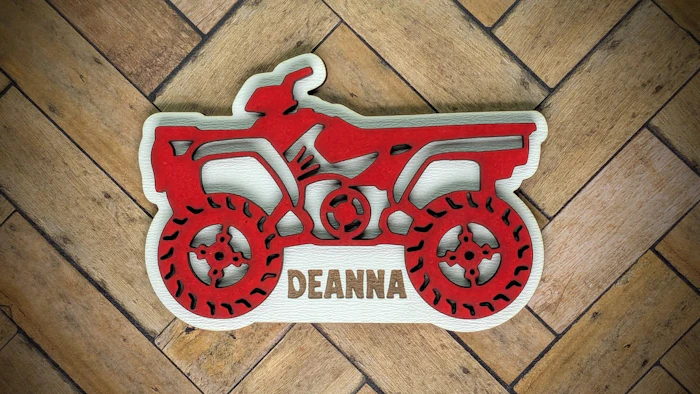
Create an ATV (All Terrain Vehicle) Ornament, or Magnet, by typing in a Person's Name or Name of an Organization.
Directions:
Type in your Text and Choose a Font.
Adjust Text Scale, Text Position and Line Height (if two or more lines of text) as different fonts take up different amounts of space.
Check the Include Hole box for an Ornament, Uncheck box for a Magnet.
Red=Cut, Blue =Score, Black=Engrave
Assembly:
Paint as desired, when dry, line up the top ATV using the the blue score lines on the backer as a guide, and glue together.
Material Used:
Top: 1/8 MDF Painted Red
Backer: 1/8" White MDF
Magnets - 2
Like this design, try these next:


Makes & Comments
Jennifer
Perfect for personalized ornaments 😍
You must be a member of Cuttle Pro to post in this area.