"Weld And Score" Text
 Cuttle Official
Your text is automatically connected and score lines are added between letters and dots. This lets you cut the text in a single piece while the score lines make the letters pop! Choose any font or upload your own.
Make sure to set the blue lines to "score" on your laser cutter. Learn more about scoring.
How to use "Weld and Score" in your own designs
Federico recorded a comprehensive video tutorial on how to use “Weld And Score” in your own designs in the Cuttle Editor.
Normally, when you “Weld” or “Boolean Union” two shapes, they are joined into a single shape but any lines where they overlap are removed.
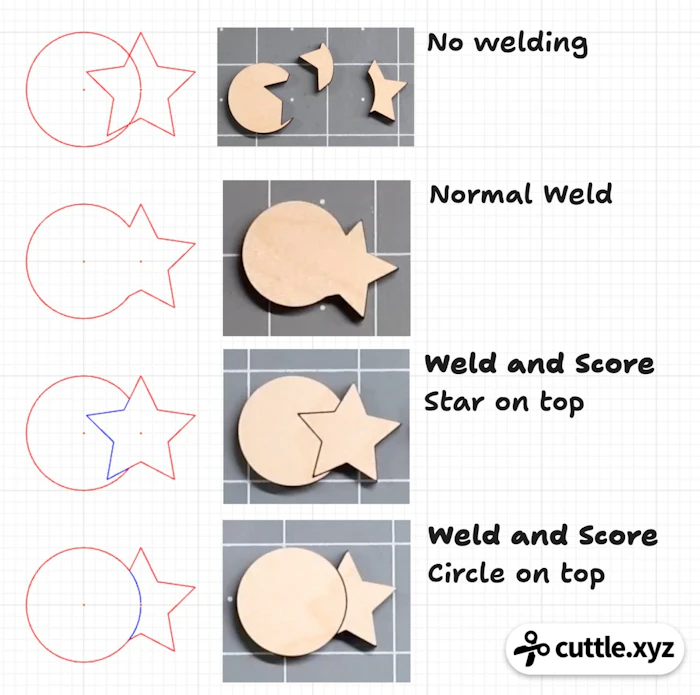
With “Weld and Score”, the shapes are still joined into a single shape — you can pick it up as one piece! — but score lines are added wherever the shapes overlap.
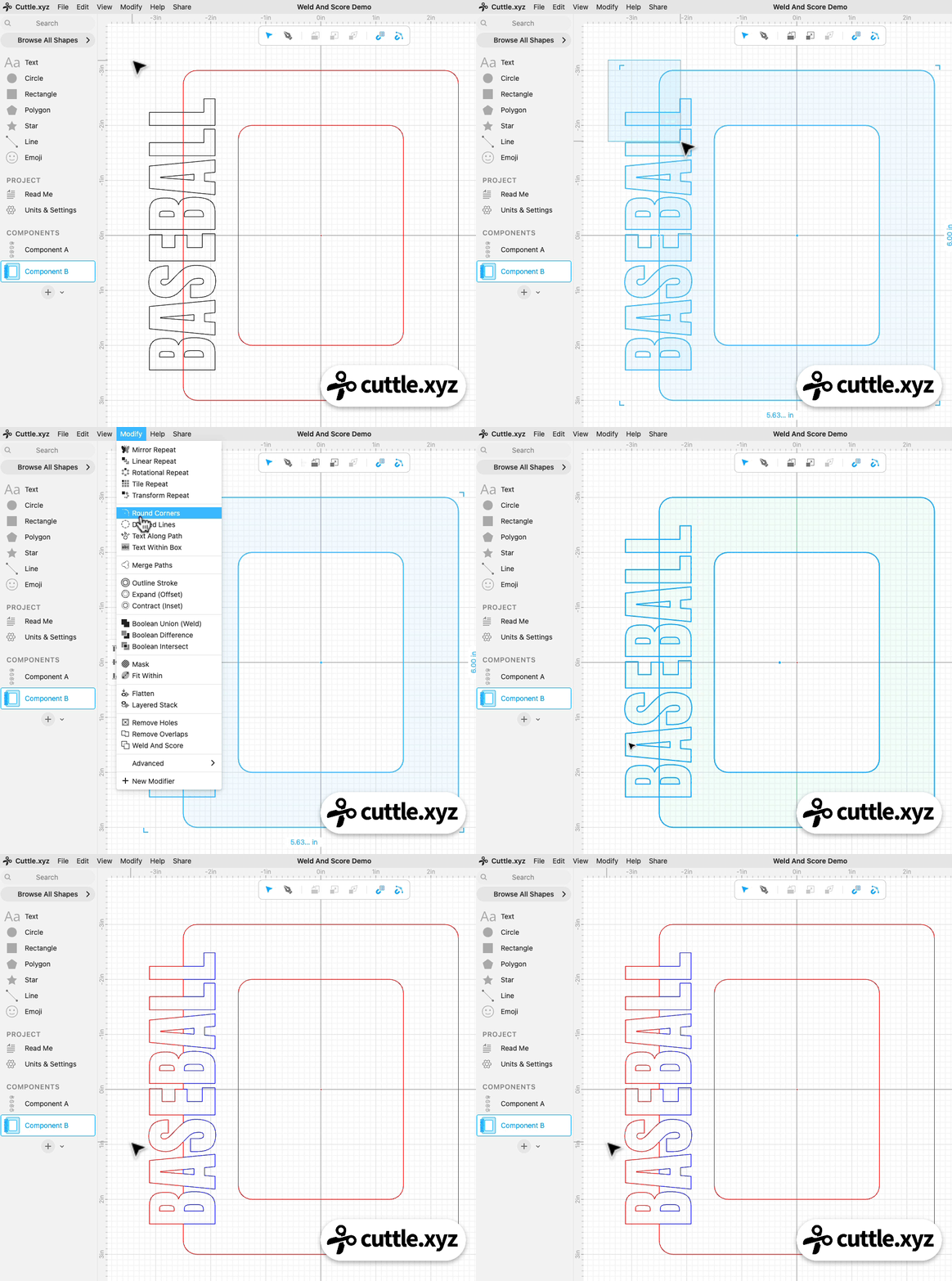
Here’s what that looks like with text:

You can also combine shapes and text using Weld And Score. Federico demonstrates by showing how to create this photo frame with text: