Retro Glam Cake Topper
 Cuttle Official
Create a unique cake topper for a fabulous party! Type your own name, customize the font and shadow effect, and adjust the two stakes. Includes a two-layer cut file with scored guide for easy alignment. `
Preview
Download the Layered Cut File below when you're ready to cut your project 👇
Layered Cut File
The top piece should be cut from your front material. Apply 3M adhesive to the back of this material before cutting.
The bottom piece should be cut and scored from your backing material.
The score lines (blue) serve as a guide for glueing the top piece. They are slightly inset (by the contract amount) so that they'll be completely covered once you've glued the top piece.
Materials
Contains affiliate links
1/16" White acrylic for the top layer.
1/8" Metallic Hot Pink acrylic, or a color of your choice, for the bottom layer.
Sheet adhesive. We used 3M 468MP, but 467MP or 300LSE also work.
Instructions
Scroll up to the Preview and type any text and do any other customizations.
Scroll down to the Layered Cut File and download this SVG.
Before cutting, apply the 3M adhesive to the back side of the top layer (e.g. the White acrylic).
Cut the top layer and the bottom layer. The blue part should be scored on the bottom layer.
Use the score as a reference to glue the top piece to the bottom piece.
Gently wash the stakes with soap and water before use.
Tips

Examples
"Happy Birthday Maddie" by Jesse R, from 1/8" Hot Pink acrylic and 1/16" White acrylic

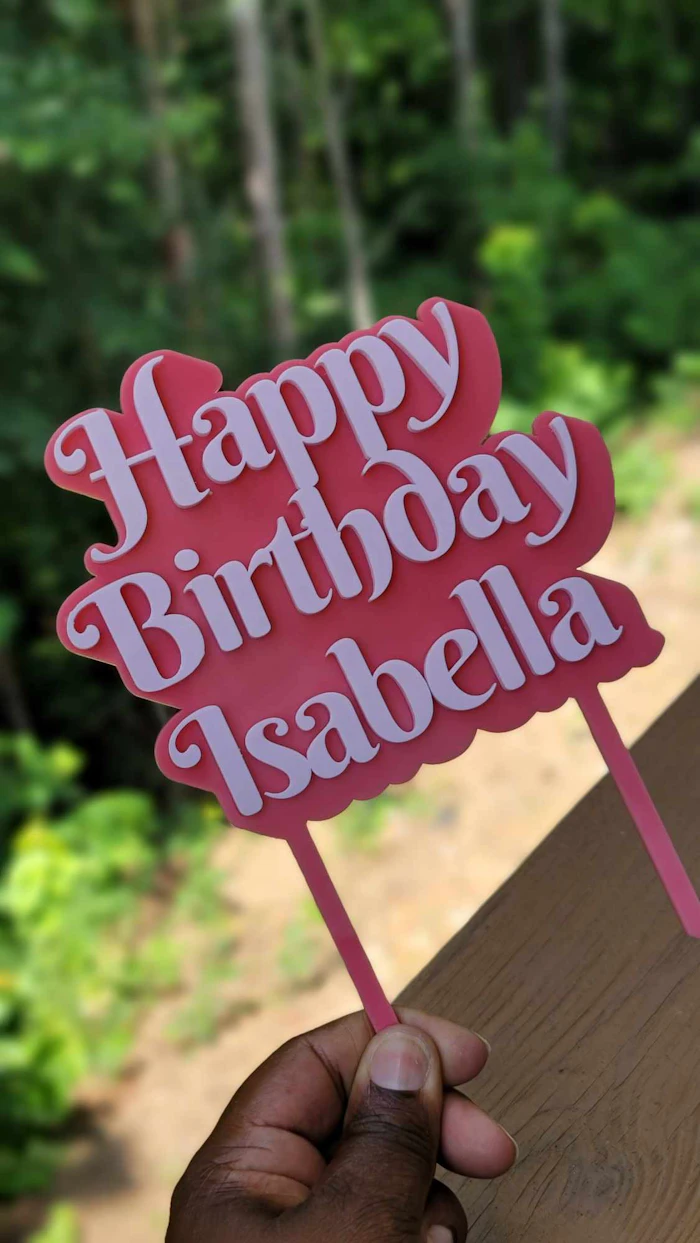
"Happy Birthday Isabella" by Ana L, from 1/8" Pink and 1/8" Blush acrylic
"Let's Party Planties" by Julia J, from 1/8 green frosted acrylic and flex patternply with succulents.

"Happy Birthday Evangeline" by Karen C, cut and engraved on purple two-tone acrylic from Custom Made Better

"Happy Birthday Matthew" by Karen C, from 1/8" neon green acrylic and 1/16" black acrylic

"Happy Birthday Mari Chan!" by Federico from 1/8" Pink and 1/8" White acrylic

Font Recommendations
From Cuttle's free fonts, we like using Berkshire Swash, Courgette, or Pacifico for this project.
If you'd like to really recreate the vintage look, check out fonts like Absolute Blonde or Dollie Script. To use these, you'll need to download the fonts, purchase an appropriate license, and then upload the fonts to Cuttle. Learn more about uploading your own fonts to Cuttle.