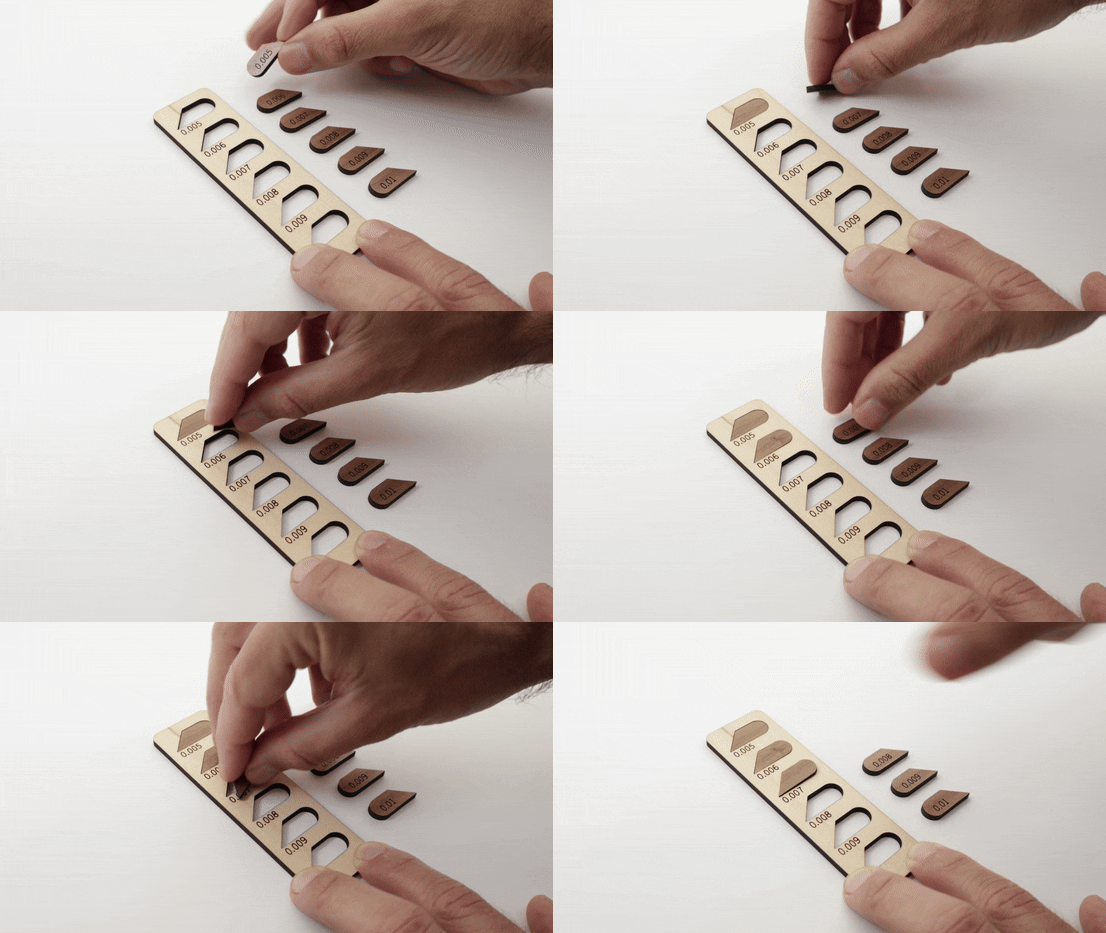
Press Fit Inlay Kerf Tester
 Cuttle Official
This tester helps you quickly find the perfect kerf settings for press-fit inlay projects. Press-fit inlays use two contrasting materials, like wood and acrylic, which press-fit together without needing glue.
Video Tutorial
How to use
This tester will help you find the perfect "kerf" setting for inlay projects.
The kerf is the width of the cut, that is how much is vaporized away by the laser cutter. And it will be affected by several factors:
The material that you are using.
Your specific machine.
The cut settings (focus, power and speed).
One important thing to remember: bigger kerf value = tighter fit
Set the
startingKerfto the smallest kerf value you want to test.Make sure to set the Blue lines to Score on your laser as these will be used as a reference, and do not change the size of the template in your laser cutter software, or the calibration will be incorrect.
After you cut all the pieces, test them by matching the pieces that have same kerf value to the corresponding holes. Notice that if
flipInnerPiecesis checked, the inside pieces need to be flipped around to match the hole. This is intentional, as the laser cutter creates a skewed cut, and by flipping the inner piece the skew cancels out allowing for a tighter fit.