Layered Keychain
 Cuttle Official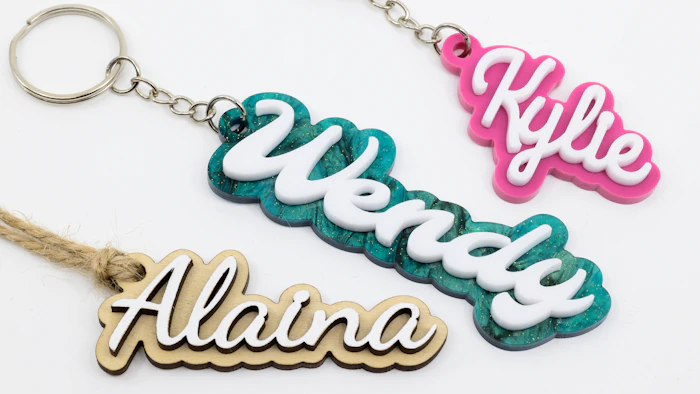
List names to generate multiple keychains. Dots on i's are connected and the customizable hole is placed automatically. This is a two-layered design with an inset scored reference.
Keychain Thingies
If you're making hundreds of these, you're probably tired of jump rings!
We partnered with Riley Black to offer a 10% discount on Keychain Thingies — use code CUTTLE10

Keychain Thingies are plastic clips that are much easier to deal with than jump rings. You don’t need pliers — you just press them together with your fingers and you’re done.
For these, we recommend the "OG" or "Xtra Strength" Keychain Thingies. These work well for 1/8" thick material. They look similar, but the "Xtra Strength" is a permanent closure.
The recommended hole size is 0.19" which is the default for this template.
Features
We added several big improvements over our original Keychain template.
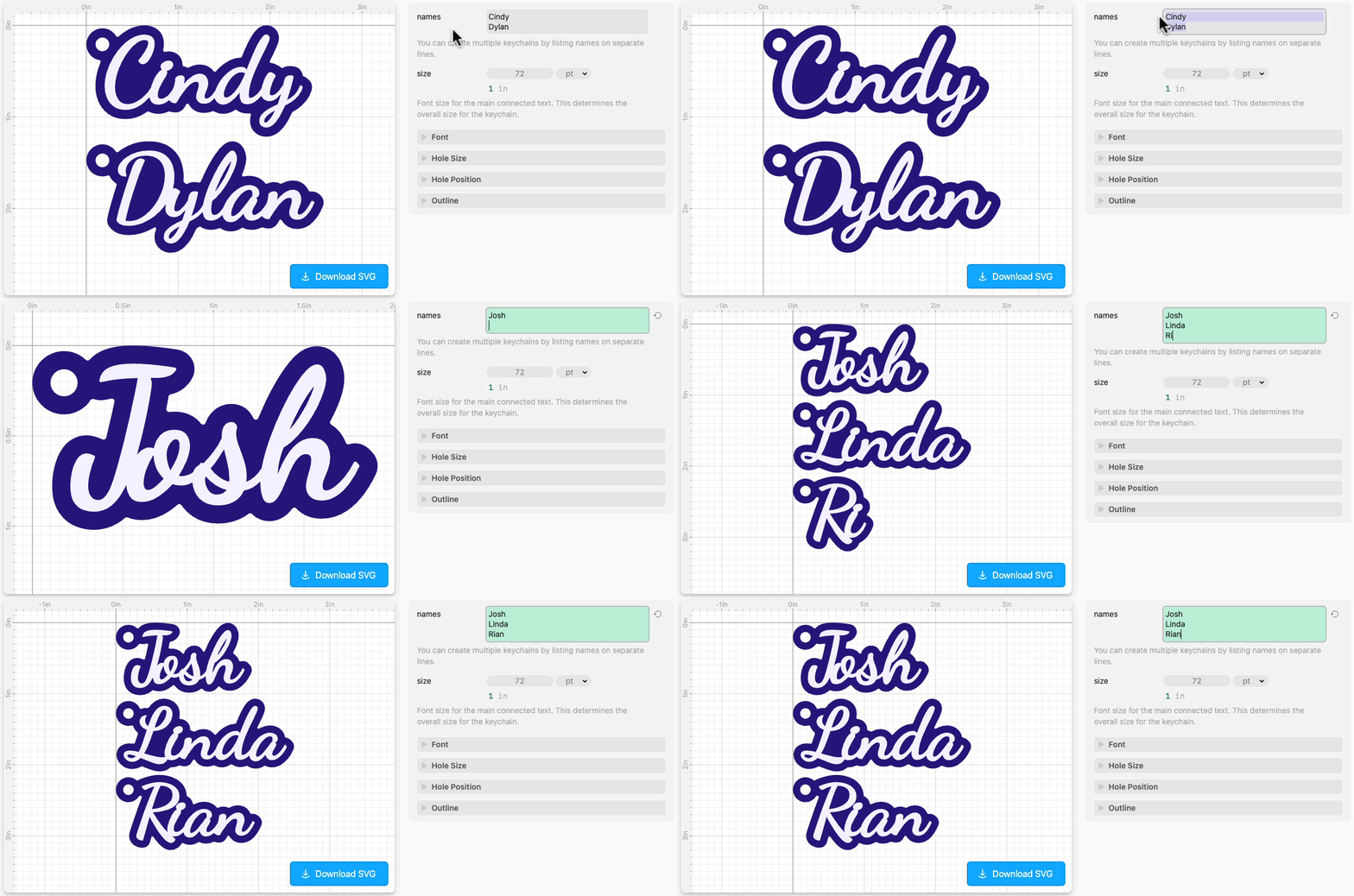
You can make multiple keychains in one file by listing names on separate lines.

The template uses our Connected Text feature to automatically join dots on i’s and appropriately weld letters together. This means the top layer is a single piece so you’re not dealing with lots of little pieces.
You can choose any font or even upload your own font.

Two layers are generated automatically, and the bottom layer has an inset score line. This helps you center the top layer when you’re gluing or sticking it on.
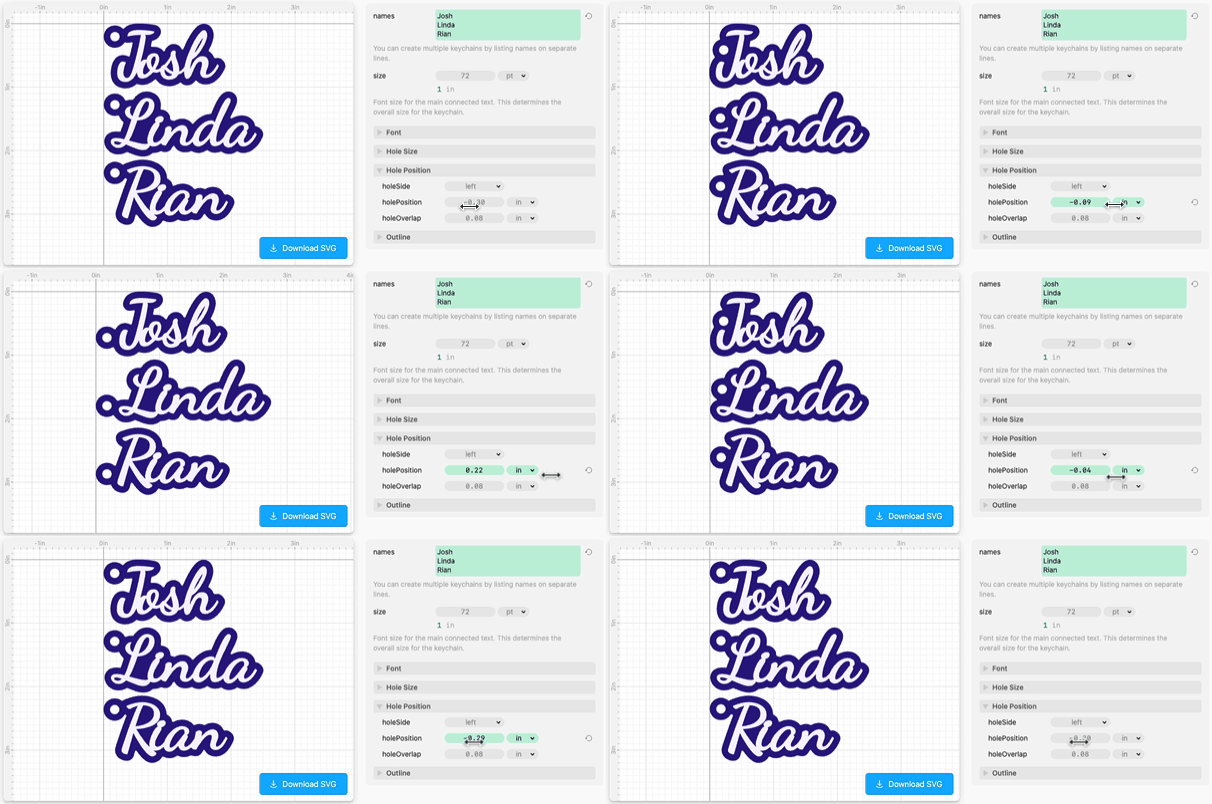
The hole is placed automatically! You can still adjust the positioning up or down (or change which side it’s on) if you need to. The automatic hole placement is what makes the batch workflow possible.
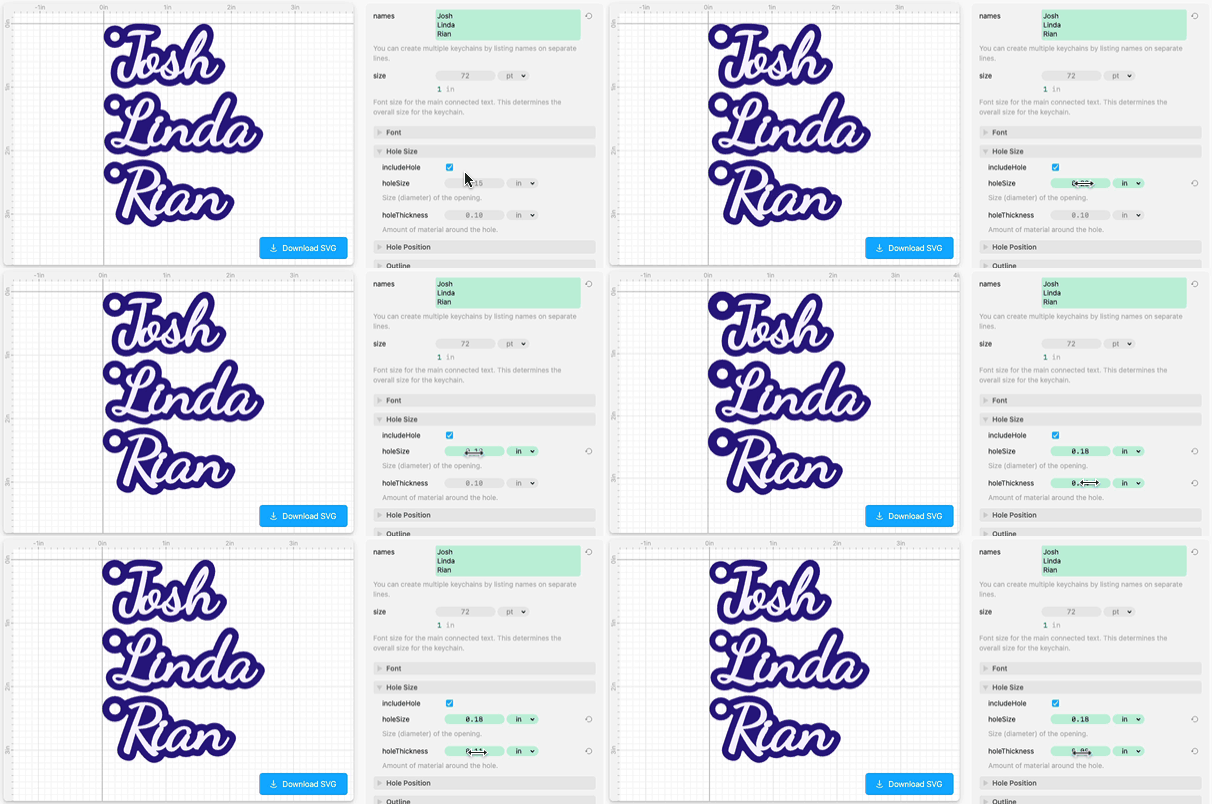
The hole size is also completely customizable.
Finally, you can apply a subtle rounded corner effect to the bottom layer.
Thank you to Nicole W, Maegan K, Rob F, and others in our Facebook Group whose suggestions made this template better!
Examples
Here are the fonts and materials from the photo above.
“Kylie”
Font: Grand Hotel
1/8 in Matte Raspberry Sherbet Acrylic from Houston Acrylic — Use code CUTTLE for 10% off! Good for one order through December 2023.
“Wendy”
Font: Molle
1/8 in Magic Forest Marbled Glitter Acrylic from CMB — Use code CUTTLE10 for 10% off!
1/8 in Matte White Acrylic from CMB
“Alaina”
Font: Dancing Script
1/8 in Baltic Birch Plywood (top layer painted white)
