Keychain Generator
 Cuttle Official
Generate a custom, ready-to-laser-cut SVG for a keychain. Customize the text, font, sizing, and hole placement.
How to use
Enter your text and customize the parameters.
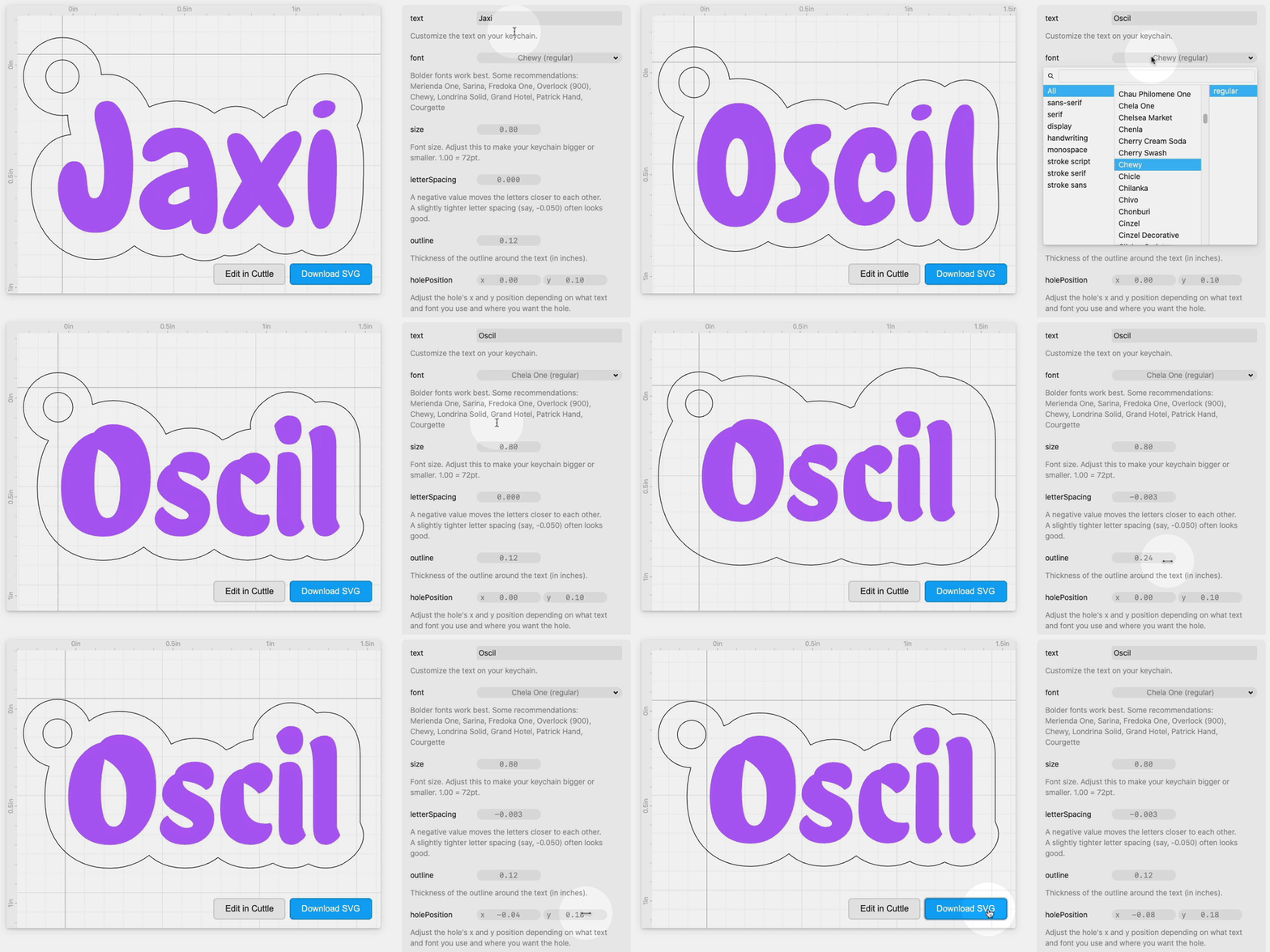
Click Download SVG.
Open the SVG in your laser cutting application. The filled purple area is meant to be engraved. The black outline is meant to be cut. In Glowforge it will look like this:

Variation: You could cut the filled purple area from another material and glue it to the backing piece. I recommend 3M Adhesive and this video on how to use it.
Attach your keyring. 🔑✨
Examples
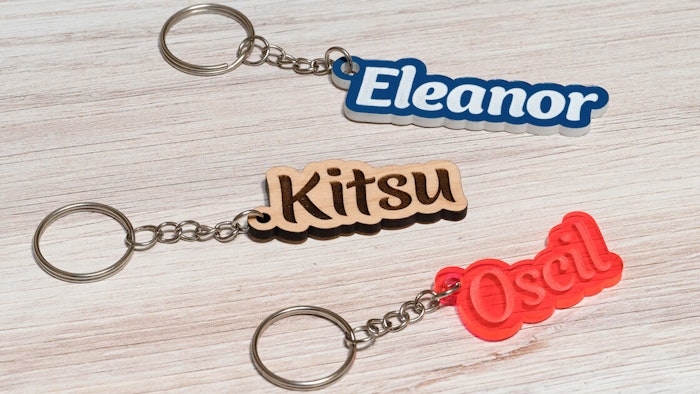
All of these examples were made from 1/8 inch thick material on a Glowforge Basic.
"Eleanor"
Font: Overlock (900 italic), -0.040
letterSpacingMaterial: Blue on Bright White Acrylic
Laser settings: Engrave (1000 speed, 30 power, 675 LPI), Cut (Glowforge Medium Clear Acrylic). For best results, peel off the protective layer before engraving.
"Kitsu"
Font: Merienda One, -0.062
letterSpacingMaterial: Glowforge Proofgrade Medium Maple
Laser settings: Glowforge defaults
"Oscil"
Font: Courgette, -0.053
letterSpacingMaterial: Transparent fluorescent red acrylic
Laser settings: Glowforge Medium Clear Acrylic
Videos
This beginner tutorial video shows how to create a design like this from scratch in Cuttle. It also shows how to make a design like this starting from an arbitrary SVG 🦙
Variations
This video shows how to "smooth" the edges of the keychain.
This video shows how you can join together two words.
This video shows how to make an "inverse" engraving — so that you engrave on the outline and leave the text not engraved.