Family Names Christmas Tree Ornament
 Cuttle Official
Type any names to generate a personalized tree ornament. Select a Star, Snowflake, or Angel for the topper. You can also customize the font and sizing.
Variations
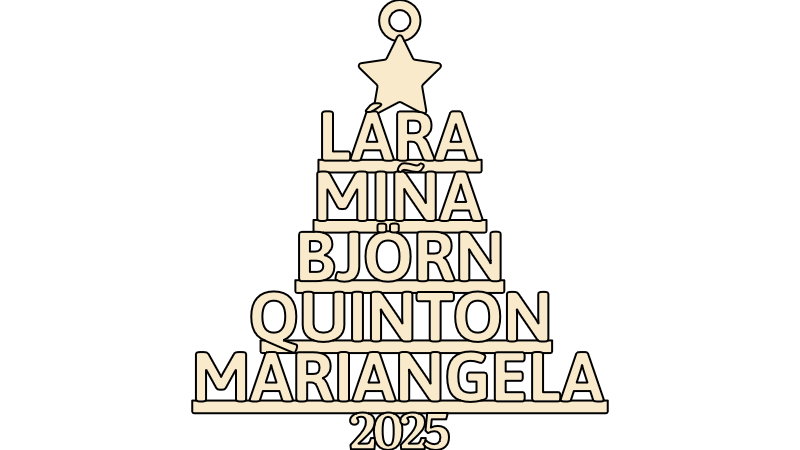

By using scoring, this variation can work better with names with accent marks.
3D Print

Sales Strategies
Bail Ansari sold $2,000+ of these over two weekends in Christmas 2023.
She made gifts for friends and took nice photos
Listed on her local mom's groups on Facebook — $12 each
Explicit time to order and pick up so she could batch her production and create urgency for the buyer
Took payment with Venmo
Porch pickup

Gwynn Carla Jones sold 200+ ornaments over the holidays in 2023.
Used the backer option with pre-painted white and green plywood
Priced them at $14 each, with a $12 special the first week
Kept it simple — only one color, with the star topper, and the names in size order
Packaged with a 5x7 postcard printed from Vistaprint and a plastic sleeve
This packaging makes the item "giftable" — most of her customers are buying these to give as gifts to other families

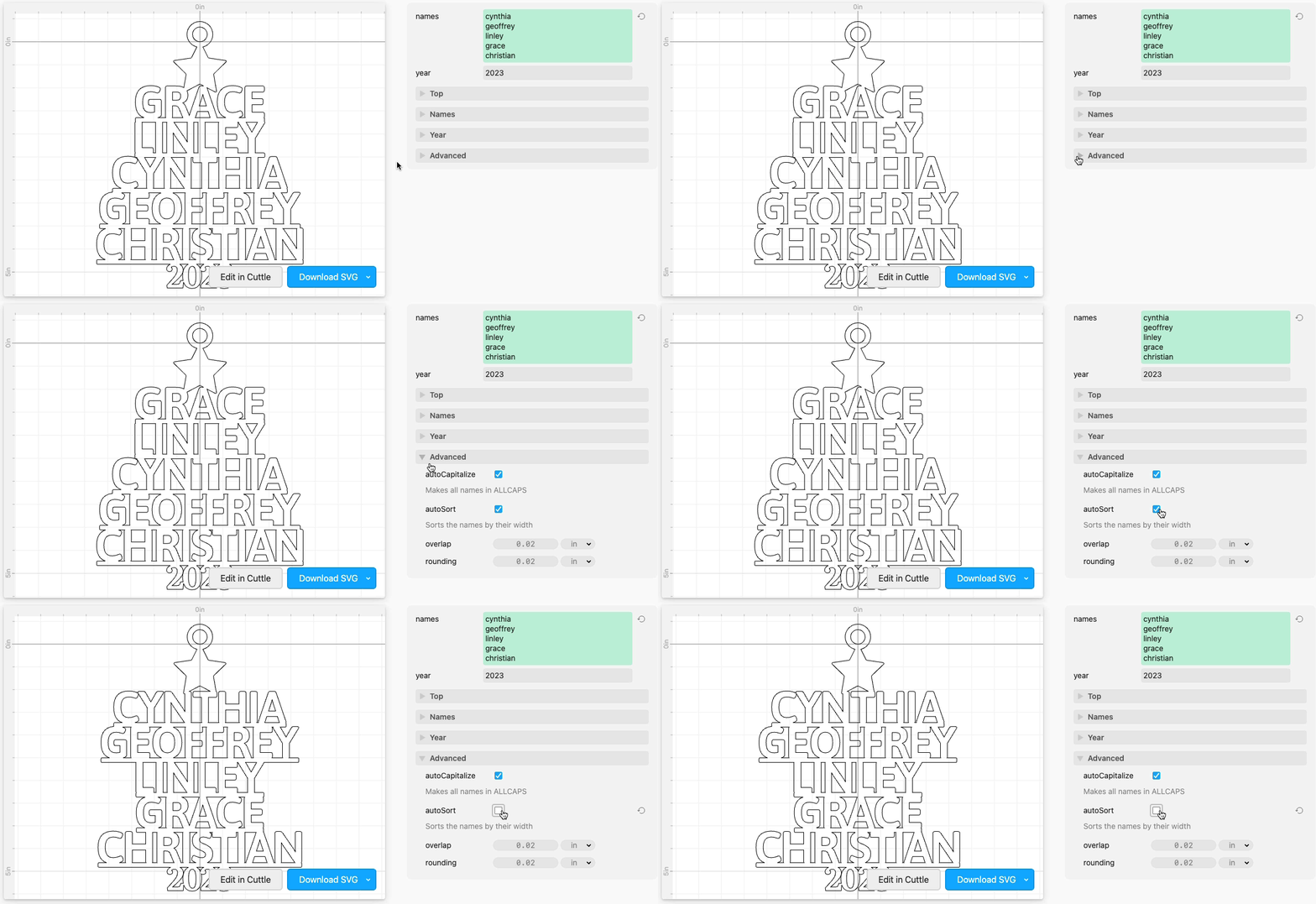
Putting names in a specific order
Sometimes you want to put the names in a specific order, for example listing the names chronologically.
To do this, go to Advanced and uncheck autoSort.
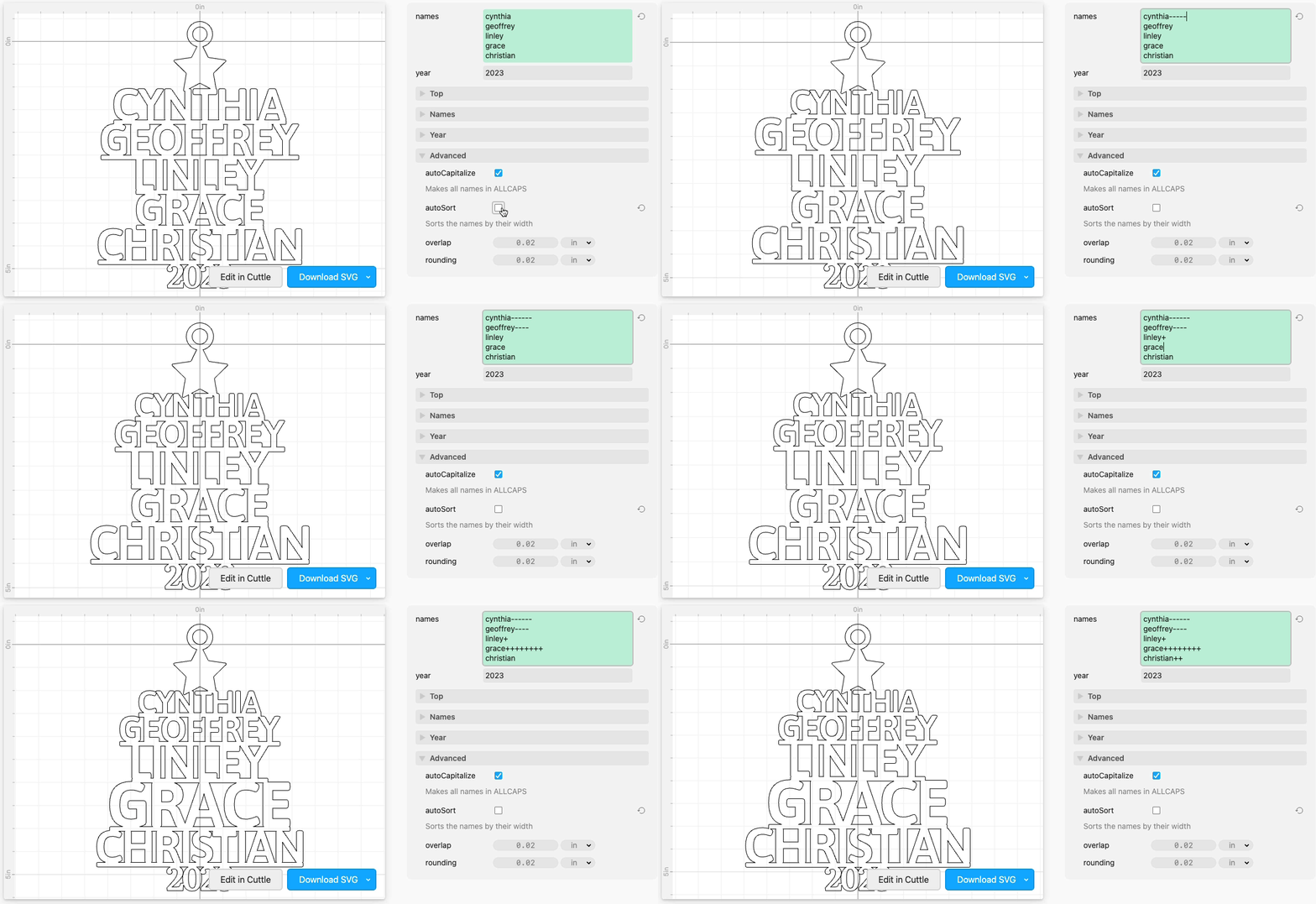
Resizing individual names
You can put a + or - at the end of any name to make it bigger or smaller. Each + or - increases or decreases the size of that particular name by 5%.
Changing how names are resized
There are a few options for how the names are scaled in Names > scaleMode.

Inserting paw prints and other symbols
Click the Paw symbol in the text box to insert paws (use the Paw Outline symbol), hearts, stars, and angel wings.

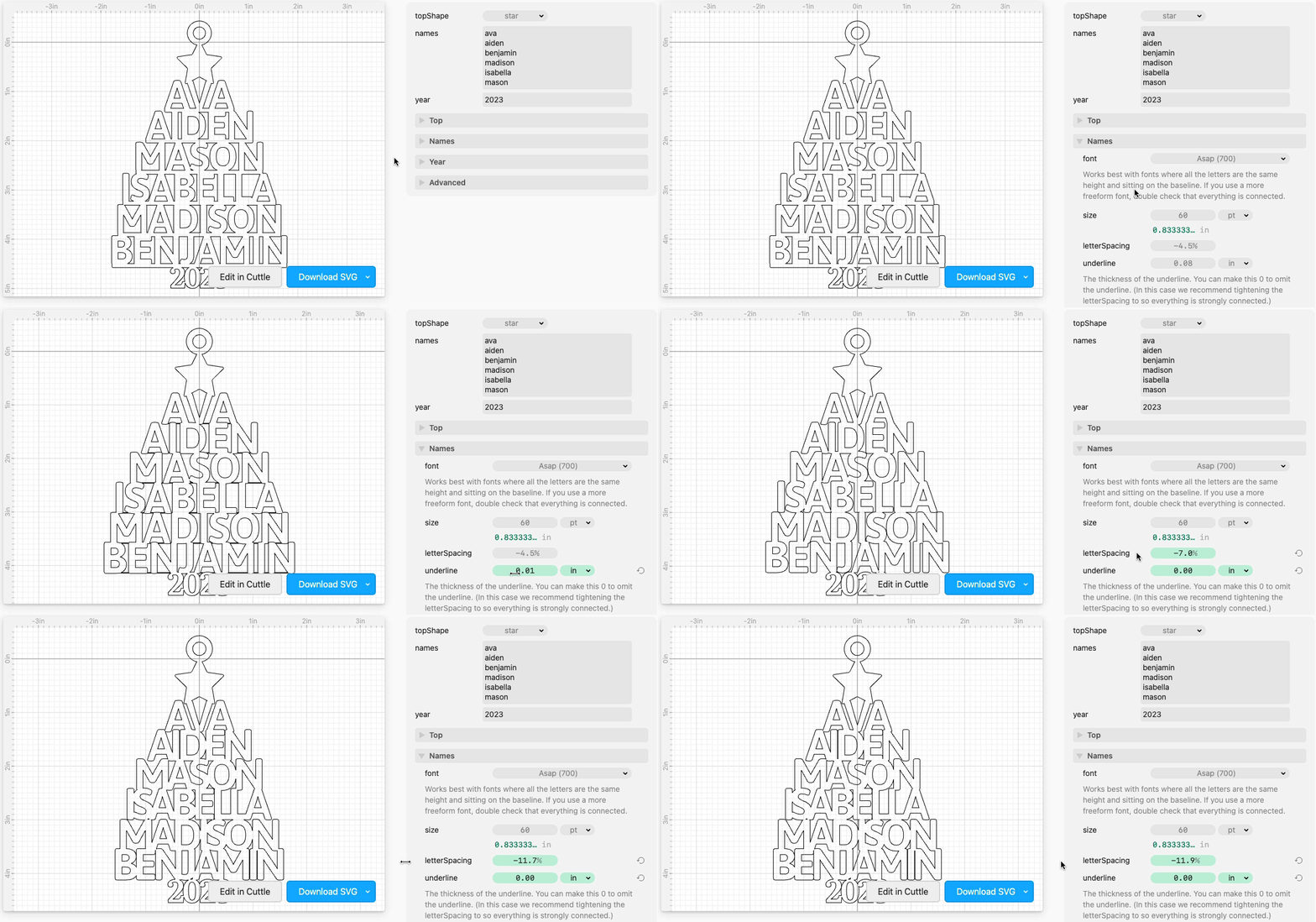
Omitting the underlines
In the Names section, you can omit the underline by setting it to 0.
In this case, we recommend you tighten the letterSpacing so that all the letters are strongly connected.
Making the underlines longer
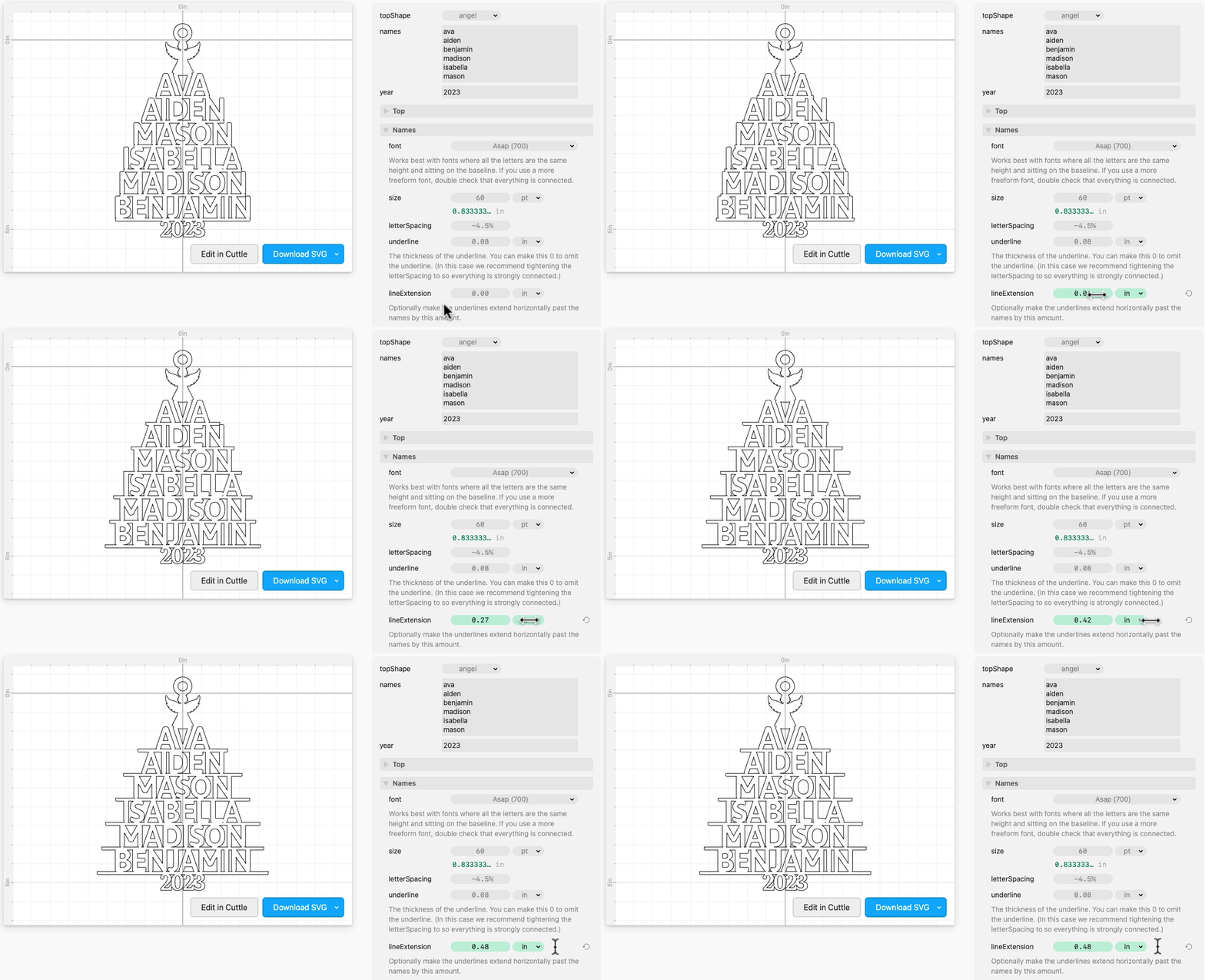
In the Names section, you can make lineExtension larger to make the lines extend horizontally past the names. By default this is set to 0 but you can increase it if you want to make an ornament with this look.
Repurposing the "year" for the family's last name
Instead of the year, you can put any text, for example the family’s last name.
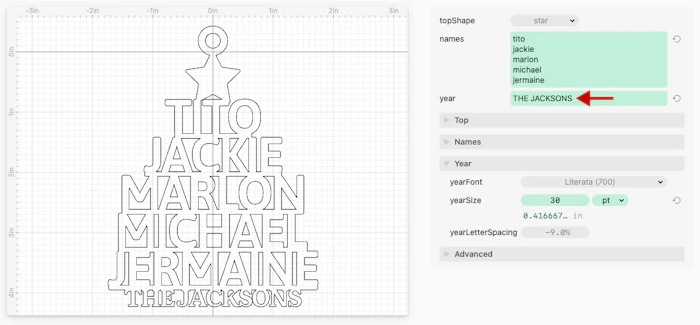
Thank you Jill D. for sharing this tip!
Replacing the year with a trunk
In the Year / Trunk section, you can check useTrunk which will replace the year with a trunk or stump shape.

Examples

By Brittany E.
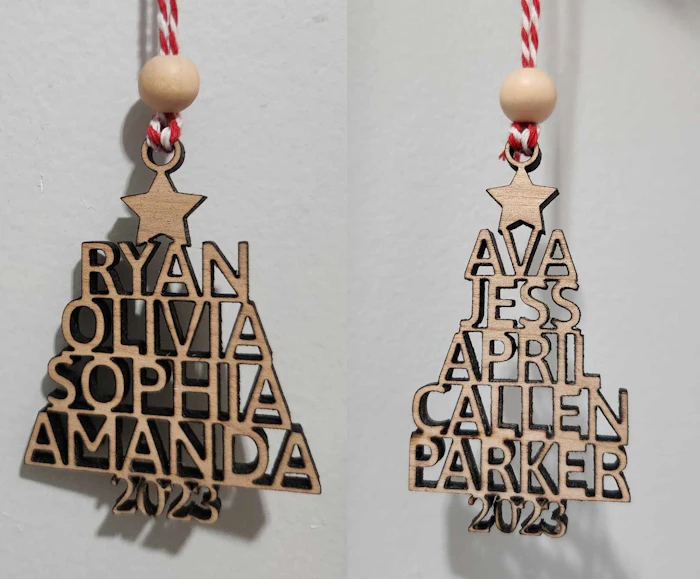
By Amanda D.

By Pauline S.

