Circular Name Ornament
 Cuttle Official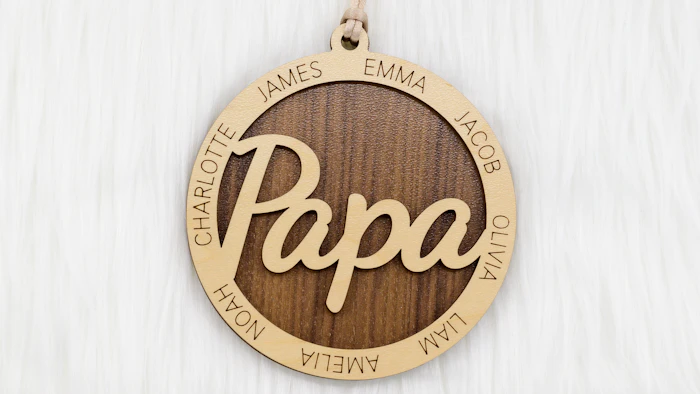
A super customizable ornament! Type any name for the center. Type a list of names to go around the outside. Names are spaced evenly automatically! The center can be connected, engraved, or layered. Optional backer included.
Center Name Mode

In the Center Name section you can change the mode to create different kinds of ornaments.
The photo above shows the three options. From left to right: engraved (The Martins), connected (Papa), and layered (Santa Rosa).
The above examples are cut from Maple plywood, "Papa" has a Walnut plywood backer, and "Santa Rosa" is cut from Lavender Marbled Glitter Acrylic (use code CUTTLE10 for 10% off).
Making outer names right-side up
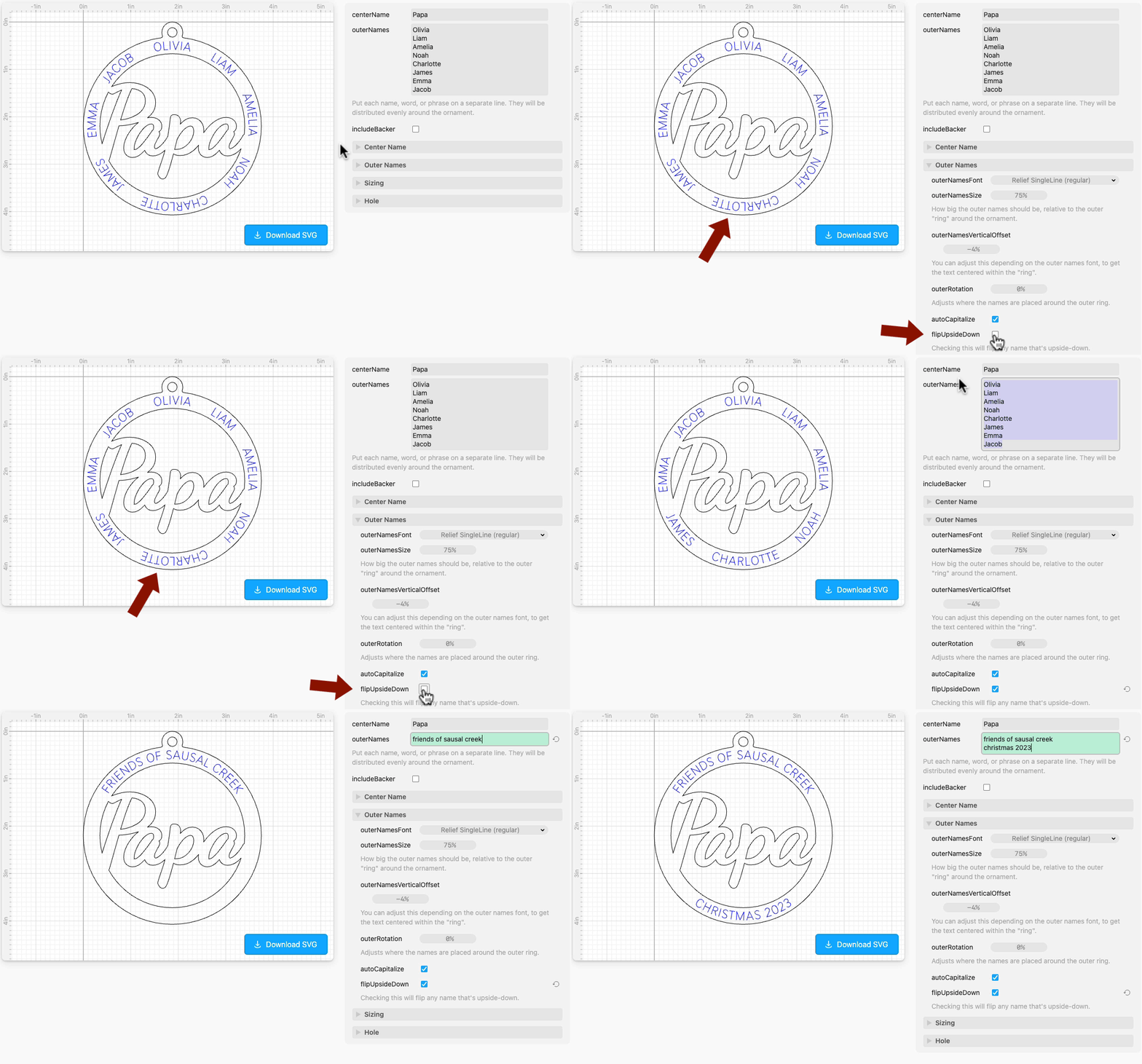
By default the outer names read clockwise around the circle. You can make the names on the bottom flip right-side up by opening Outer Names and checking flipUpsideDown.
Rotating the outer names
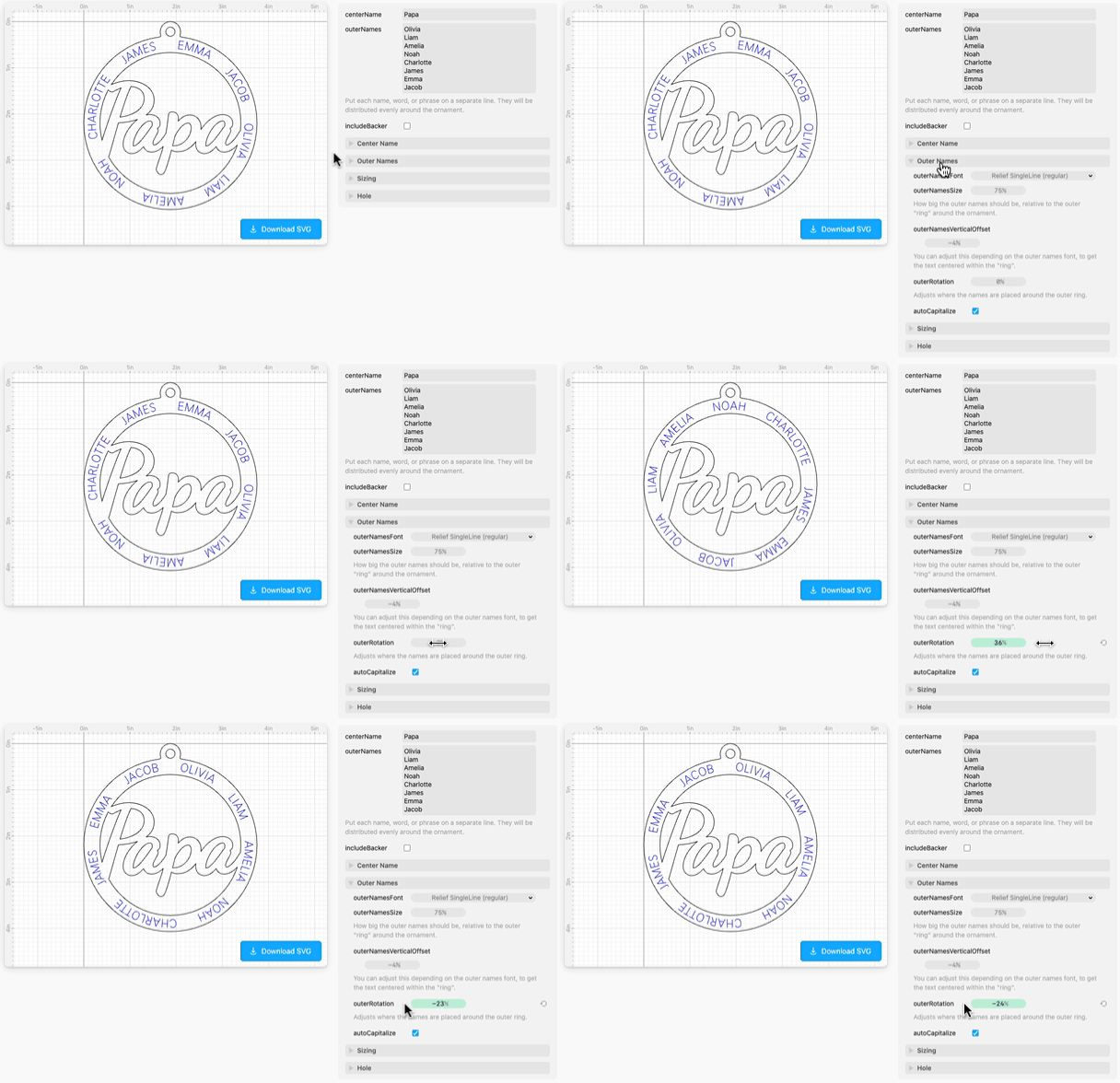
To change the positioning of the outer names around the circle, open Outer Names and adjust outerRotation.
Inspiration
There are so many ways to use this template! Here are a few ideas:
"Papa" and the names of the grandkids
Family ("The Smiths") and names of everyone in the family
City or college ("Berkeley") and names of highlights ("Greek Theater", "Tilden", etc)
Teacher and names of students. Here's an example by Ryann E,

Coach and names of players. Here's an example by Amanda S (she welded the soccer ball separately),

Have too many names around the outer ring?
If you have more names or text than will fit around the outer ring, here are some easy ways to compensate:
Make the ornament itself bigger. In Sizing, try making the
sizean inch or so larger than the default size. This will give you a lot more room for more text around the outside!Make the outer text smaller. In Outer Names, try making the
outerNamesSizesmaller than the default.