Gridder™
 wijitworks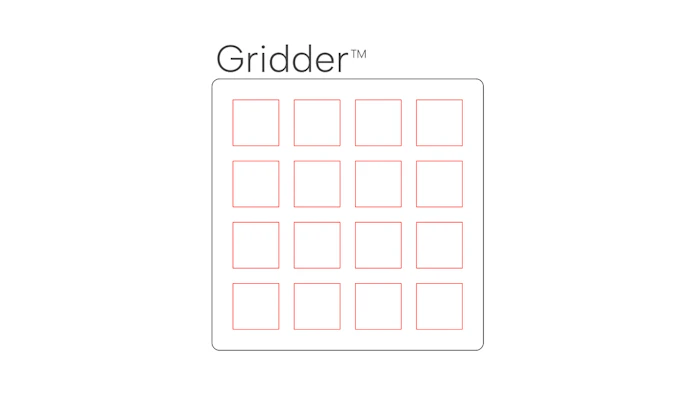
Gridder™ - Unleash Your Creative Grid Powers!
Gridder™ is a powerful Cuttle design file that enables you to create customizable grids of shapes with ease. Whether you're a designer, engineer, or hobbyist, Gridder™ empowers you to unleash your creativity by generating grids of circles, squares, polygons, and pills, all with the option for mounting holes. With adjustable diameters, offsets, and various other parameters, Gridder™ offers limitless possibilities for your design projects.
Features
Generate grids of circles, squares, polygons, and pills effortlessly.
Customize the width and height of the grid to match your requirements.
Choose from various shapes for grid holes.
Adjust the diameter and offset of the mounting holes.
Specify the width and height of pills, along with the spacing between them.
Define the size and spacing of the grid polygons.
Control the roundness of the mounting plate.
Add margins around the grid for better layout control.
Configure the number of sides for polygons, allowing for versatile designs.
Set margins around the mounting holes to ensure proper alignment.
Adjust the size of the mounting holes to accommodate different components.
Fine-tune the offset of the mounting holes for precise positioning.
Parameters
Gridder™ provides the following adjustable parameters to tailor your designs:
width: The width of the grid.height: The height of the grid.gridHoleShape: The shape of the mounting holes (circle, square, polygon, or pill).gridHoleOffset: The option to stagger the grid holes.pillWidth: The width of the pills.pillHeight: The height of the pills.pillWidthSpacing: The horizontal spacing between pills.pillHeightSpacing: The vertical spacing between pills.gridPolySize: The size of the grid polygons.gridPolySpacing: The spacing between grid polygons.roundness: The roundness of the mounting plate.gridMargin: The margin around the grid.gridSides: The number of sides for polygons (only applicable for polygon shape).mountMargin: The margin around the mounting holes.mountHoleSize: The size of the mounting holes.mountOffset: The offset of the mounting holes.
Usage
To use Gridder™, follow these simple steps:
Adjust the desired values for the parameters listed above.
Adjust the parameters as needed to fine-tune your grid.
Save or export the final grid design for use in your projects.
Examples
Example 1: Grid of Circles, no mounts (no offset)
width = 100height = 100gridHoleShape = "circle"gridHoleOffset = Falseroundness = 0.0mountHoleSize = 0mountOffset = 0

Example 2: Grid of Squares, with mounts (no offset)
width = 120height = 120gridHoleShape = "square"gridHoleOffset = Falseroundness = 5.0mountMargin = 14mountHoleSize = 8mountOffset = 8

Example 3: Grid of Hexagons, with mounts (offset)
width = 90height = 135gridHoleShape = "polygon"gridHoleOffset = Trueroundness = 5.0gridPolySize = 8gridPolySpacing = 1gridSides = 6mountMargin = 8mountHoleSize = 4mountOffset = 4

Example 4: Light Panel, no mounts (offset)
width = 50height = 100gridHoleShape = "pill"gridHoleOffset = Trueroundness = 0.0pillWidth = 4pillHeight = 42pillWidthSpacing = 13pillHeightSpacing = -18mountMargin = 0mountHoleSize = 0mountOffset = 0

Example 5: Swedish Pegboard, no mounts (offset)
width = 284height = 227gridHoleShape = "pill"gridHoleOffset = Trueroundness = 8.0gridMargin = 22pillWidth = 5pillHeight = 15pillWidthSpacing = 20pillHeightSpacing = 5mountMargin = 0mountHoleSize = 0mountOffset = 0
