Birth Month Flowers Sign
 Tara
TaraCreate this birth month flower sign by updating the title text, birth months, and established year. You can't enter from 2-12 names.
For the birth months simply enter the month number. The following months have alternate flowers that can be accessed by typing "b" after the number [1b, 2b, 4b, 5b, 12b].
The flowers and names will appear in the order that they are typed, so be sure that your orders match. You can also uncheck the established year to exclude it, and choose your frame style (rounded detail, basic frame and scored frame). Other customizations include the frame inset & y position of the title.
Acrylic used: may contain affiliate links

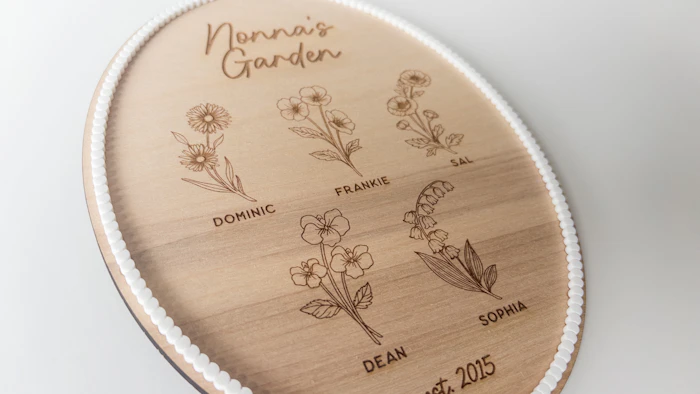
I use score lines to create definition on the '3D circles' border.
To achieve this, I suggest doing a few test pieces to get the right speed and power. Basically, you want to do a deep score. You want the laser to do more than score the surface, but not actually cut through it. I also like to de-focus the laser so that the beam is a little wider. I highly recommend you test out your laser settings as every laser is different, however here are settings that work for me:
Glowforge: Speed 225 / Power 95 and manual focus height with .02” added.
Thunder 100W: Speed 30 / Power 40 and a z-offset -0.3"
I also recommend removing masking before cutting, so that you don't have a bunch of separate maskings to remove! The 3D circles border can be on the fragile side, so be careful when handling!
