3D Print Inset Frame
 Tara
Tara

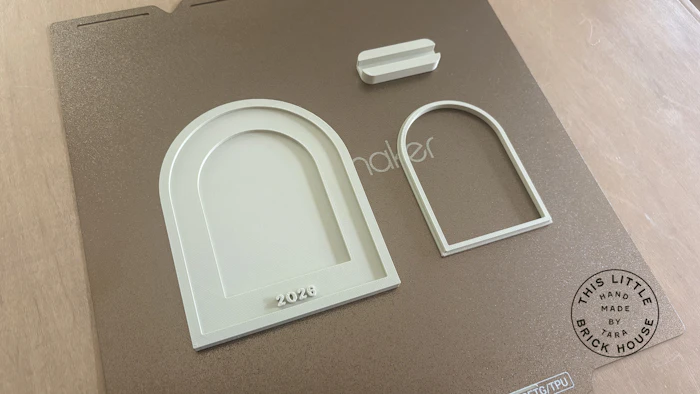
Create this parametric 3D printed frame. First, choose the frame style and text/design style. Then update the text/emoji options, and frame & layer thicknesses as needed.
If you choose to laser cut the material that the photo will be going on, please download the photo template SVG below and adjust the photo depth to match your material thickness. You do not need the snap frame if going this route, so be sure to uncheck the box. Best thin clear acrylic that is cost effective!
If you plan to use a real photo on photo paper, please use the snap frame below (be sure to check the box that says snap frame) and adjust the photo depth to a recommended 2.5 mm.
Snap Frame Insert
Laser Cut Photo Template
This minimalist stand works great for this frame. Be sure to update the "sign thickness parameter" to the total of the following (within Layer Thickness folder):
Backer Thickness + Photo Depth + Top Layer Thickness


*links may contain affiliate links that I earn a small commission from*