CircleLight
 Hasan Edain
Make a light with any custom cut.
Adjust the diameter of the circle, and how long the light is.
Replace the Star shape in the "CutAway" component. Make sure that the shape fits inside the circle.

Materials
For a laser I would recommend Baltic Birch Plywood (That is what I tested with),
It is possible this could be done with MDF or Acrylic, but I have not tested the living hinge in those cases.
In addition you will need:
String of LED lights with battery pack or power line.
Semi transparent paper (maybe colored) to cover the cut portion of the front.
Uses
Custom light for decor.
Gift for friend or relative.
Make it your own with any shape for the light to shine through.
Assembly
Export from Cuttle, Import to your laser.
This assembly takes some thought to understand and complete.
Take one of the pieces that are a circle with a flat bottom and the hinge. bend the hinge in a circle and insert it inside the circle piece. Pay special attention to which side of the wood is smoke marked since one side will be inside (not visible) and the other side will be on display.
Use the second circle with flat bottom to secure the other side of the hinge.
Use one of the circles with just a small hole in it in the middle of the tube (wherever you want is fine). Prepare it by stringing the light through the hole and gluing the light in place. Leave some length to be able to move the battery / control box around.
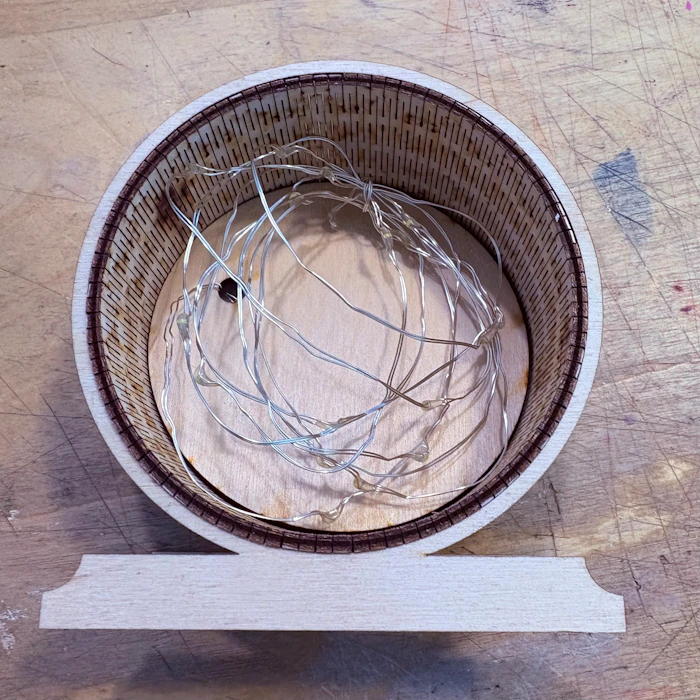

When you are happy with placement, glue in place (light glue is fine for the center piece).
For the rings and front two strategies are reasonable. I glued both the hinge and the support to the front and back for maximum security. If you want to be able to open the light again, just glue the front and back to the rings, but not the hinge). Friction will hold the assembly pretty well.
Glue your transparent paper (or acrylic) to the front before gluing the whole assembly to the light.


Possible upgrades
I have. thought about putting a message on the stand, both front and back (Front for display, back for brand).
Finer grained control for the way to access the battery pack.