What people have been making in Cuttle 🦖, Keychain tutorial video 🎥, Better snapping 📐
FEB 18, 2022
Here's the latest with Cuttle.
- New customizable projects from the community 🦖
- Keychain (from scratch) beginner tutorial 🎥
- Big improvements to Snapping 📐
New Customizable Projects from the Community 🦖
Slot-Together Puzzles by Phil

Phil has been making slot-together puzzles of dinos and other creatures. You can customize the scale and material thickness. Phil also shared a Sheet Material Slot Calibrator to help you determine the perfect-fit slot size. See all of Phil’s creations or read his blog post about how he uses Cuttle to make these parametric.
Customizable Cable Labels by Brian Wente

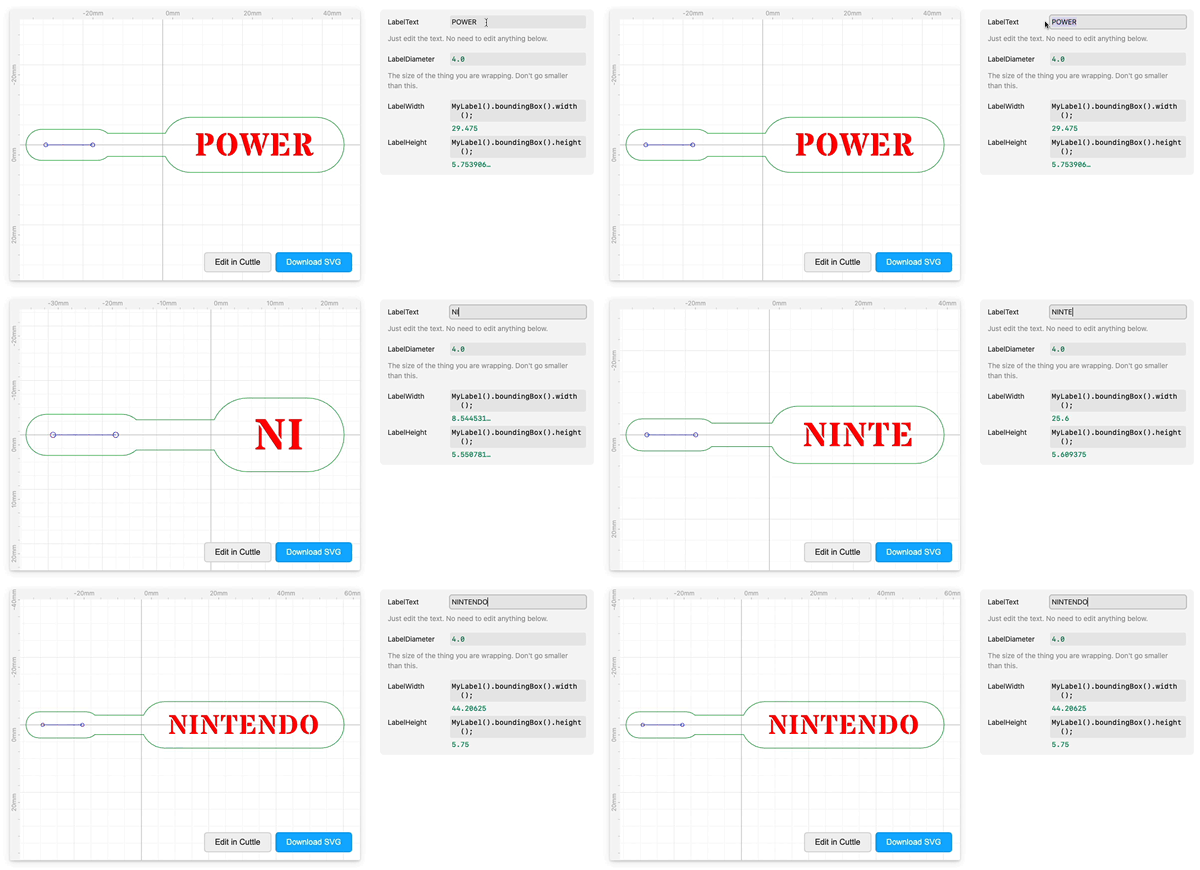
Brian Wente made these customizable Cable Labels — simply type the text you want.
The one in the photo is laser cut from a silicone placemat! Federico described where to get this material and how to cut it in his Silicone Earrings video tutorial.
Two-Piece Picture Stand by @trun

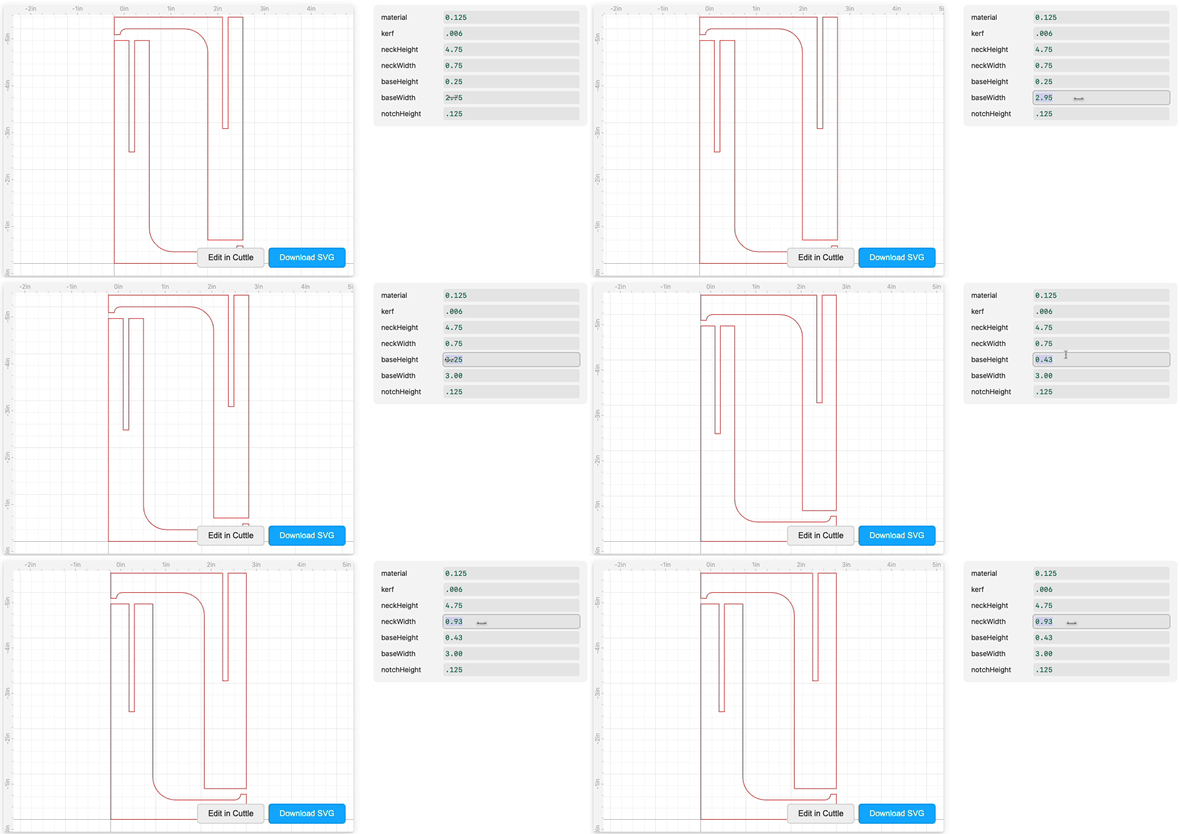
@trun made this parametric Two-Piece Slot-Together Picture Stand. You can customize all the dimensions and material thickness.
Folding Carton Designs by @LayeredPaperArt

We’ve been blown away by the details on these professional carton designs. @LayeredPaperArt has several customizable carton designs that can be used for cut and crease patterns, templates for printing (complete with bleed, copy safe, and no ink zones), and documenting design revisions.
Keychain Tutorial Video 🎥
Following up on the Keychain Generator, I recorded a beginner tutorial video (10 min) showing how to create this kind of design from scratch in Cuttle.

The video also shows how to create this kind of design from an arbitrary starting SVG (the llama keychain on the right).
Improvements to Snapping 📐
We made significant improvements to the snapping system. Here are a few new things you can do:
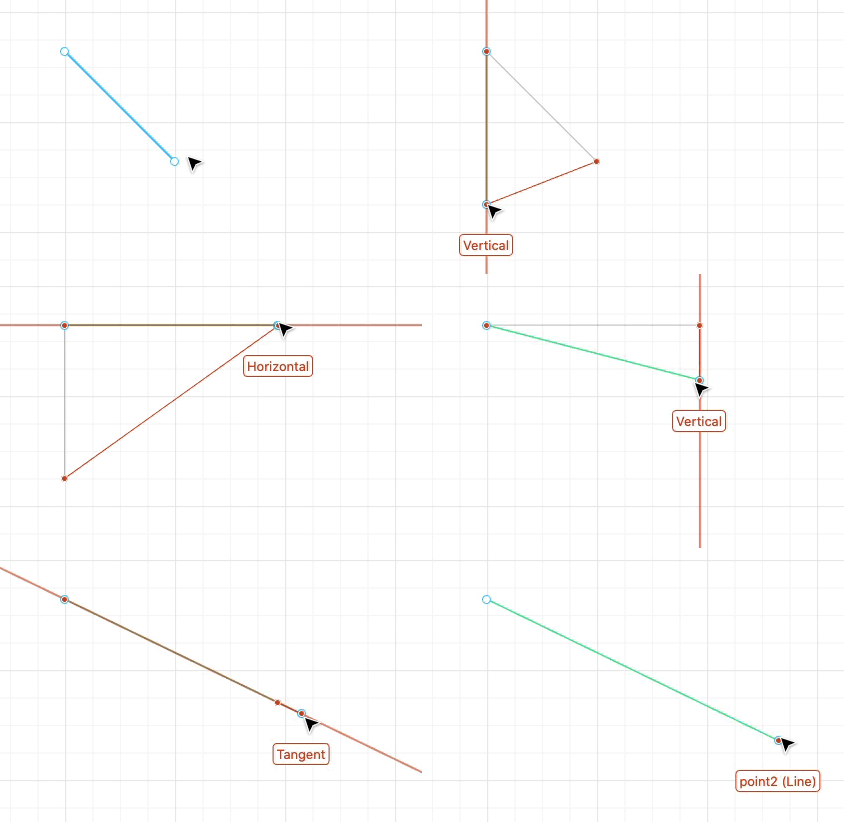
Lines and Paths will automatically snap to horizontal and vertical. They’ll also snap to Tangent making it easy to extend them.
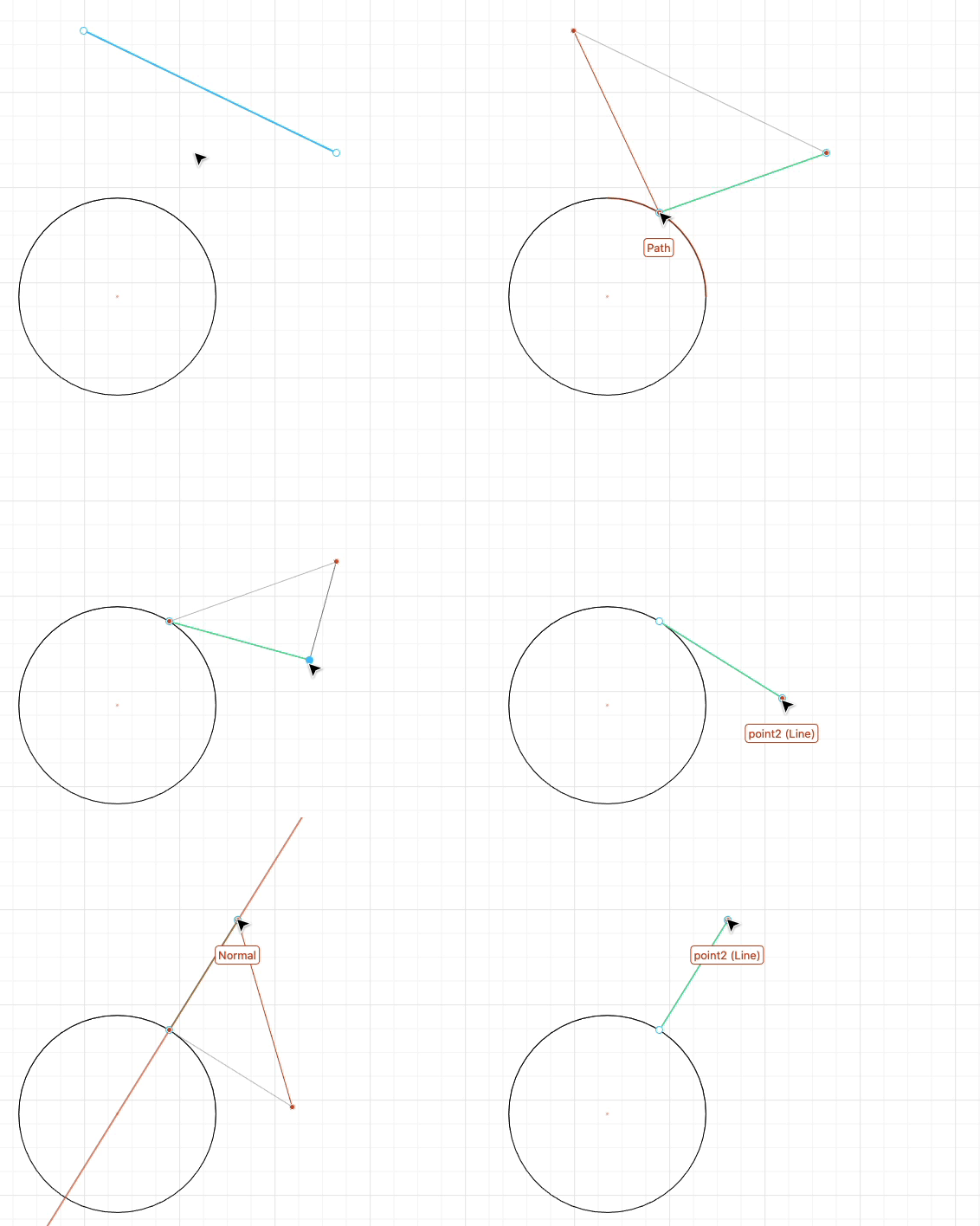
Lines and Paths will also snap to the Tangent and Normal of any curve they are snapped to.
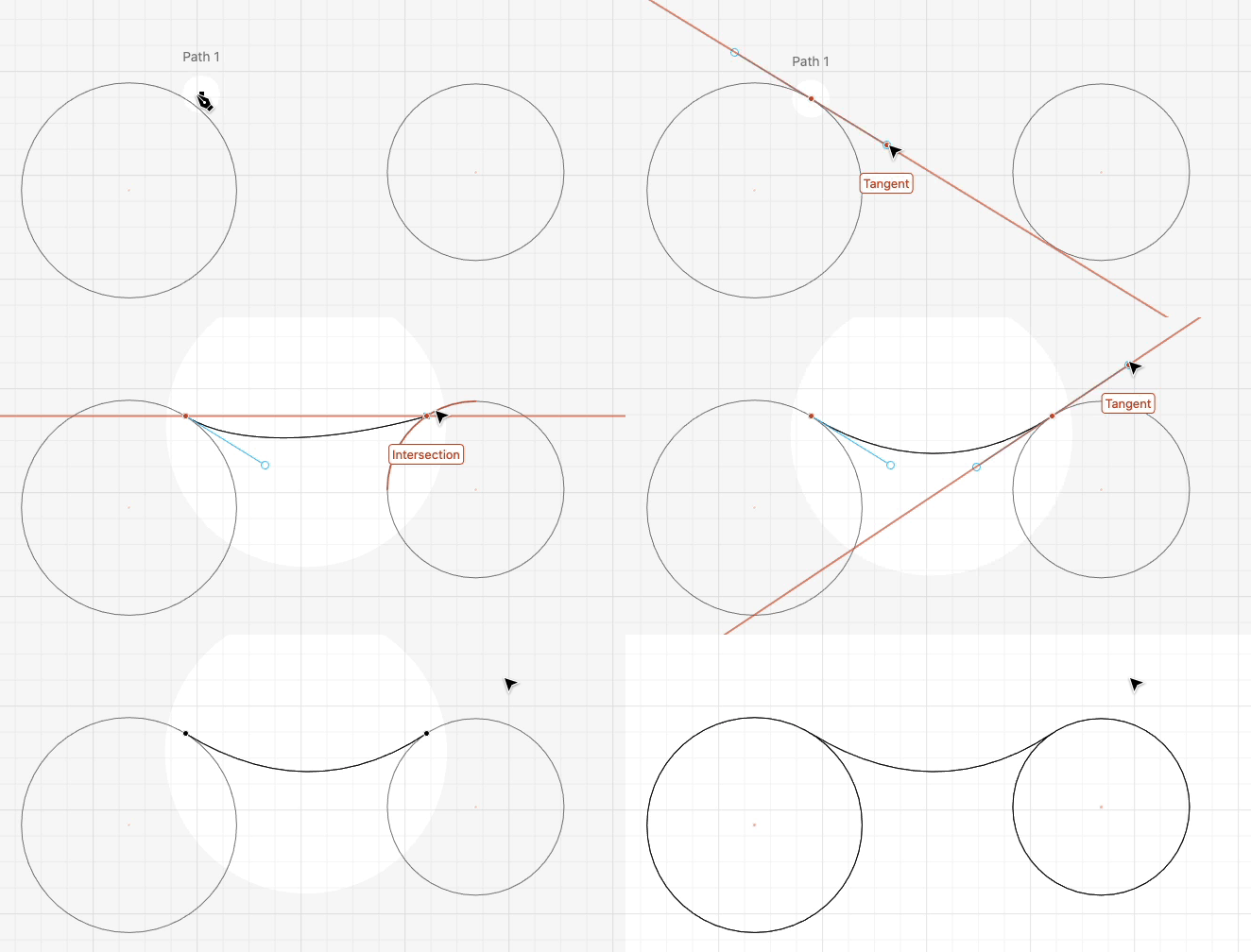
Tangents also work when drawing bezier curves with the Pen tool.
Other snapping improvements
- You can snap horizontally and vertically without needing to hold
shift. - Snapping is disabled when you do a small drag, near the starting position. This makes it easier to make small tweaks without getting “stuck” on close snapping points.
- Snapping points display their source geometry when hovered. For example, a midpoint shows the line segment that it came from.
- Improved the names of snapping points shown in tooltips. Handles will show their parameter name. We no longer show redundant names.
- Fewer high precision “...” numbers when snapping to horizontal and vertical segments.
Other Improvements and Fixes 🐞
- If you’ve got a hot scroll wheel and you lose track of your design by zooming too far in or out, a “Reset Zoom” button will appear.
- Fixed a bug where color values outside the 0 to 1 range resulted in unexpected colors. Thanks @LayeredPaperArt for the report.
- Fixed a bug where the ... menu was missing on multi-line expressions.
- Scripting: Calls to
console.info()are highlighted in the inspector, similar toconsole.warn()andconsole.error(). - Scripting: When editing code, pressing
cmd/ctrl-Swill run the code rather than opening the browser save dialog. Thanks Maarten for the suggestion. - Scripting: Fixed the implementation of
vec.cross().

Toby Schachman