The amazing Mother’s Day Signs you all have been making ❤️
APR 25, 2025
Here's the latest with Cuttle.
- You all are making some amazing Mother’s Day Signs!
- New feature: “Show More Options” on the font picker
- Cuttle Editor Tutorial: Make a Laser Cut Badge Buddy
Your Amazing Mother’s Day Creations
We love what you all have been sharing in the Facebook Group!
There are so many creative uses of the new Mother’s Day Sign template.

Lisa M used transparent “Patternply Flex” for the backer material to create this beautiful back-lit effect — perfect for placing in front of a sunny window.
Patternply is a material you can buy from Smokey Hill Designs where they print a semi-transparent pattern onto clear acrylic or thin plastic (”flex”). We have more info about this material on our Love Birds Sun Catcher template.

Here’s another great use of the back-lit effect by Tammi G.

We love the diversity of patterns that you all are adding to the backers. Above is by Mary C. Mary reports that she used a printed peel n stick.
We also see folks using scrapbooking paper and affixing it to the backer with scrapbooking tape or Mod Podge.

Did you know you can change the “MOM” text in the background to anything? Here Stacey A writes LOVE and complements it with beautiful material choices!

Here’s another example, writing GRANDMA in the back, by Julie C. For longer words like GRANDMA we recommend stretching the word vertically so it’s not so covered up by the names. There are instructions on how to do exactly this on the template page if you scroll down.

Another cool idea we saw is using symbols in the background text. Here Jamie M replaces the O in MOM with a ❤️. You can use symbols in any text box in Cuttle — just click on the Paw icon on the right side of the text box to open the symbol picker, like this:
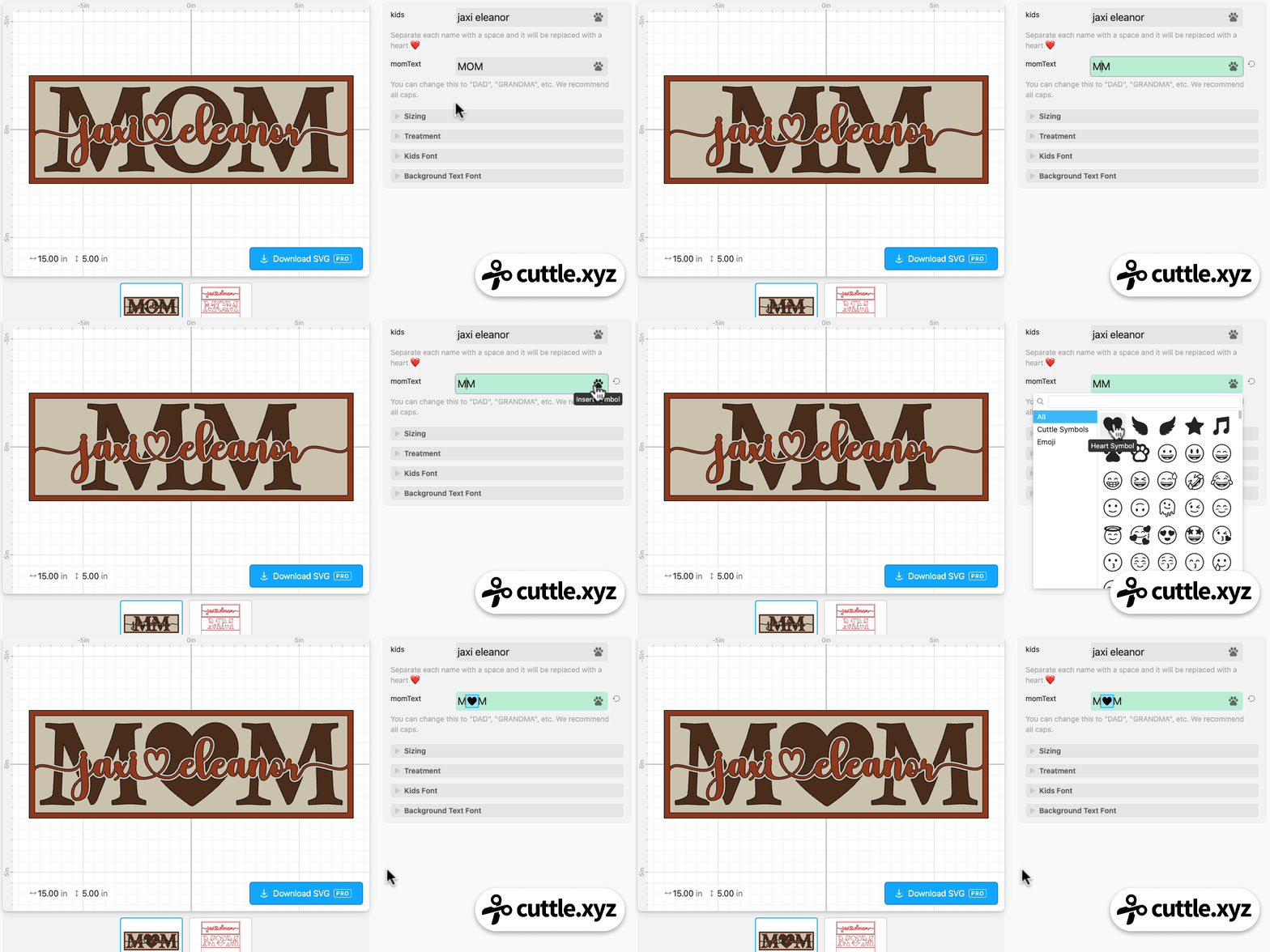

There’s also a paw 🐾 symbol, which Queenetta M uses to great effect on this excellent DOG MOM sign!

Finally, we’ve been seeing folks use this template for a wedding gift — putting “mr mrs” as the front text and the last name as the back text. The above example is by Angi C.
The above photos are just a small fraction of the amazing creations you all have shared in the past week! We are so overwhelmed and wish we could feature them all in this newsletter.
Head over to the Facebook Group to see all the incredible projects people are making! Everyone is so generous sharing photos and videos, tips about the materials they used, and how they’re pricing and selling these signs. Thank you for being such a wonderful community!
New feature: “Show More Options” on the font picker
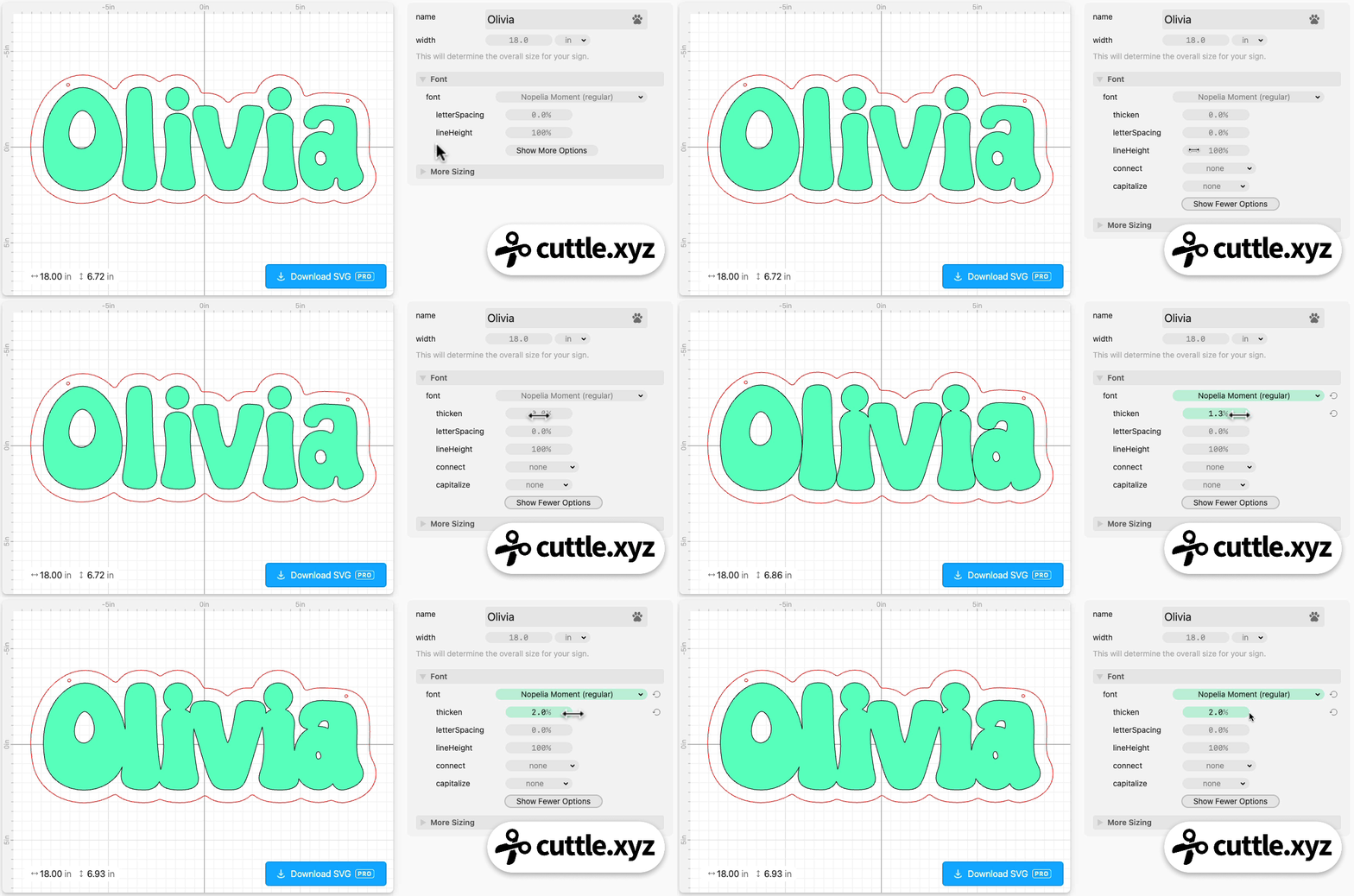
You may have noticed there’s a new “Show More Options” button below the font picker.
Options like thicken, letter spacing, and even connected text are now part of the font picker.
This way, you always have access to these features — anywhere where you can pick a font in Cuttle.
For example, the Name Sign Door Hanger template used to not have a thicken option. But now you can thicken the text by clicking Show More Options on the font!
In the Cuttle Editor, this update means you can apply effects like connected text on a Text Within Box (aka Fit Text).
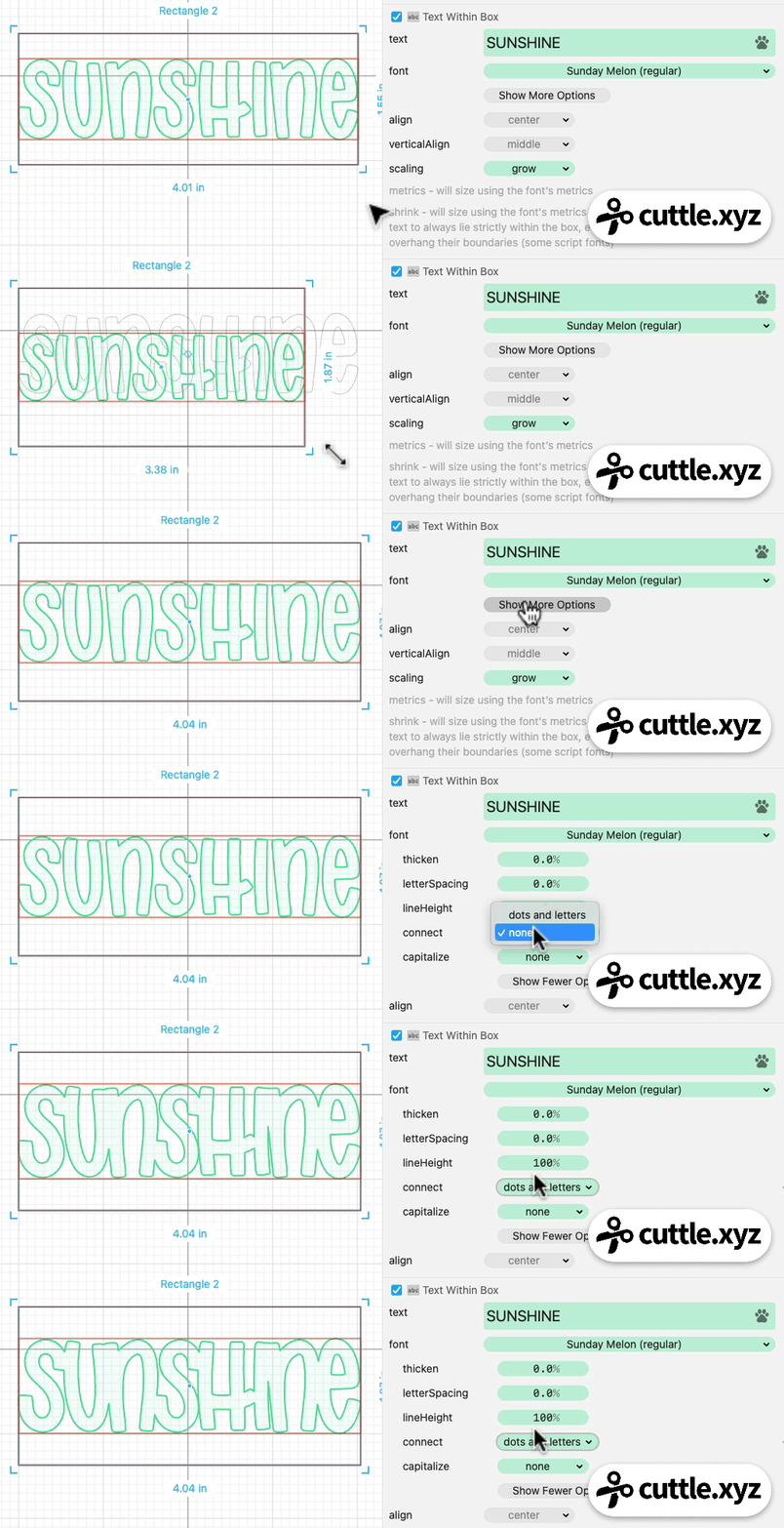
It’s a subtle change but it gives us more combinatorial power — more ways to combine all the features of Cuttle. And it provides a solid foundation to add even more text features. Kudos to Forrest and Ryan who have been working hard on this update for the past several weeks!
Video Tutorial: How to Make Personalizable Badge Buddies 🎫

In Federico’s livestream from last week, he answered Charlotte McD’s request for a laser cut badge buddy. Using an ID card’s standard dimensions as a reference, he designs the badge backer by adding a slot, personalizable text, and rounded corners.
Here’s the template he created.
You can catch Federico’s streams live on our Facebook Group on Thursdays at 1pm PT / 2pm MT / 3pm CT / 4pm ET.

Toby Schachman