SVG Generators in Cuttle 🔑, Embed Components in Read Me 📝, Remove Holes 🕳
JAN 28, 2022
Here's the latest with Cuttle.
- We made a Keychain SVG Generator
- You can now embed components in your Read Me
- New Remove Holes modifier
Keychain SVG Generator 🔑✨
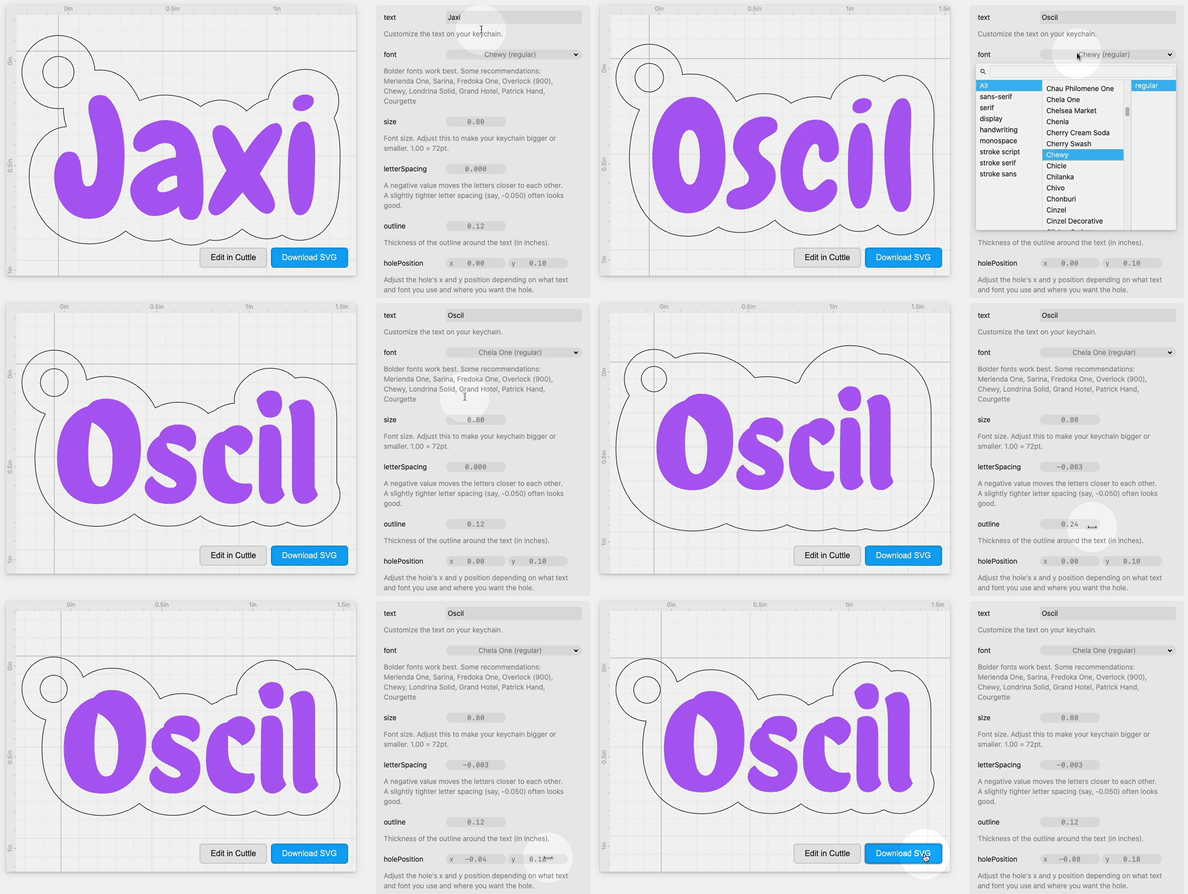
Here’s a keychain generator made in Cuttle.

You can customize the text, font, sizing, and hole placement, then download an SVG ready to laser.
This project shows off our new Read Me feature that lets you directly embed components and parameters...
Embed Components in Read Me 📝
Our mission at Cuttle is to level-up the abilities of the digital fabrication community. We want to provide a smooth on-ramp from beginner to master:
- From making your first cut
- to drawing your first custom design
- to adding parameters
- to scripting and more...
To this end, we’re making it easier to share parametric projects with people who aren’t (yet) ready to dive into the Cuttle editor interface.
You can now embed components in your Read Me. Parameters will automatically appear on the side.
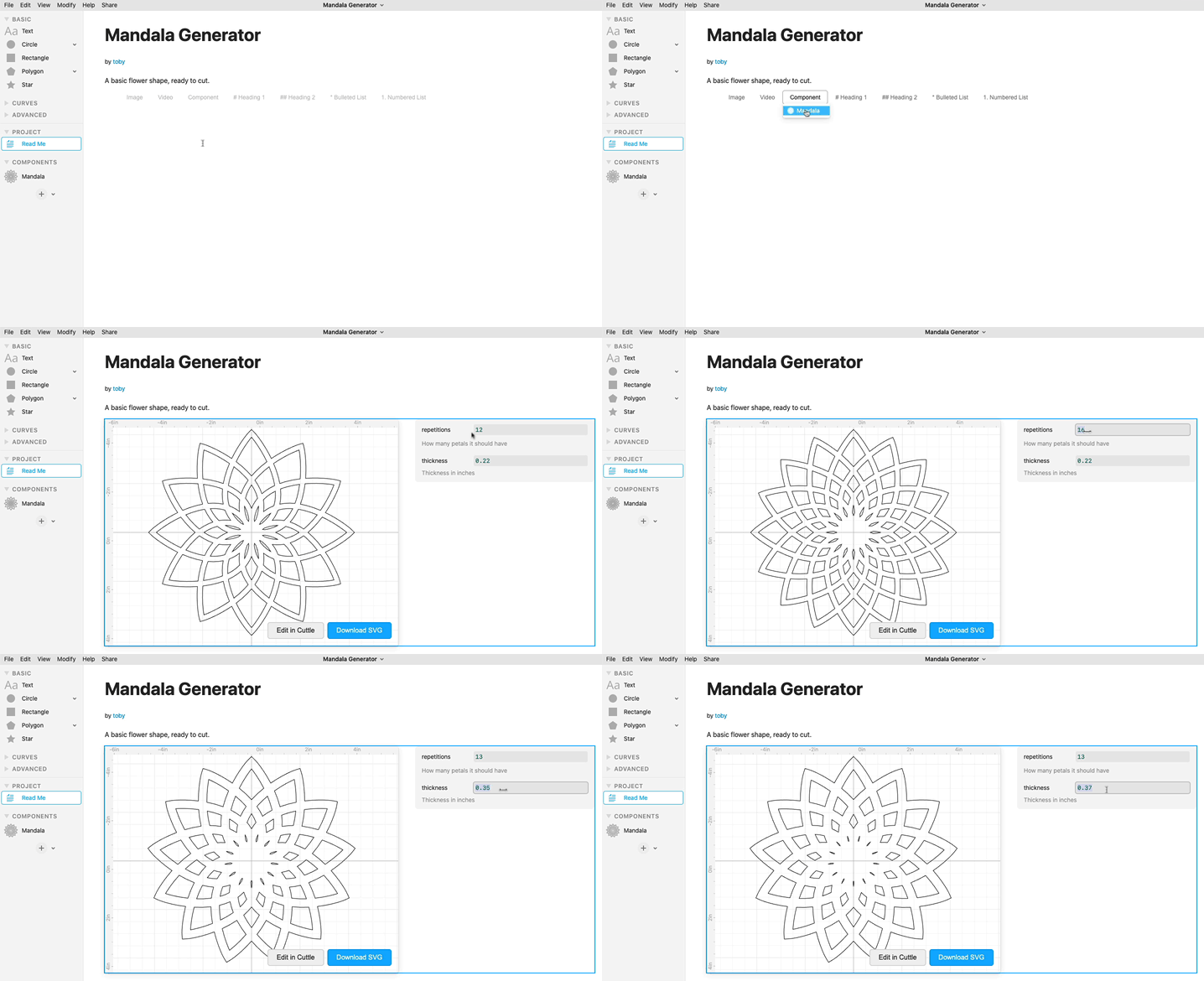
Publish your project from the Share menu and share the link.
Now when someone goes to this page, they can adjust the parameters and download an SVG, all without having to use the Cuttle editor or create an account. If they want to customize further or dig deeper and see how it was made, they can click “Edit in Cuttle”.
(Bonus: Here’s the Mandala example above.)
Remove Holes Modifier 🕳
There’s a new Remove Holes modifier in the Modify menu.

Thanks Brian Wente for the request.
Other Improvements and Fixes 🐞
- Fixed an issue where doing boolean and stroke operations on complicated geometry would sometimes result in an “out of memory” error.
- Fixed a bug where sometimes if you had multiple shapes selected and you apply a modifier it wouldn’t automatically group the selection first.
- Fixed an issue where strokes with “outside” alignment would sometimes render incorrectly in Chrome.

Toby Schachman