Personalized Sports Keychains Template ⚾️🏀⚽️🏈
MAY 5, 2025
Here's the latest with Cuttle.
New template: Sports Keychains / Bag Tags

Our latest template lets you personalize a Sports Keychain or Bag Tag by typing any name and choosing any sport.
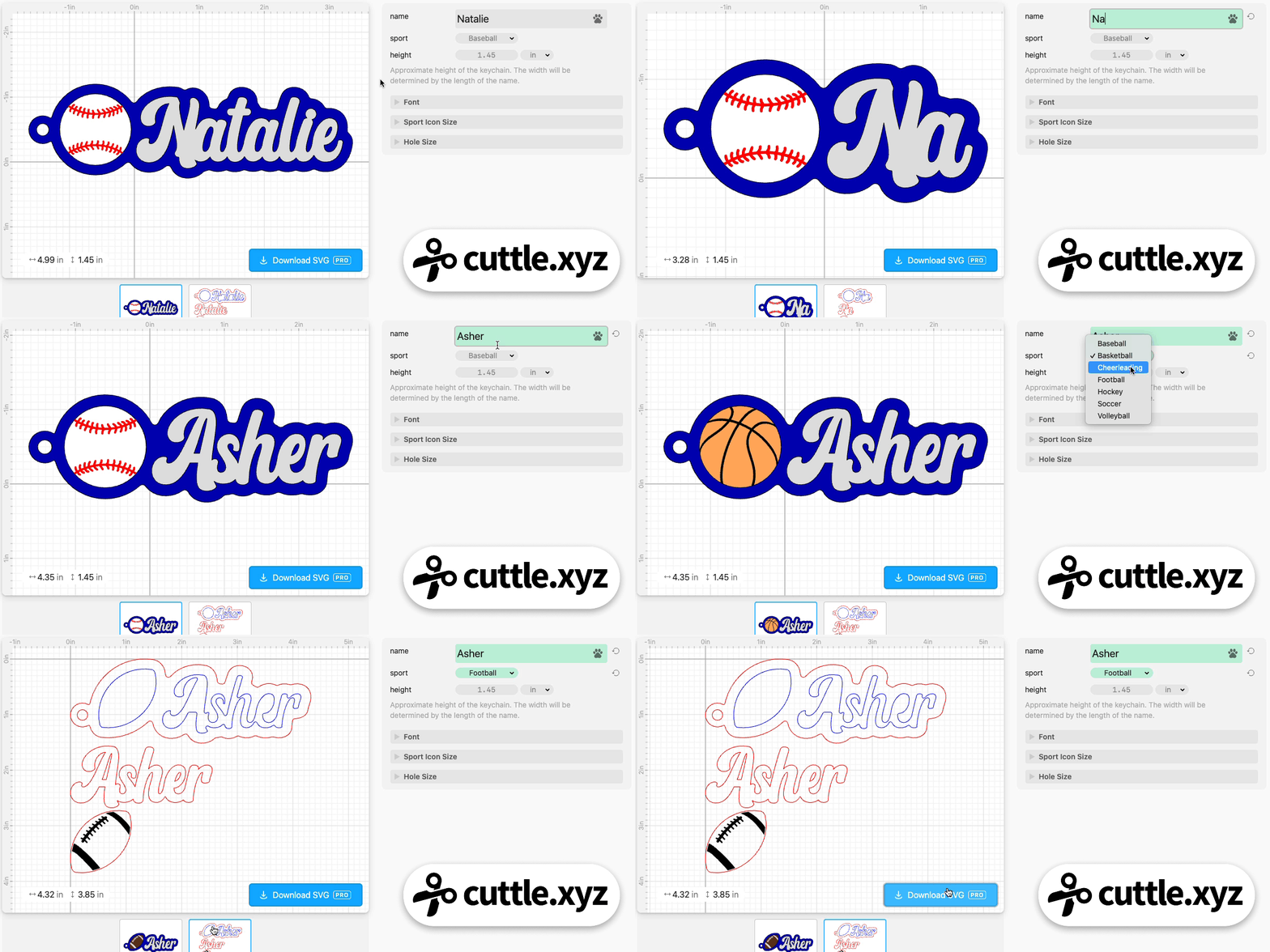
- Choose from baseball, basketball, football, hockey, soccer, volleyball, and more!
- Automatically generates the name, ball, and offset backer with the keychain hole
- Choose any font
- Dots on i’s automatically connected
- The ball is intended to be cut and engraved — see Federico’s video on how to make a colored engrave on acrylic
- Customize the hole size
- Bulk production feature — type a list of names to generate all the cut files at once
Video Tutorial: Making colored engraves on acrylic
Federico recorded a video tutorial showing how to use the template and how to get great results with colored engraves on acrylic.

To get the colored engrave — for example the red stitches on white acrylic for the baseball — there are two techniques.
The first is to engrave the white acrylic and then do an ink fill with a red paint pen.

Federico tried a bunch of products and the winner was DecoColor Paint Markers. There are links to all the supplies we used on the template. Definitely watch Federico’s video for tips on this, like using gorilla tape to peel the masking.
The other option is to get two-tone acrylic, which has a surface color (white for the baseball) and a core color (red). When you engrave it, the surface color burns off revealing the core color.
You can get any surface color and any core color. Here’s a white surface with black core, for a soccer ball:

You can also get printed surface patterns, like this basketball texture with black core:

Finally, you’ll also want to get some DualTite Peel and Stick Adhesive and some Keychain Thingies!
We have links to all these materials (and coupon codes!) on the template page if you scroll to the bottom.
Other Improvements and Fixes 🐞
- On fonts with heart connectors, you can now choose “heart” as the
endStylein the font picker. - Fixed a bug with some older projects having parameter names which conflicted with Cuttle built-in names.
- Added the “Switcher” component to the Advanced area of the create panel. We’ll try to do a tutorial about this soon…

Toby Schachman