Make Your Designs Pop with “Weld and Score”
APR 1, 2025
Here's the latest with Cuttle.
- New Template: "Weld and Score" Text
- Cuttle Editor Tutorial: How to use “Weld and Score” in your own designs
- Weld and Score is available for free!
New "Weld and Score" Text Template

Our latest free template lets you create connected text with score lines added between letters and dots.
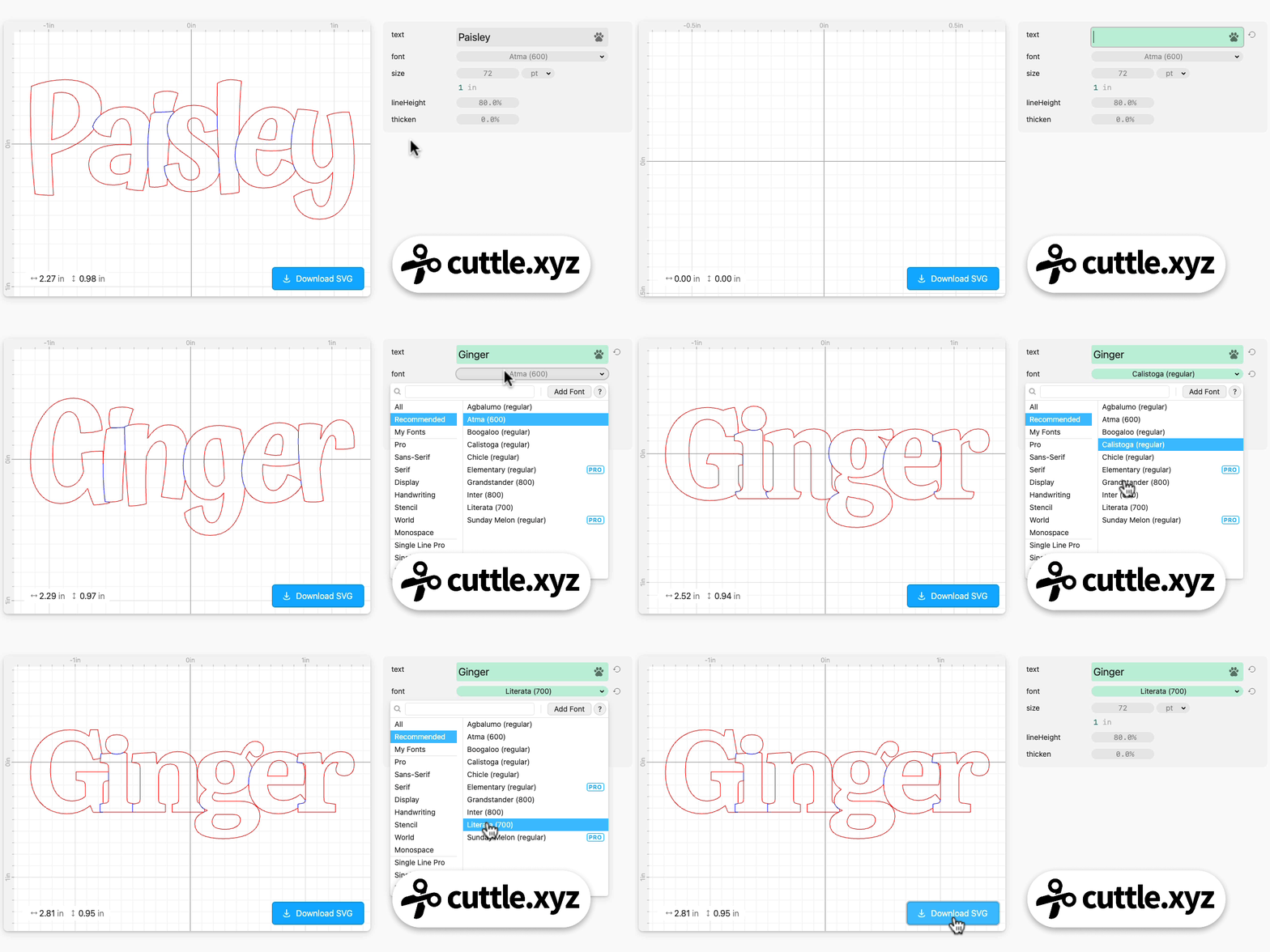
The score lines make each letter pop which greatly increases the legibility of the text.
You can do this with any font, including fonts you upload.
We use “Weld and Score” a lot in Cuttle’s official templates:

Cuttle users on our Facebook Group requested that we create a template for quickly generating this style of text. Thank you Minnie S Z and Hannah T for the request!
Like our popular Connected Text template, the new “Weld and Score” Text template is available to both Pro and Free Cuttle users!
How to use Weld and Score in your own designs

Federico recorded a comprehensive video tutorial on how to use “Weld And Score” in your own designs in the Cuttle Editor.
Normally, when you “Weld” or “Boolean Union” two shapes, they are joined into a single shape but any lines where they overlap are removed.

With “Weld and Score”, the shapes are still joined into a single shape — you can pick it up as one piece! — but score lines are added wherever the shapes overlap.
Here’s what that looks like with text:

You can also combine shapes and text using Weld And Score. Federico demonstrates by showing how to create this photo frame with text:
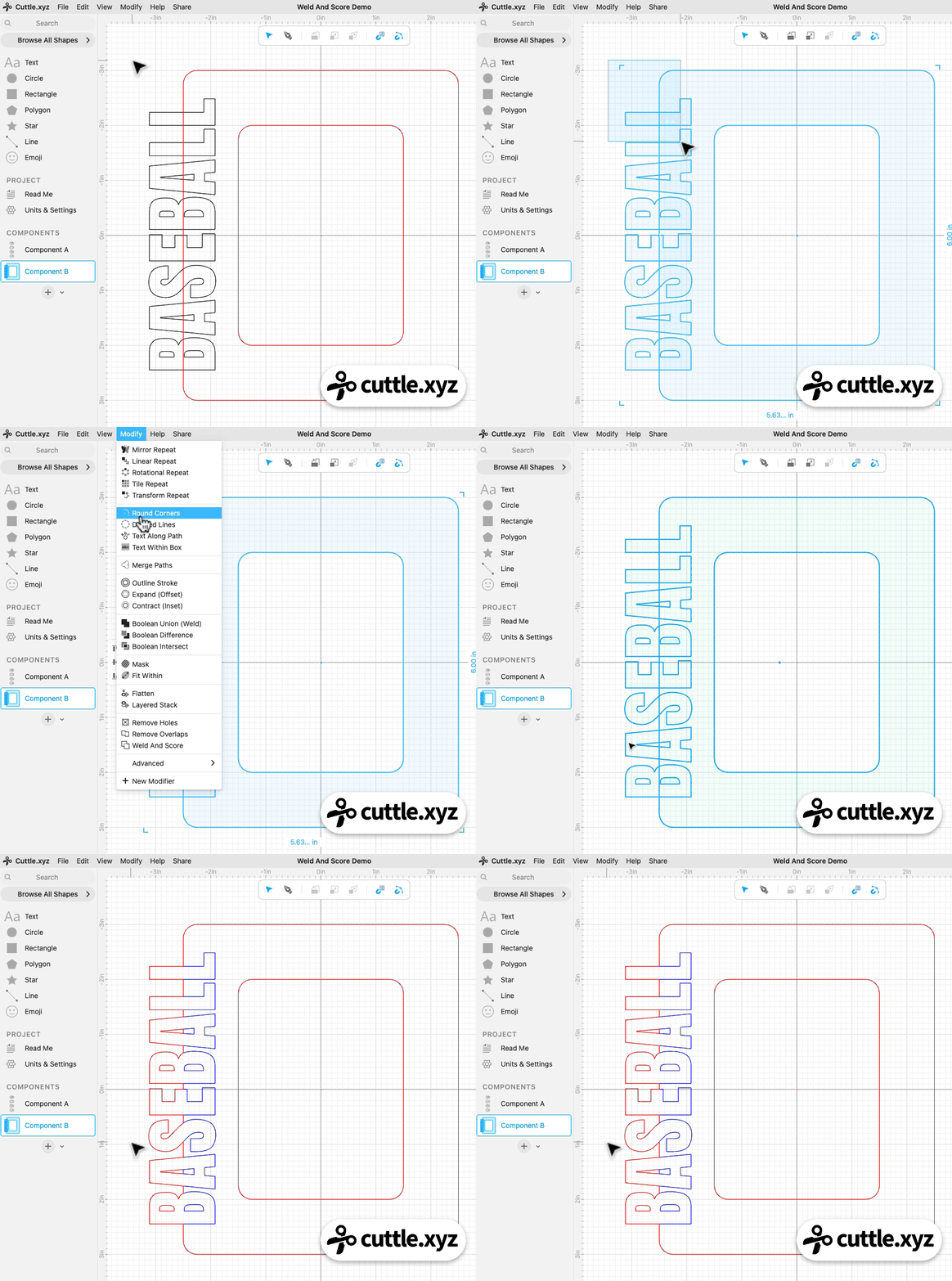

Thank you for requesting the photo frame demo Diane M H!
You can catch Federico’s streams live on our Facebook Group on Thursdays at 1pm PT / 2pm MT / 3pm CT / 4pm ET.
Other Improvements and Fixes 🐞
- Weld And Score modifier is out of beta! This also means it’s available to free users on the Cuttle Editor.
- Added a “scoring” option to the Look What I Made Fridge Magnet template. Thank you for the suggestion Alice C!

Toby Schachman