Laser Engraving Pencils - Jig, Template, and Video Tutorial ✏️
MAR 18, 2025
Here's the latest with Cuttle.
- New Template and Tutorial: Personalize Pencils with Laser Engraving
- Cuttle Editor Tutorial: Custom Floating Frames with Chicago Screws
New Template and Tutorial: How to Personalize Pencils with a Laser ✏️

Our latest template lets you personalize pencils by typing any text!
You can engrave any names or sayings. These make great gifts for students or teachers, or for special events like weddings.
Federico recorded a thorough video tutorial where he walks you through all the steps for engraving pencils.
First, he shows you how to cut out the template’s jig:

The jig holds the pencils snugly in place, in a standardized location. This gives you perfectly centered engravings every time, automatically.
The jig is sized for Dixon Ticonderoga pencils. These are available in all different colors — standard yellow, neon and pastels, even black. We have links to purchase these and all materials on the template page.
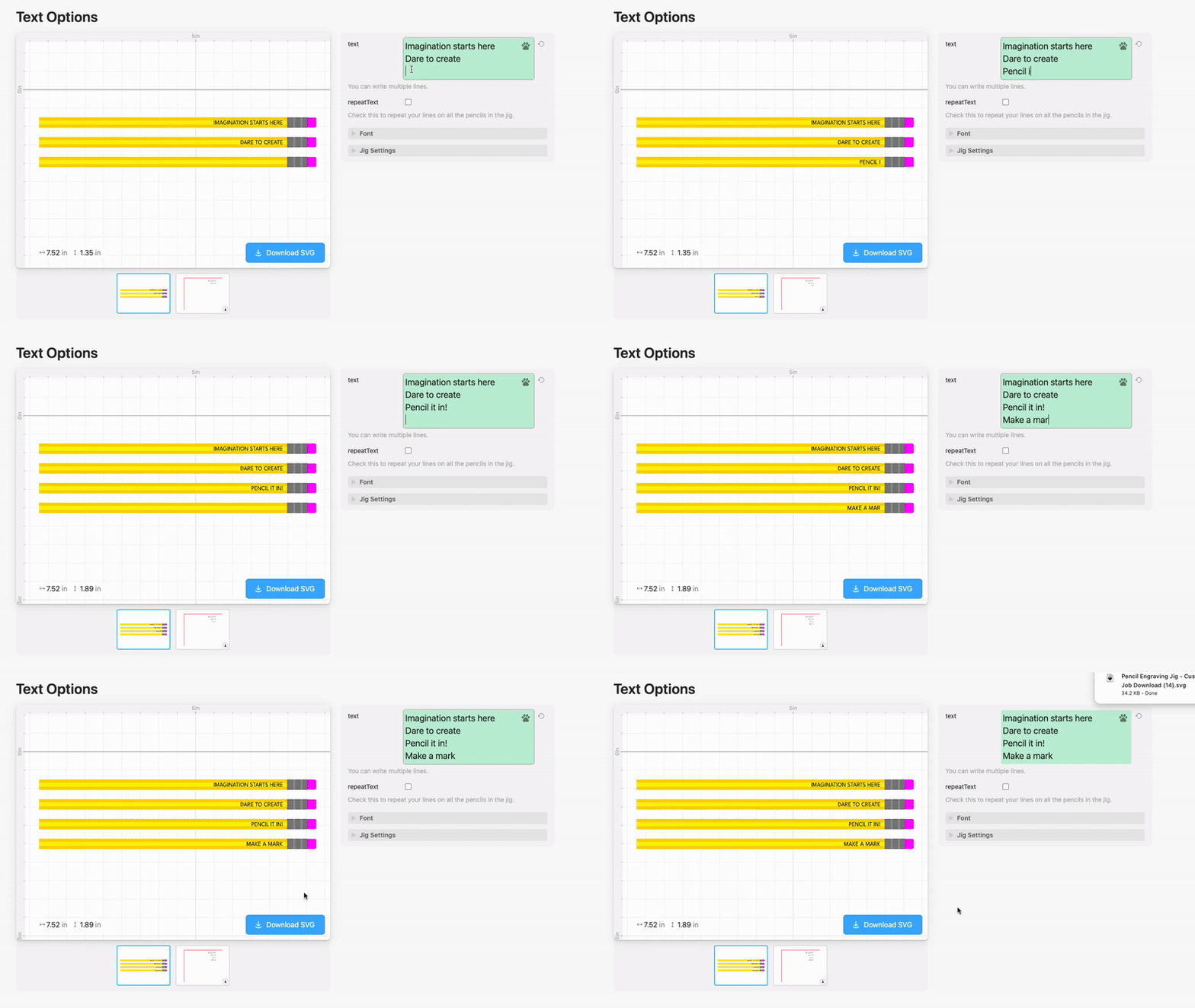
With your jig made, you can now type any text and the template will generate an SVG for you with all of the text perfectly placed.

Next, Federico shows how to align the jig perfectly in your laser bed by using a quick trick with masking tape.
Then he suggests laser settings to use to engrave or score the pencils.
He shows the results on a variety of pencils and explains how to make text stand out on black pencils.

I recommend watching Federico’s video to see all of these steps. The template page also includes all of these instructions as well as the cut settings we used.
Video Tutorial: How to Make Custom Floating Frames 🖼️

In Federico’s livestream from last week, he shows how to make a custom floating frame using Chicago Screws (also known as binding screws).
Here’s the template he created.
You can catch Federico’s streams live on our Facebook Group on Thursdays at 1pm PT / 2pm MT / 3pm CT / 4pm ET.
Other Improvements and Fixes 🐞
- Significant performance improvements to the Cuttle Editor, especially when working with large amounts of geometry ⚡️
- Fixed a bug with saving file names that had a period (.) — thank you for the report Layered Paper Art!
- Fixed a few subtle bugs with how guides were displayed.

Toby Schachman