How to *sell* products you make with Cuttle
APR 16, 2026
Here's the latest with Cuttle.
- Our friend Gwynn is hosting a free “Fund Your Files” challenge next week — learn her techniques for selling laser cut products! (Highly recommended)
- New free template: QR Code Tag
- Font Previews and many more quality-of-life updates to Cuttle
Fund Your Files - Free 5-Day Challenge

Gwynn Carla Jones saved up to buy her first laser in 2020 and has since grown her business into a retail store, paint party studio, and online shop. I’ve always admired her clever strategies for building excitement and connection with her customers. She’s also a talented and generous teacher within her Facebook Group (15k members).
She recently approached me about an idea to host a free 5-day challenge: she’ll show you how to take ONE Cuttle template → turn it into a product → and sell enough to cover the $24/mo subscription.
This is the sales strategy she used when she was getting started and still uses today. But this challenge is not just about learning a strategy, it’s about doing it together with Gwynn and her group over the 5 days!
Based on Gwynn’s previous workshops (on Cuttle, ornament bars, etc), I’m really excited about this one!
Fund Your Files Challenge
- Dates: April 20 - 24 (next week!)
- Format: Free 5-day challenge
- Where: all of the daily prompts, support, and discussion will happen in Gwynn’s Facebook Group
The Goal
- Sell enough of ONE design to cover your Cuttle subscription ($24/mo). That’s it. One focused plan you can actually follow through on.
Topics
- Pre-selling + audience engagement
- Fast product creation using Cuttle
- Simple, intentional launch strategy
Schedule
- Day 1: Pick product
- Day 2: Build interest
- Day 3: Create sample
- Day 4-5: Launch + sell
Have you had your eye on Cuttle but haven’t made the leap to Cuttle Pro? We’re so excited about Gwynn’s event that we’re giving away one month free of Cuttle Pro to anyone new to Cuttle Pro who signs up for the challenge. You’ll receive the invite link when you register.
Existing Cuttle Pro members are also encouraged to participate! You know how powerful Cuttle is — Gwynn will show you how to turn that into actual sales.
How to participate
- Register for the challenge here
- Join Gwynn’s Facebook Group if you’re not already a member
- The challenge will kick off on Monday April 20!
New free template: QR Code Tag

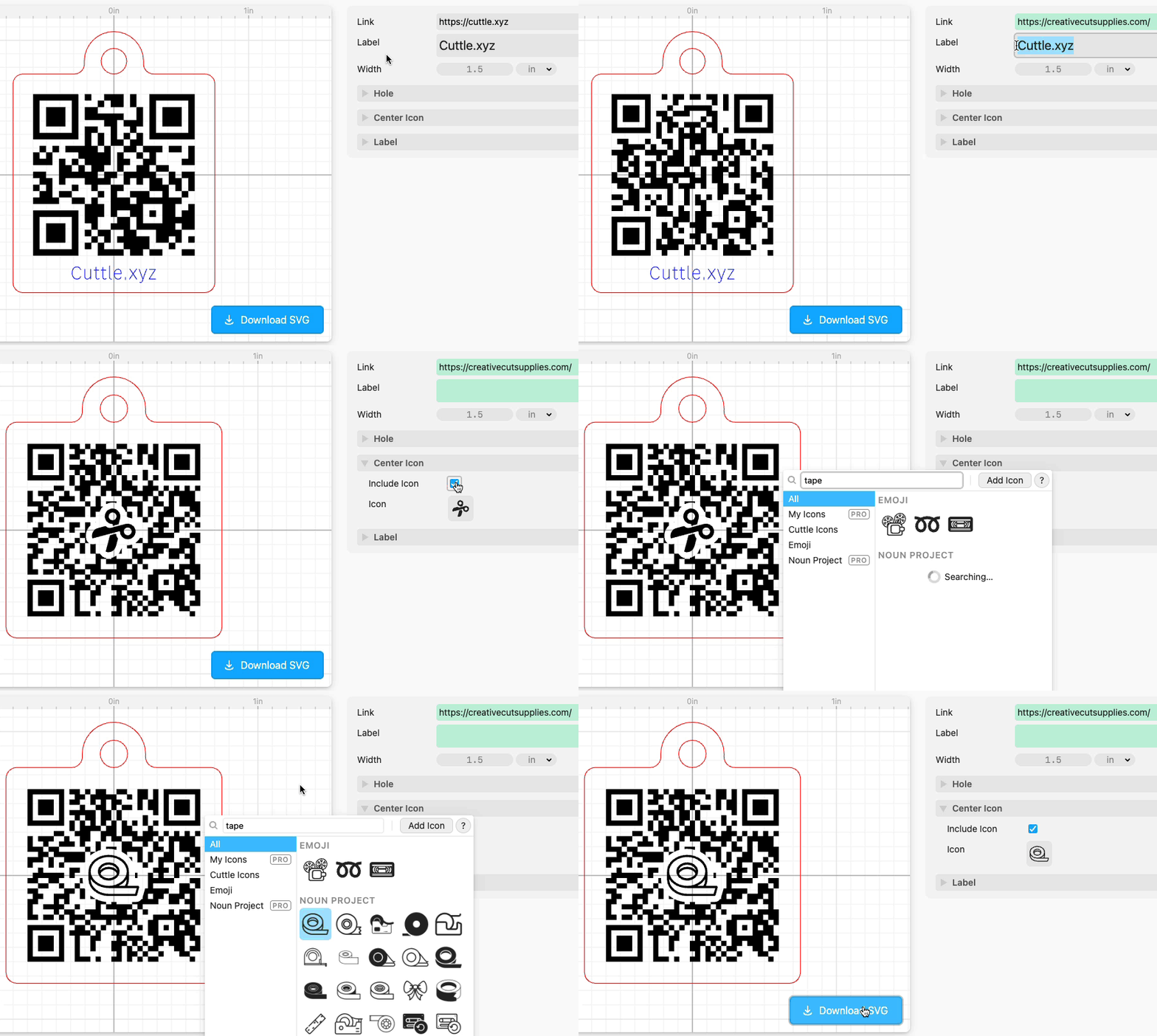
Quickly create an engraved QR Code tag for any website, social account, or link with our latest free template.
- Add any icon or emoji in the center (Cuttle Pro members can upload their own icons!)
- Option to add a scored bottom label
- Option to add a hole
- The QR Code links directly to your URL, so it will never expire like some other free QR Code generators
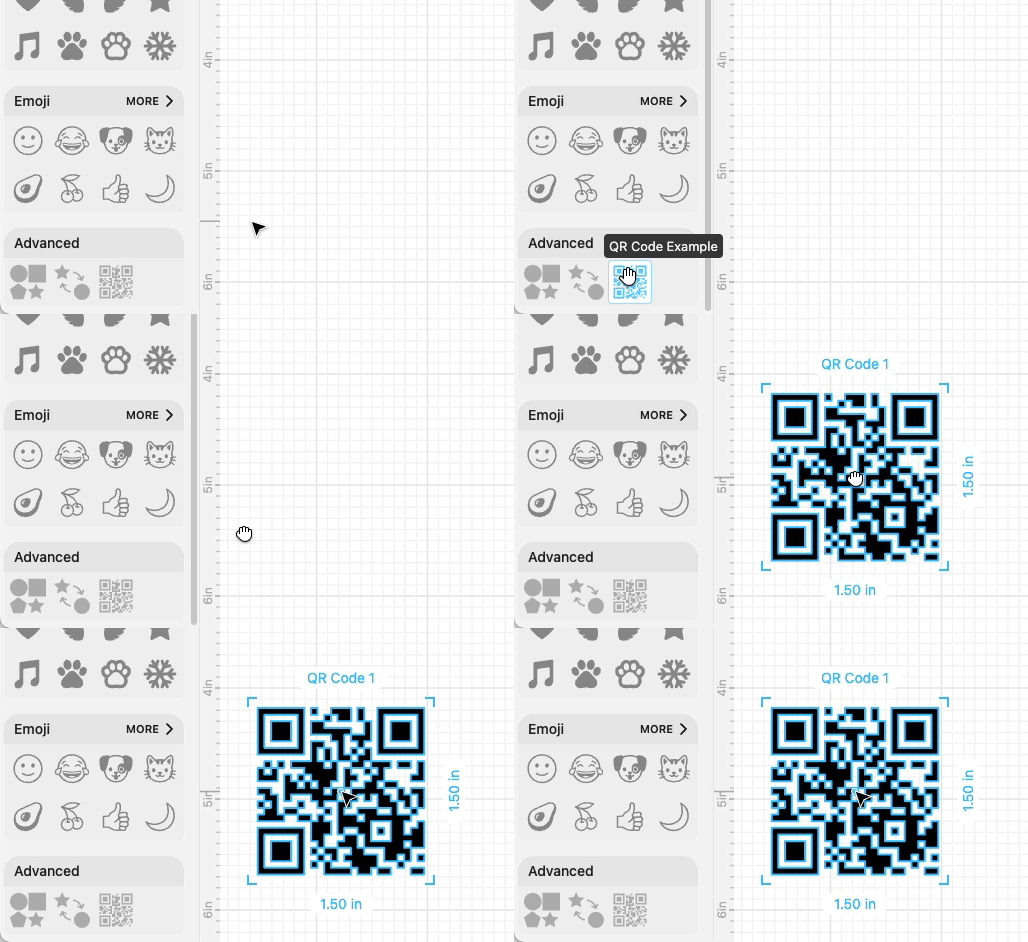
You can also use the customizable QR Code shape in your own projects in the Cuttle Editor! Find it in Browse All Shapes > Advanced.
Other Improvements and Fixes 🐞
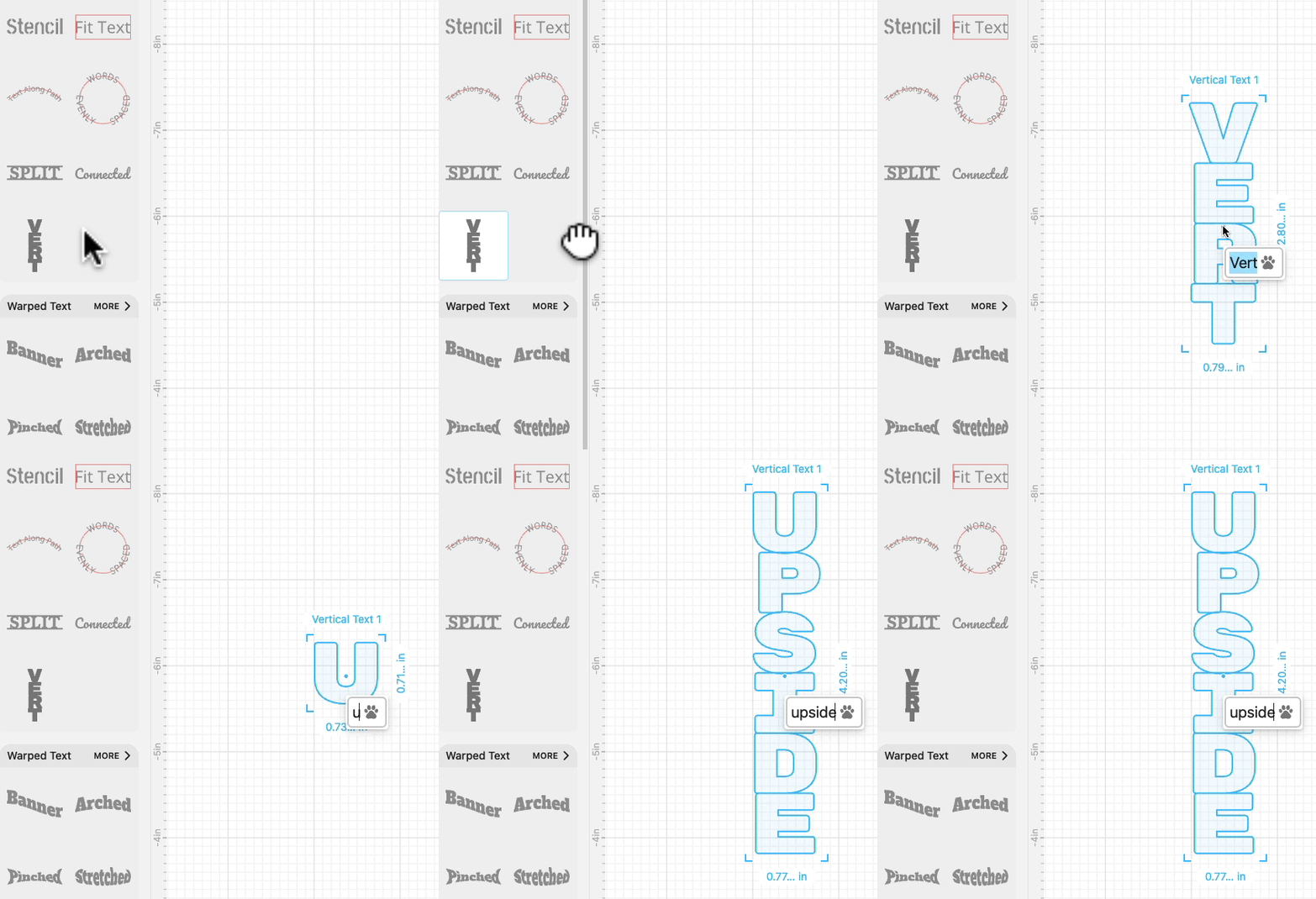
We added a new Vertical Text shape (in Browse All Shapes > Text). It automatically sizes letters to the “cap height” of the font (you can change this by adjusting letter spacing).
Font pickers now show previews of recommended fonts.

We updated the free font list. Here are some of the new font families available.

We added Edit > Simplify Paths to the Editor. This is useful if your Path has a lot of Anchors and it’s making Cuttle run slowly.

We added a holes parameter to the Expand and Contract modifiers in the Editor.

We now show if you have “Unpublished Changes” on a Public or Unlisted project in your project dashboard.


Toby Schachman