Finger Joints Kit 📦
FEB 6, 2025
Here's the latest with Cuttle.
- New Kit: Laser Cut Finger Joints Kit
- Cuttle Editor Tutorial: Using Cuttle’s Finger Joints Kit
Add Fingers Joints to Any Project with New Kit 📦

Our new Finger Joints Kit helps you easily add Finger Joints to any shape, so that you can construct 3D laser cut assemblies.
Finger Joints are a press-fit joinery technique. If you’ve made a basic laser cut box, you’ve used finger joints!
In fact, all of the 3D Box Templates on Cuttle use finger joints. We’ve used the building blocks of this kit behind the scene for years. Now we’re finally officially releasing the Finger Joints Kit so you can create your own completely arbitrary boxes and 3D projects in the Cuttle Editor!
For an introduction, I highly recommend watching Federico’s Live Stream from last Thursday.

The Finger Joints Kit allows you to make joints along edges as well as slots. There are parameters that control the material thickness, tab width, and kerf compensation. When you change those parameters, all of your finger joints automatically adjust!
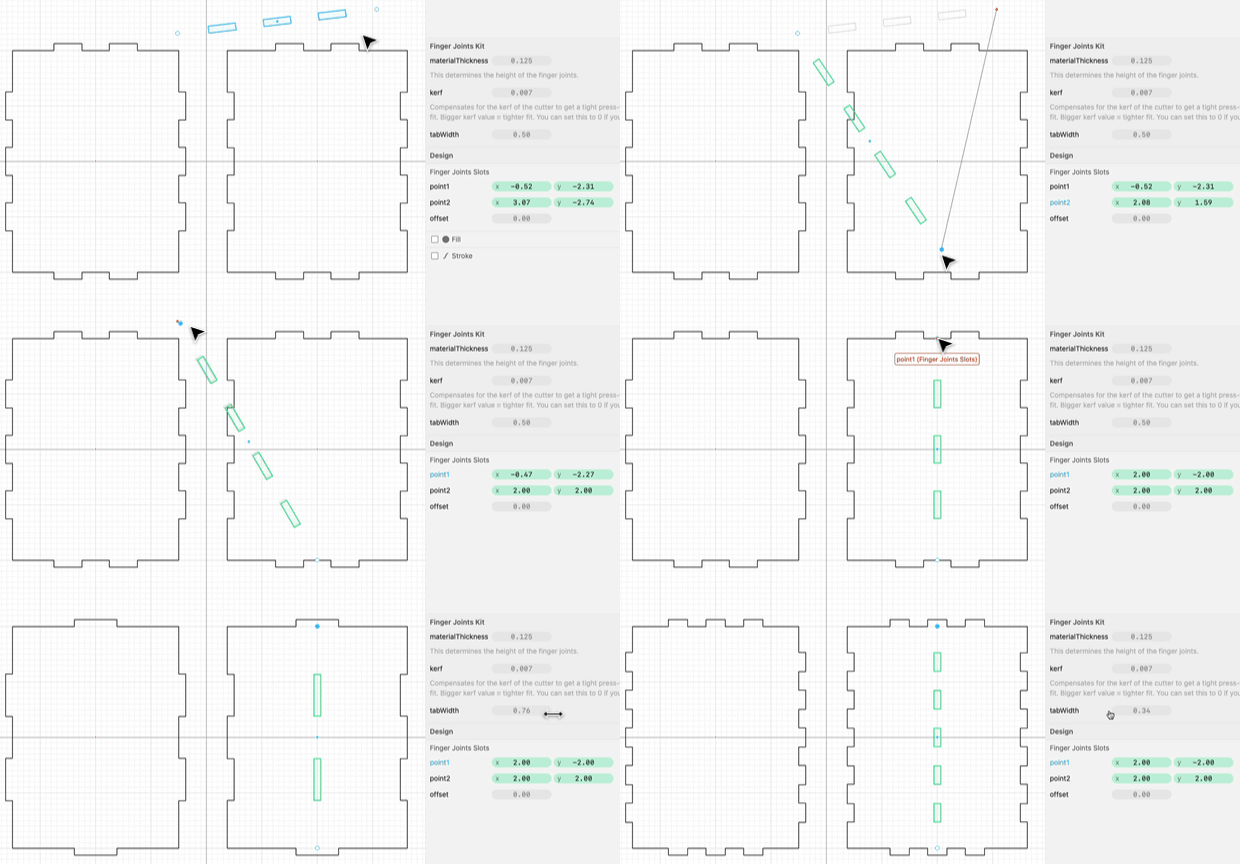
There is also a Replace Edges modifier that lets you quickly add finger joints to all the edges of a shape.
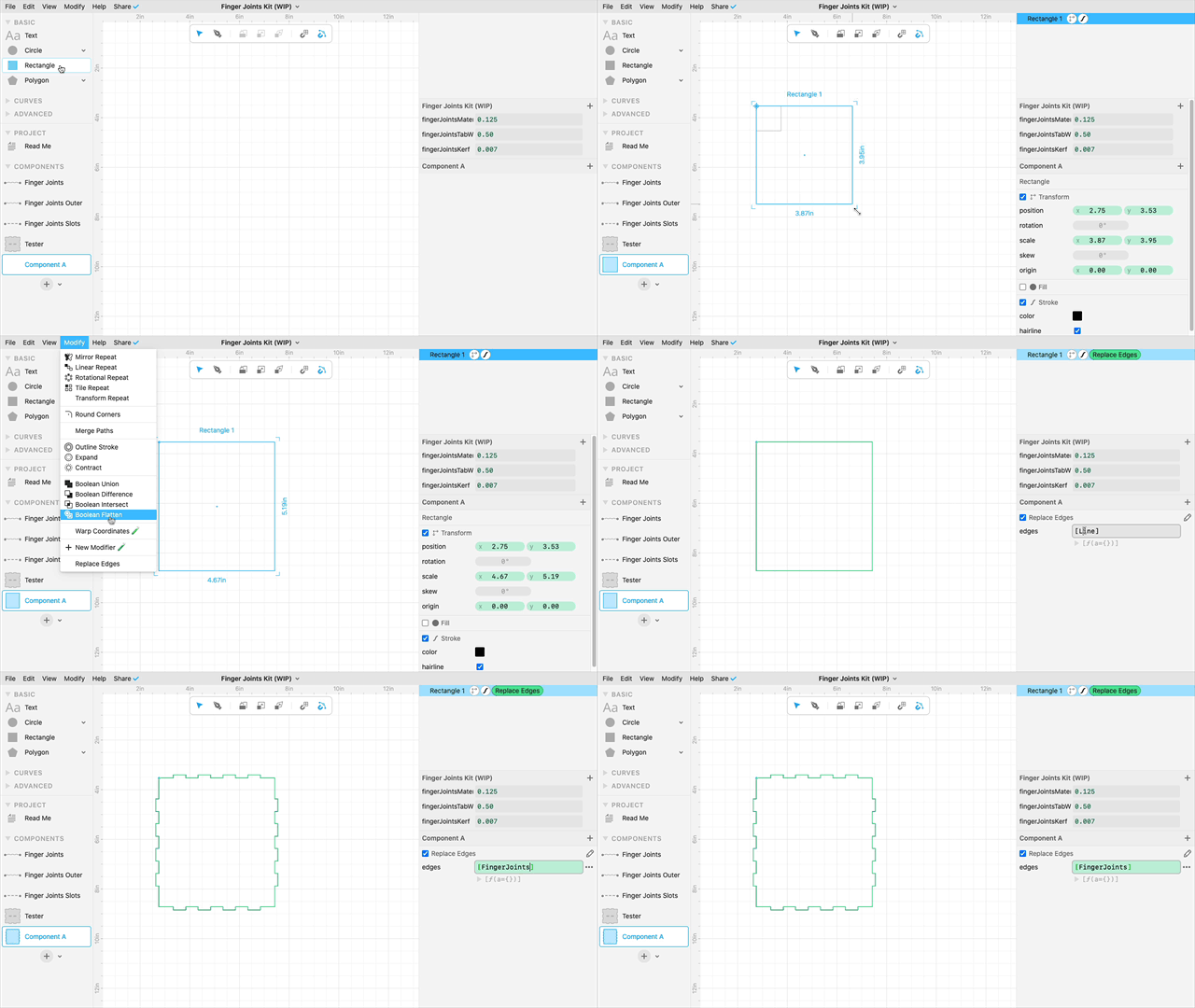
Check out Federico’s live stream recording for a complete walk through of these techniques.
And remember, you can catch Federico’s streams live on our Facebook Group on Thursdays at 1pm PT / 2pm MT / 3pm CT / 4pm ET. See you there!

Toby Schachman