Family Names Crossword Ornament - SVG Generator
NOV 13, 2025
Here's the latest with Cuttle.
- New template: Family Names Crossword Ornament
- Apply to be a Cuttle Creator
- Cuttle Editor Tutorial: 3D Laser Cut Slot-Together Designs
Family Names Crossword Ornament

Our latest template lets you type a list of names and the letters automatically get placed into a crossword!
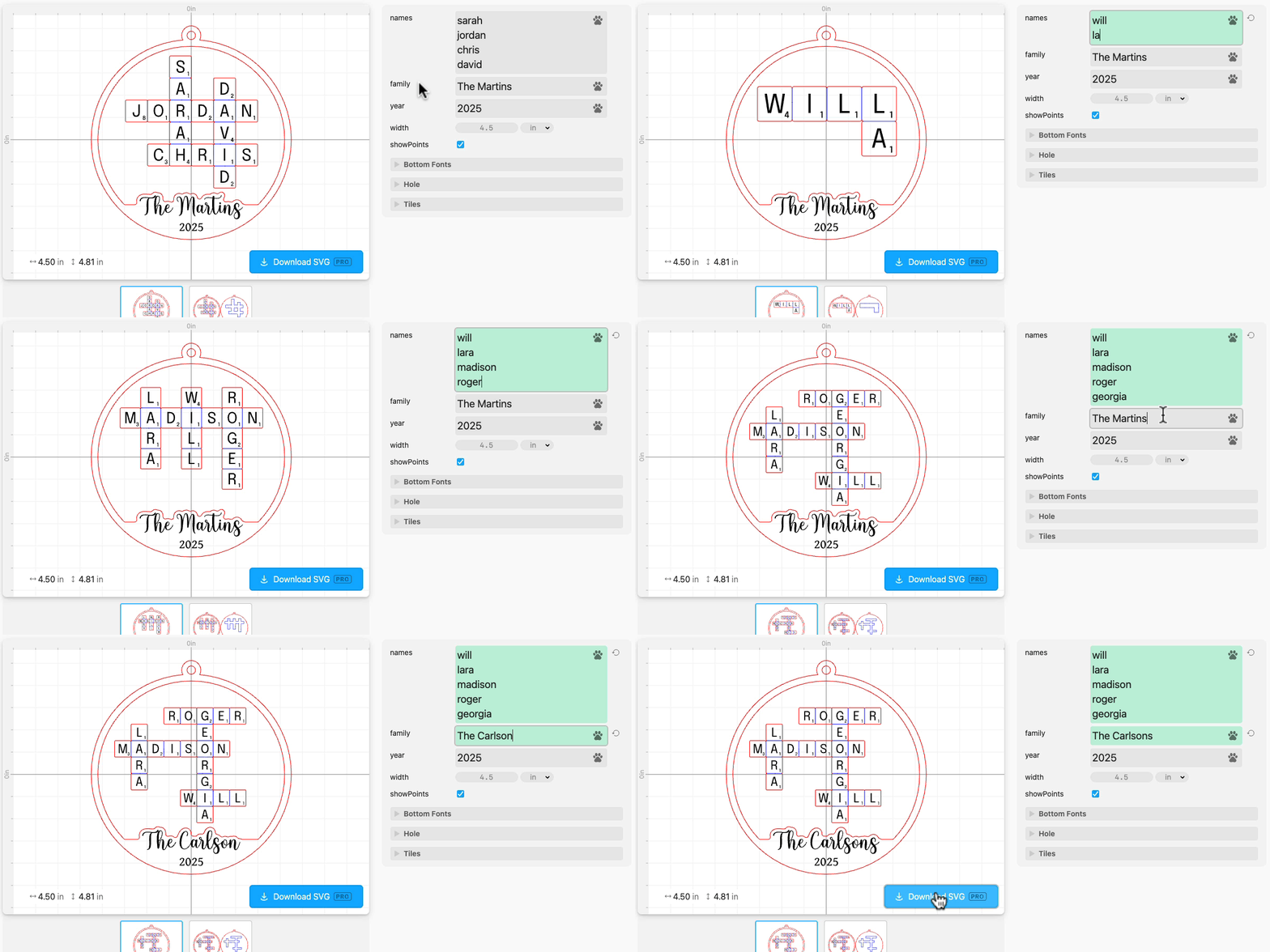
- Names are automatically laid out instantly as you type
- Score lines are added between letter tiles
- Personalize the family name and year at the bottom
- Customize the size (width) of the ornament
- Customize all the fonts
- Optionally add or remove the “points” in the lower-right corner for each letter tile
- Works with any number of names — though we recommend sizing up for lots of names
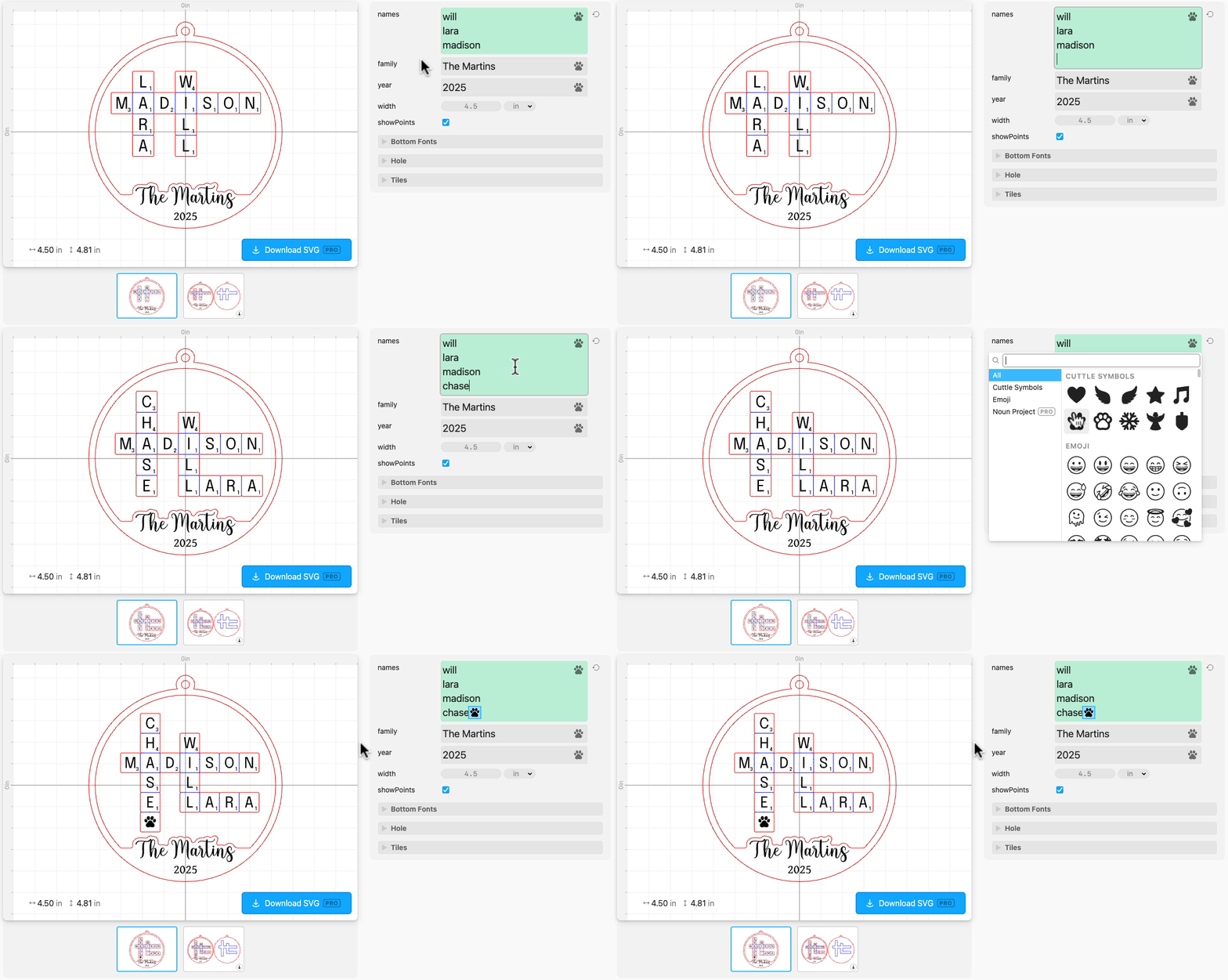
And just like every text field in Cuttle, you can also add paws for pets!
Apply to be a Cuttle Creator
Cuttle Creators are talented designers who publish new templates for Cuttle Pro subscribers and earn royalties whenever people download their work.
We currently have an open call for a new batch of Cuttle Creators. Learn more and apply here!
Applications for this batch of Creators will close on Nov 19.
Video Tutorial: Make Slot-Together Laser Cut Projects

In Federico’s livestream from last week, he shows how to make fun slot-together 3D projects in Cuttle. Using only basic shapes, he creates a seal, a llama, a cat, and a modular construction toy.
If you’re looking for inspiration for your own designs, check out Federico’s short video on how to create Ed Emberley-style characters with simple shapes in Cuttle.
Also check out Bonnie’s Standing Deer template that inspired this livestream.
You can catch Federico’s streams live on our Facebook Group on Thursdays at 1pm PT / 2pm MT / 3pm CT / 4pm ET.

Toby Schachman