Emoji Name Keychain - SVG Generator
MAY 13, 2025
Here's the latest with Cuttle.
- New Template: Emoji Name Keychain
- Updates to Sports Keychain
- Font Options Feature: Ligatures
- Editor Feature: Switcher
- Editor Feature: Attach Modifier (Beta)
- Cuttle Editor Tutorial: Laser Cut Varsity Letter Patches
- Cuttle Editor Tutorial: Adding More Icons to the Sports Keychain
New Template: Emoji Name Keychain 🦖

Our latest template lets you pick any emoji and type any name to generate a two-layer keychain cut file.
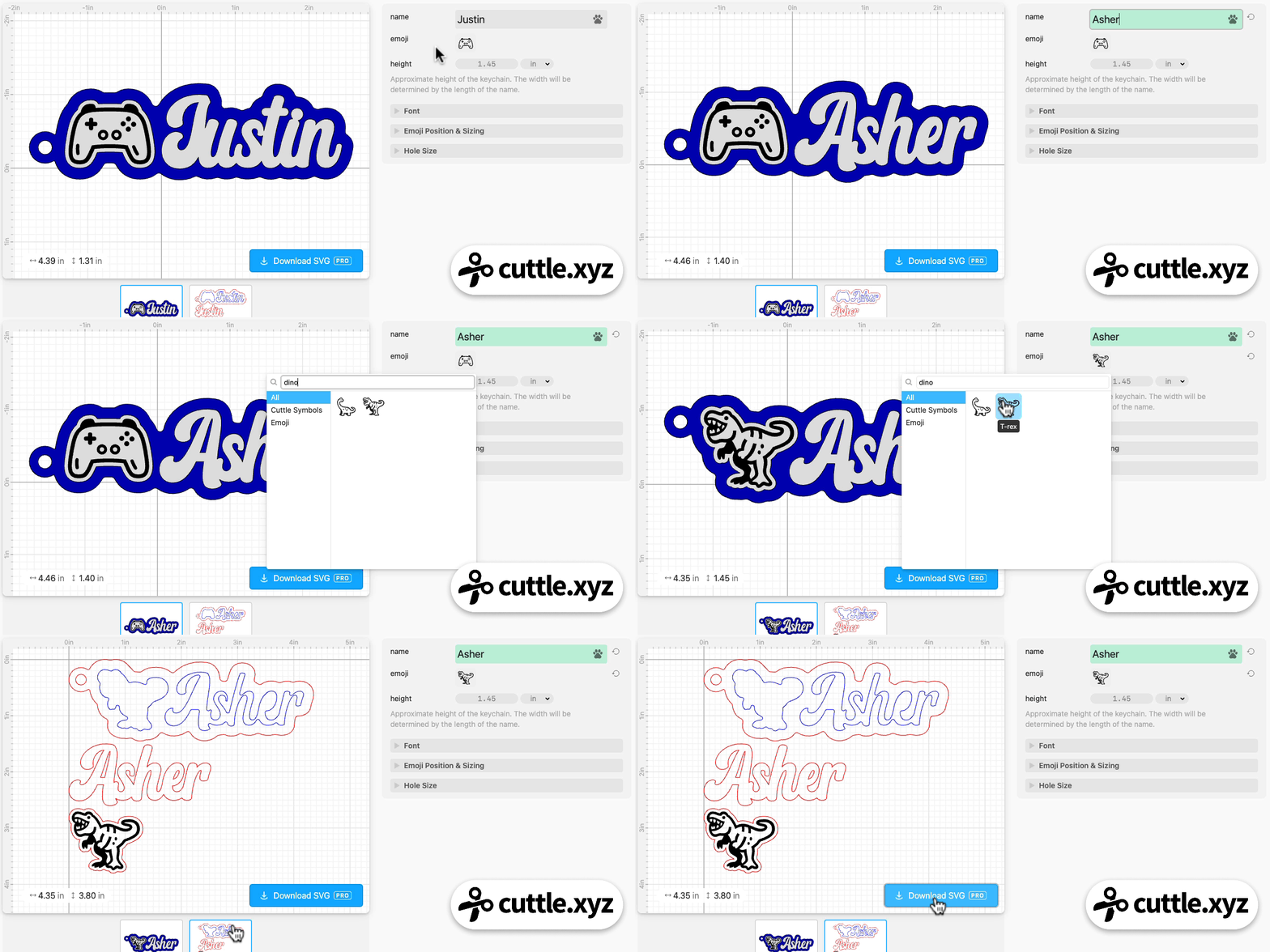
- Automatically generates the name, emoji, and offset backer with the keychain hole
- Choose any font
- Dots on i’s automatically connected
- Optionally add score lines between letters
- Customize the size, rotation, and placement of the emoji
- Customize the hole size
- Bulk production feature — type a list of names to generate all the cut files at once
- The emoji is intended to be cut and engraved — see Federico’s video on how to make a colored engrave on acrylic
This template is inspired by last week’s Sports Keychain and then Federico’s livestream on Thursday.
Federico answered a question about how to add your own custom icons to the Sports Keychain, and he improvised a variation using Cuttle’s built-in Emoji picker. I thought this was really cool, so I made an official template — adding the sizing and rotation customization, and making the positioning automatic.
Updates to Sports Keychain 🎳🎾
Based on feedback from the Facebook group we added these options to last week’s Sports Keychain:
- A “scoring” option for the name (thank you Maria!)
- Pickleball (thank you Edward J and Jeana P!)
- Bowling (thank you Greg H and Jeana P!)
- Tennis (thank you Goody G and Janice FO!)
Font Options Feature: Ligatures ✍️
Cuttle now supports ligatures on fonts that have them.
A “ligature” is a font feature where the font designer will specially design certain letter combinations that would otherwise look suboptimal in that font.
For example, in the font September, the designer made custom designs for letter combinations like “er” and “ar” which look neater than the individual characters.
Notice the difference in “er” on the Easter Money Holder:
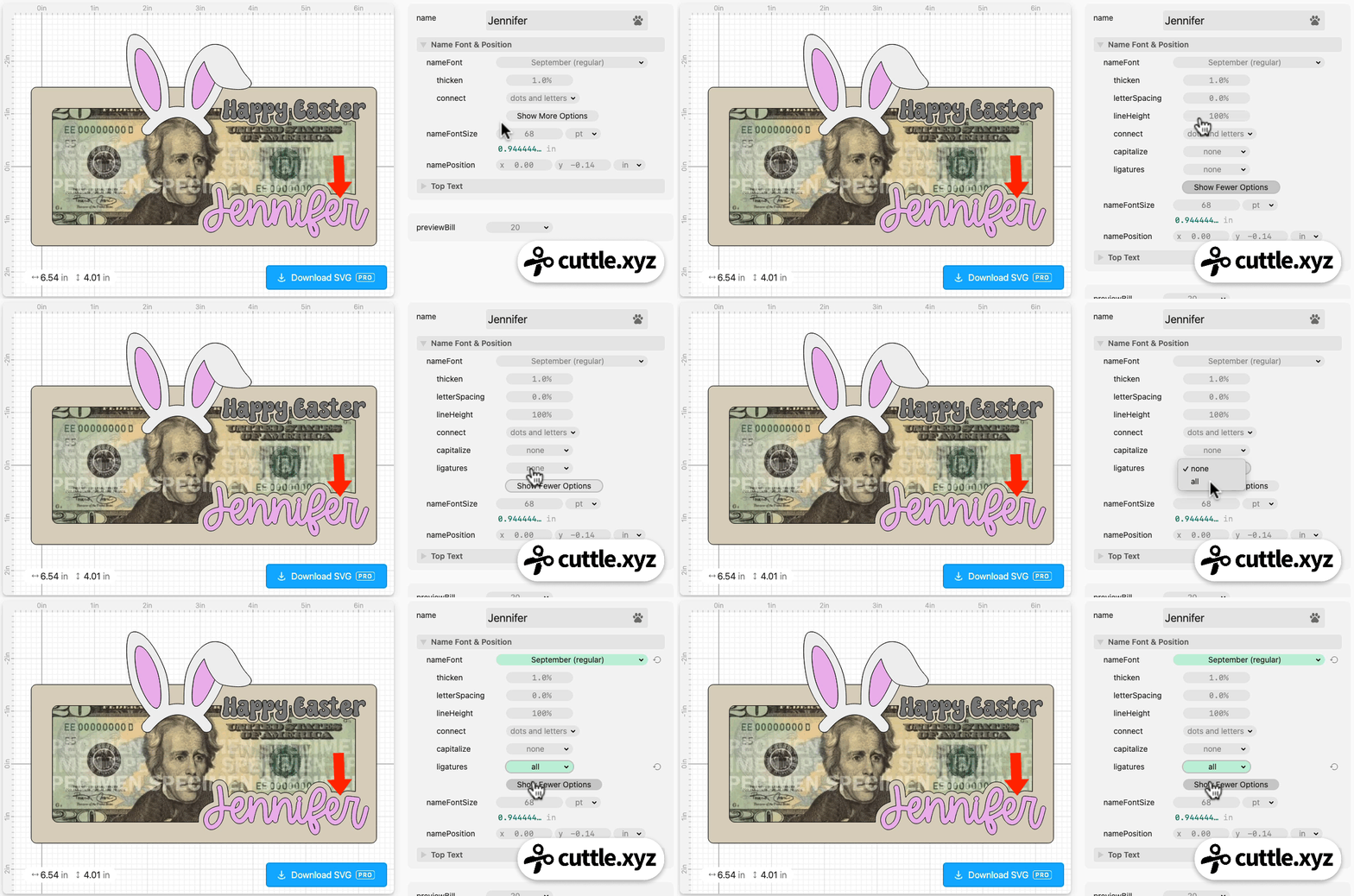
To turn on ligatures on fonts that support them, click Show More Options under the font picker and set ligatures to “all”.
Thank you for the request Brian W!
Editor Feature: Switcher 🔁
A common feature on Cuttle templates is a select box that has options for different shapes you can pick.
For example, on the “Look What I Made” Magnet you can choose the backer shape:
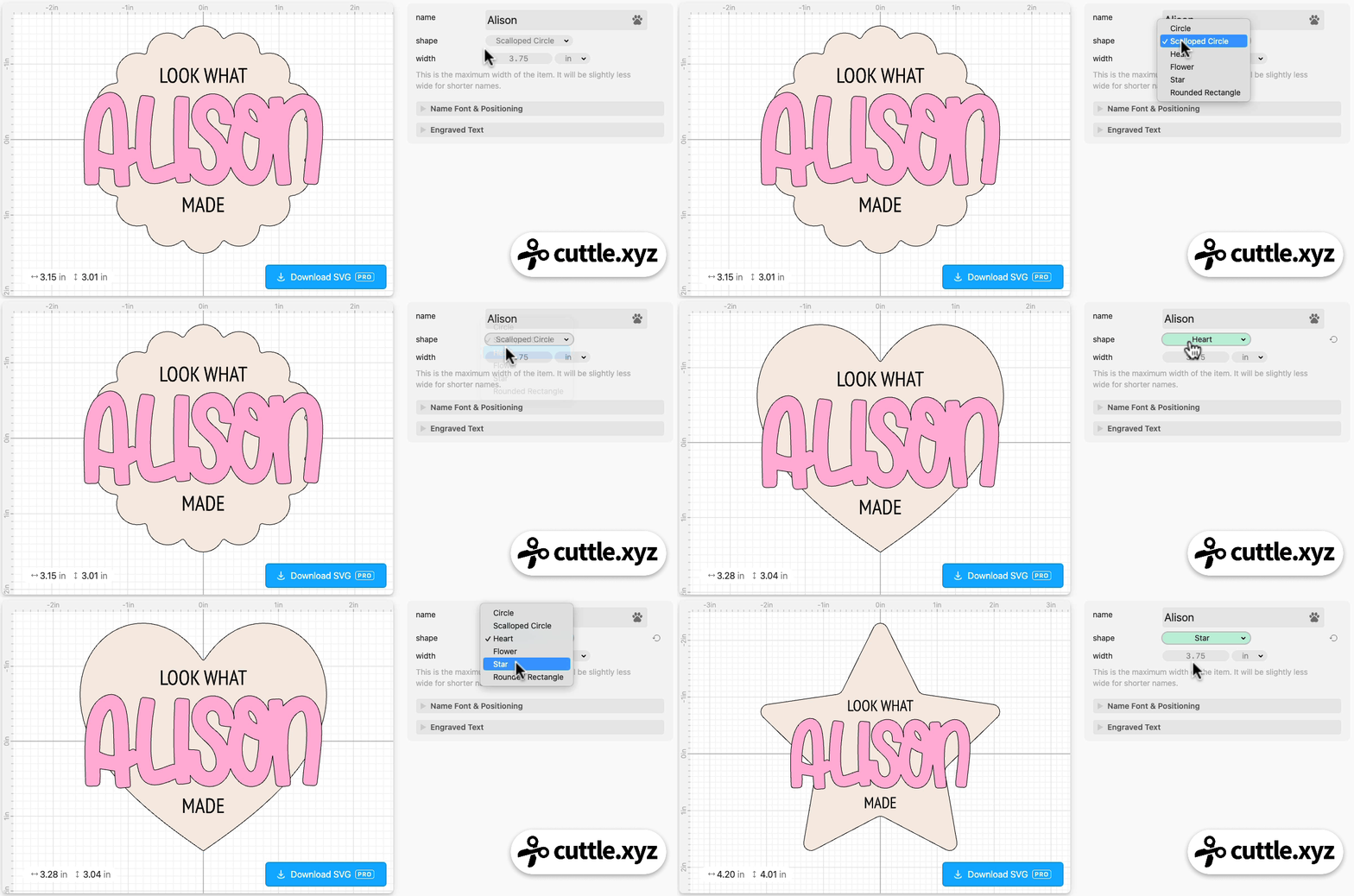
We made this easier to do when designing your own templates in the Cuttle Editor by adding the “Switcher” shape to the Advanced area of the Create Panel. Federico demonstrated how to use Switcher in last week’s livestream.
Editor Feature: Attach Modifier (Beta) 🍢
We have a new beta modifier available called Attach.
It automatically positions shapes so that they touch. For example, making a keychain hole always touch a piece of connected text.
Ryan recorded a quick demo video showing how it works.
Video Tutorial: Adding More Icons to the Sports Keychain

In Federico’s livestream last Thursday, he showed how to add different icons to the Sports Keychain. He shows how to add an external SVG and an Emoji. He also shows how the Switcher works.
Video Tutorial: How to Make Laser Cut Varsity Letter Patches

In Federico’s livestream from two weeks ago, he shows three different ways to create varsity letter patches.
Here’s the template he created.
You can catch Federico’s streams live on our Facebook Group on Thursdays at 1pm PT / 2pm MT / 3pm CT / 4pm ET.

Toby Schachman