Customized Repeats 🔢, Copy and Paste into Glowforge 📋, Strandbeests in Cuttle 🎥
JUN 24, 2022
Here's the latest with Cuttle.
- Powerful new feature: Customized Repetitions
- Copy and Paste into Glowforge
- Paper Linkages Season Finale (Jansen’s Strandbeest mechanism)
Customized Repetitions 🔢
Today we’re announcing a powerful new feature for working with repeated shapes in Cuttle.
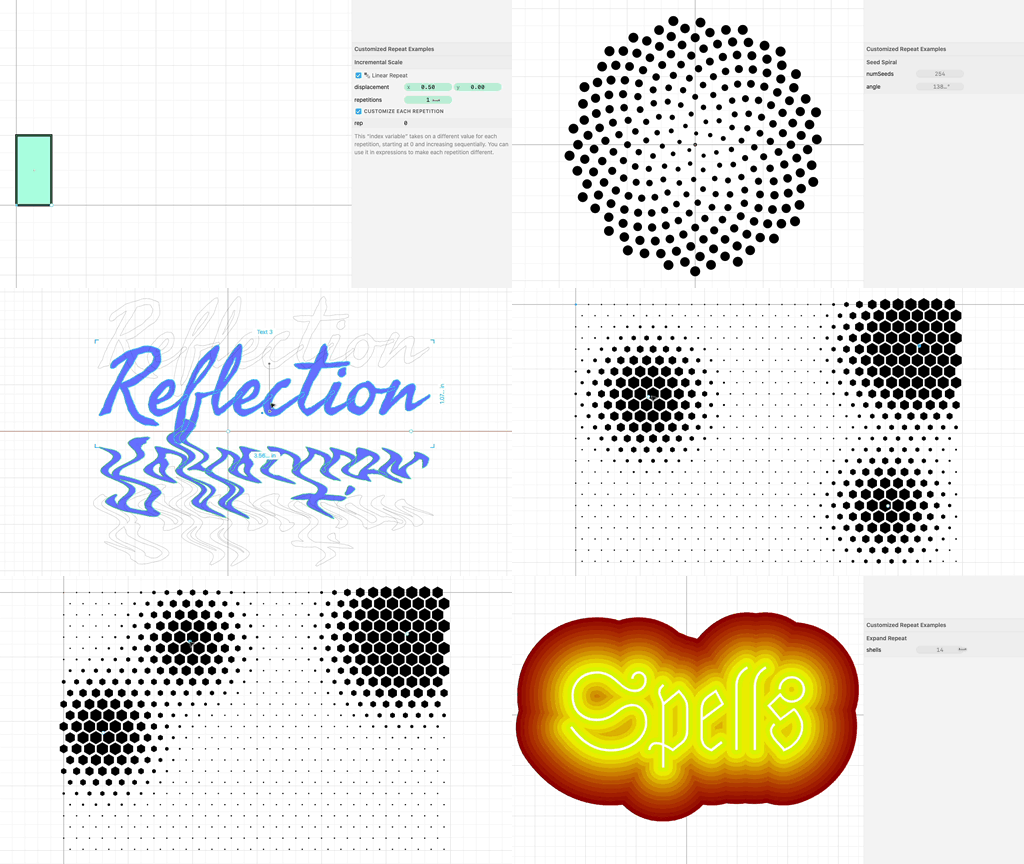
You may have used Cuttle’s built-in Repeat modifiers.
These let you take any shape and repeat it any number of times.
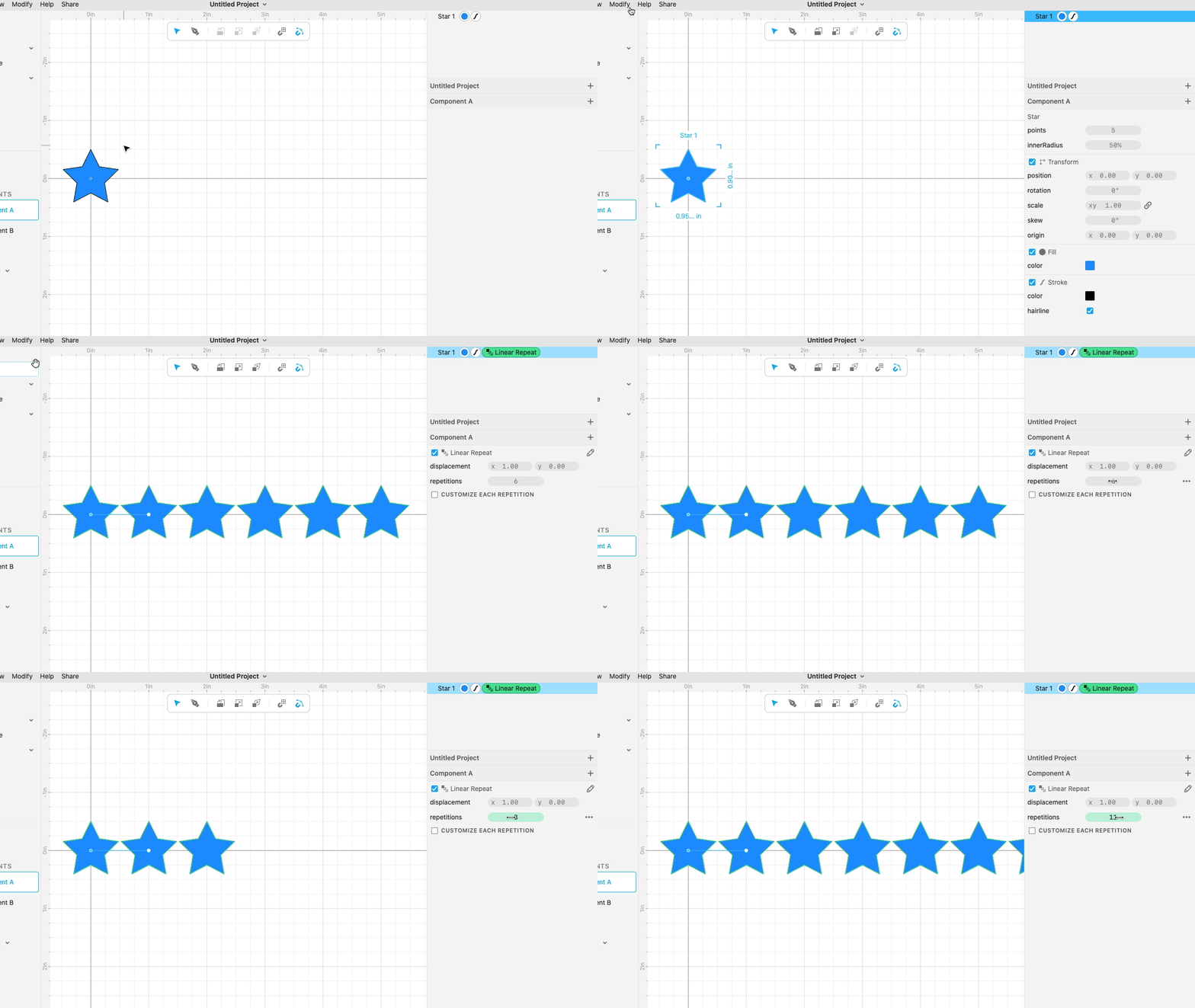
But what if you need each repetition to be slightly different?
Maybe you’re making a ruler and you want each tick mark to be labeled with a different number…

Maybe you’re repeating rectangles and you need each one to be a different size…

Or maybe you want to use math expressions to precisely control the position and scale of repeated circles…

You could previously do this by writing your own custom modifier code.
Now you can do it without any custom code!
Let’s look at a simple example.
Here’s a Star where we’ve applied Linear Repeat. Notice each Star is exactly the same.
Now we check “Customize Each Repetition”. This gives us a new variable, rep.
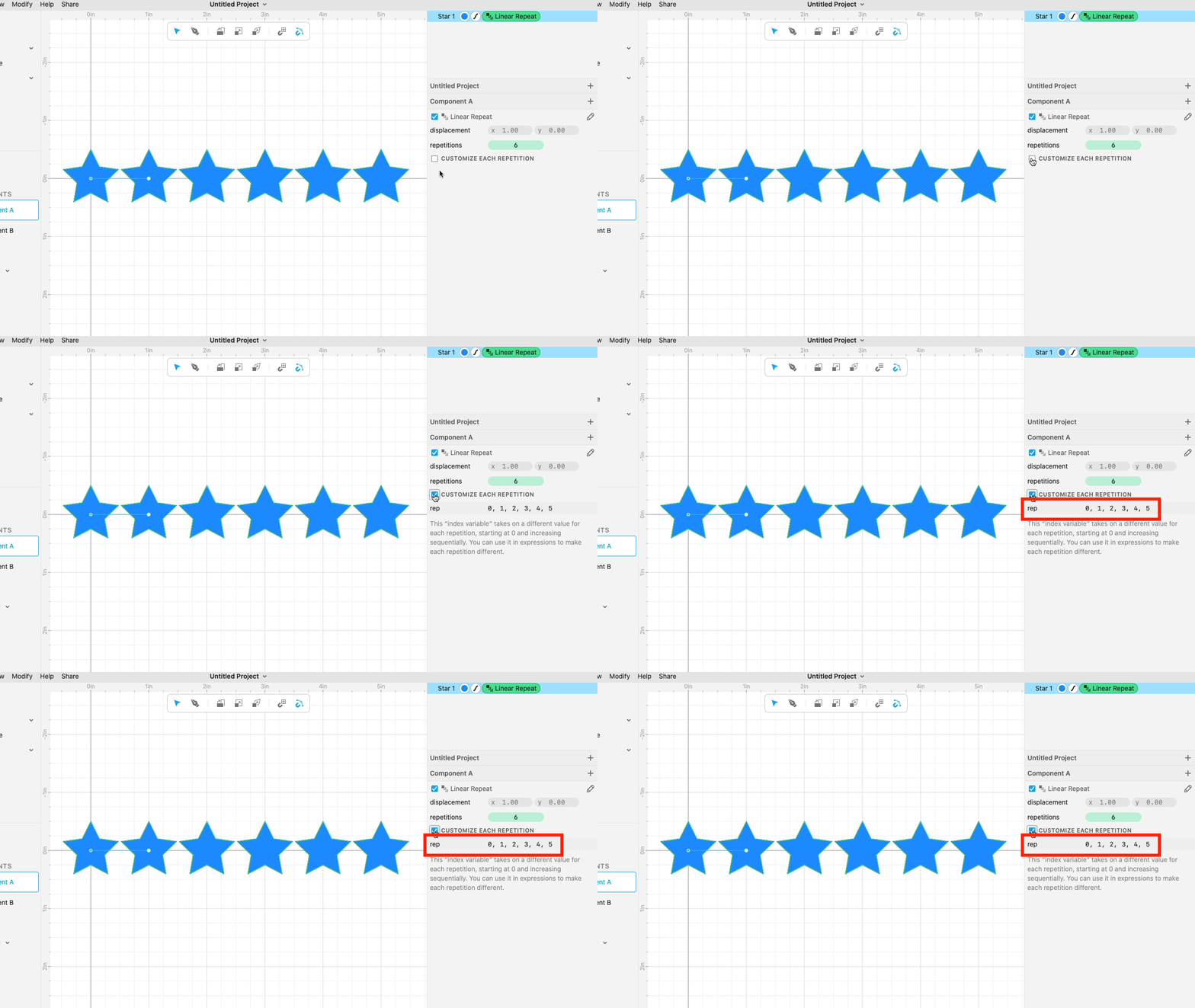
rep starts at 0 and increments sequentially for each Star. Since there are 6 total repetitions, rep ranges from 0 to 5.

We can then select the Star and change its points parameter to 5 + rep.
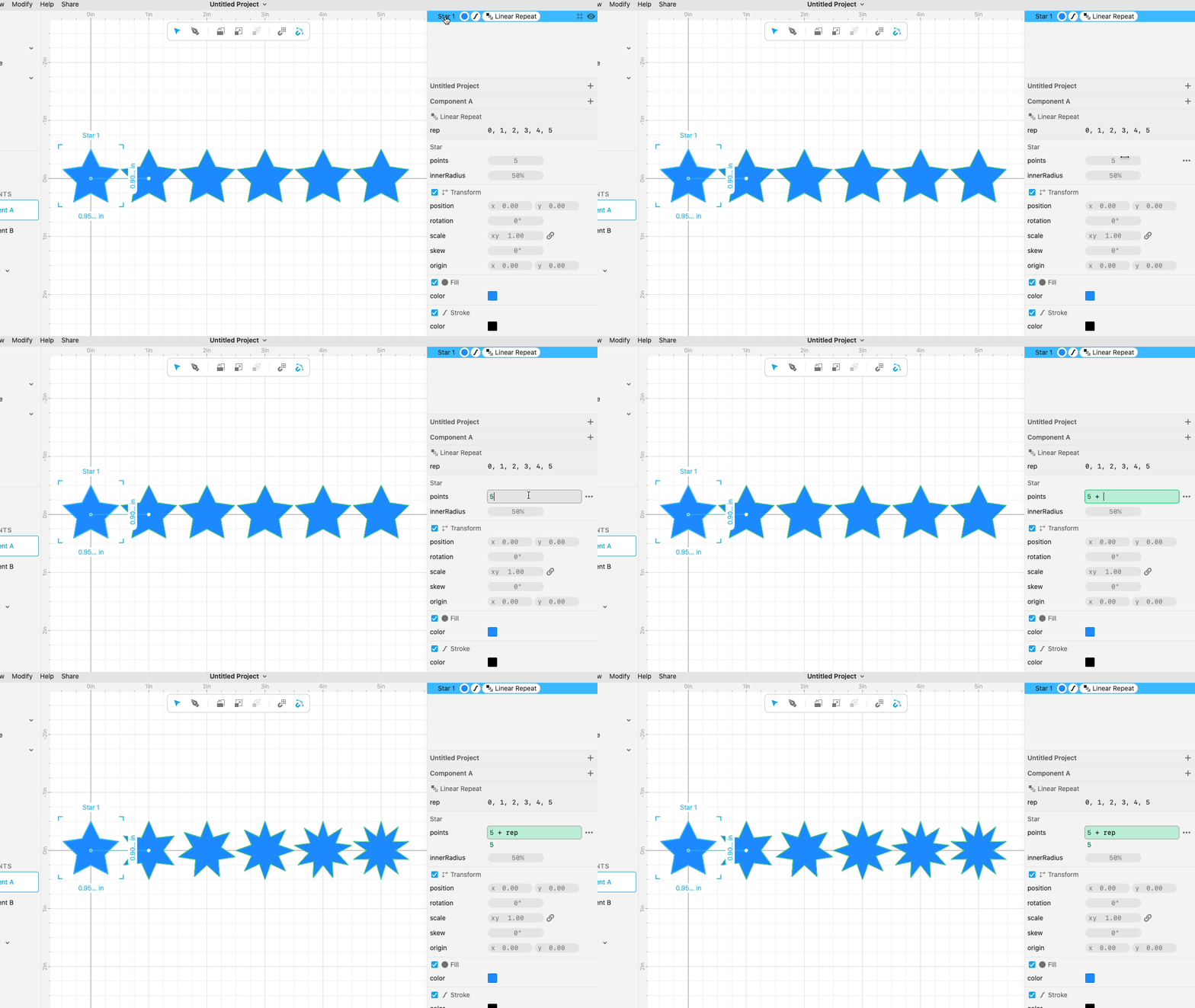
So we’re using rep to control the number of points on the Star.

If you have programming experience, you can think of this as a “for loop”. rep is the “index” of repetition, conventionally called i.
You can use rep to control anything in the shapes you’re repeating. Below, a piece of text (“Spells”) is repeated in place and rep is used to adjust both the Expand distance and the Fill color.

Check out lots more examples or the written documentation.
If you have any questions, come chat with us on our Discord!
Copy and Paste into Glowforge 📋
You can now copy from Cuttle (cmd / ctrl + C) and paste into Glowforge’s app (cmd / ctrl + V).
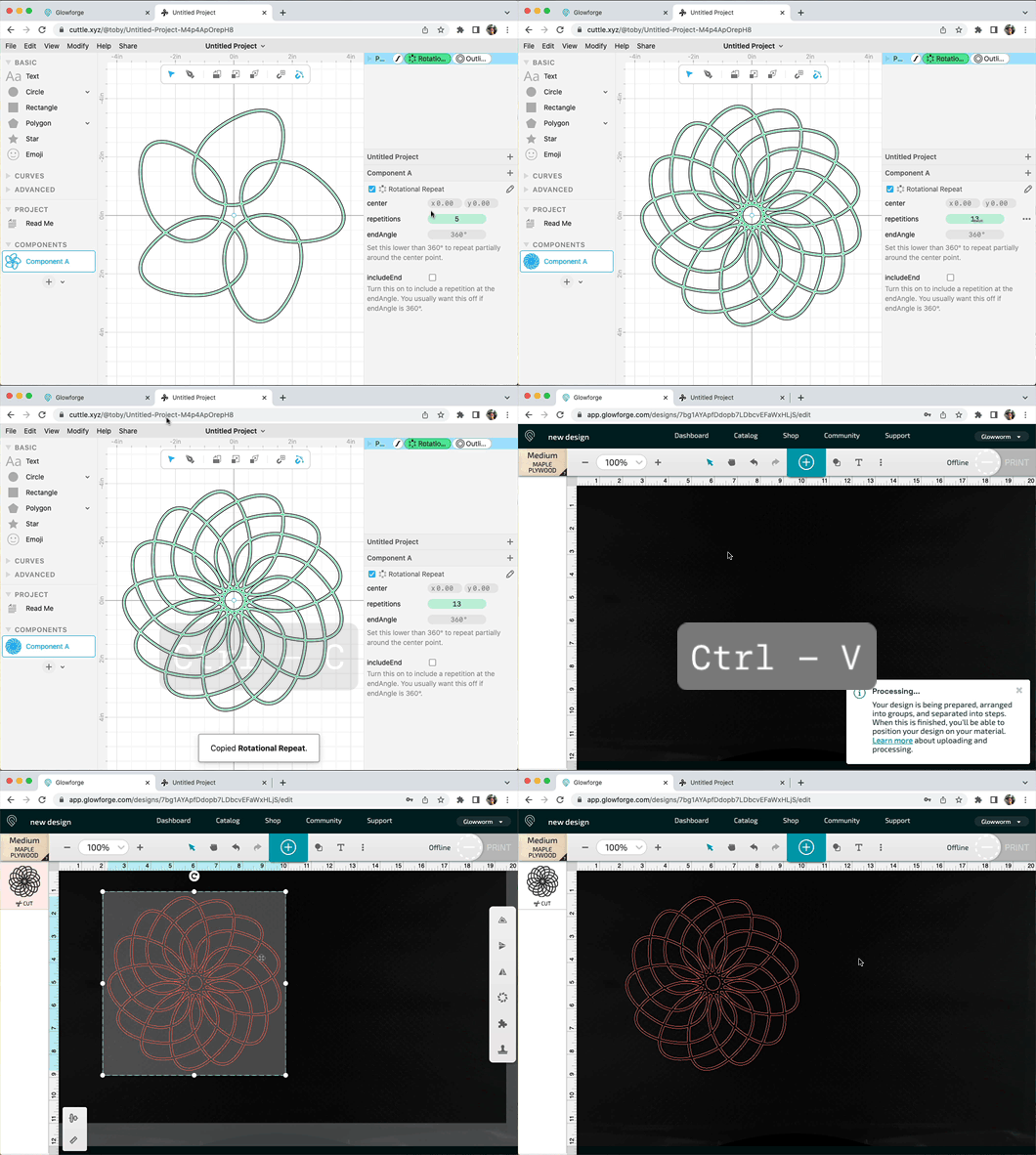
This is great for quickly prototyping.
We worked with Glowforge to implement this and are thrilled that it’s now shipped!
Paper Linkages Season Finale 🎥
Federico posted the final episode in his series on paper linkages. In this episode, he recreates the walking mechanism used in Theo Jansen’s amazing Strandbeest mechanical creatures.
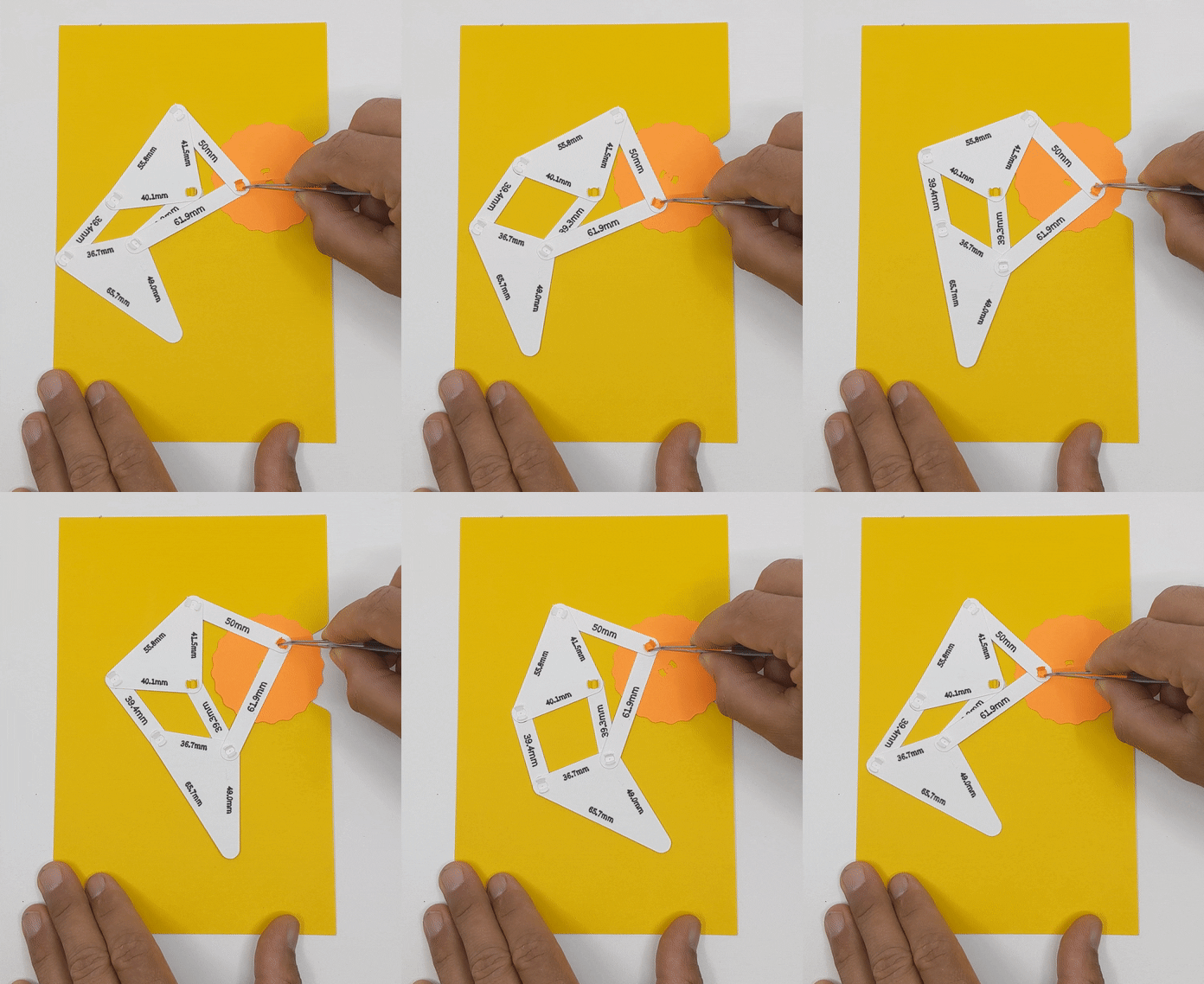
This mechanism uses parts developed in previous episodes. He created struts of the appropriate length using Cuttle, then cut these parts from cardstock on a Cricut.
In case you missed it, check out Cuttle’s Instagram account for the previous 5 episodes!
Other Improvements and Fixes 🐞
- Dragging beyond the bounds of the browser window (e.g. scrubbing a number) now behaves correctly.
- Projects now open in new tabs so you never lose your place in the project dashboard or explore page.
- Built-in components now scale to an appropriate size for the current canvas zoom level.
- Fixed a bug where clicking (without dragging) a ruler would still create a guide.
- The inspector now shows a warning if a parameter evaluates to an unexpected type (e.g. number vs boolean).
- Scripting: Fixed a bug with
randomInt()where it could return a VERY high number when called with no maximum value. It now returns zero if no maximum is specified. - Scripting: Exposed JavaScript
JSON.stringify()andJSON.parse()functions.

Toby Schachman