Circle Monogram Couple’s Sign - SVG Generator
OCT 8, 2025
Here's the latest with Cuttle.
- New Template: Circle Monogram Couple’s Sign
- New Beginner Video: Make A Free Laser Cut Name Keychain
- Cuttle Editor Tutorial: Optical and Geometric Art with Cuttle
- Cuttle Editor Tutorial: Personalizable Circular Monogram
- Cuttle Editor Tutorial: Designing Laser Cut Earrings
New Template: Circle Monogram Couple’s Sign

Our latest template lets you type any name to make a split monogram sign. Then you can also type any text for the top and bottom of the circle.
It makes a great wedding or housewarming gift!
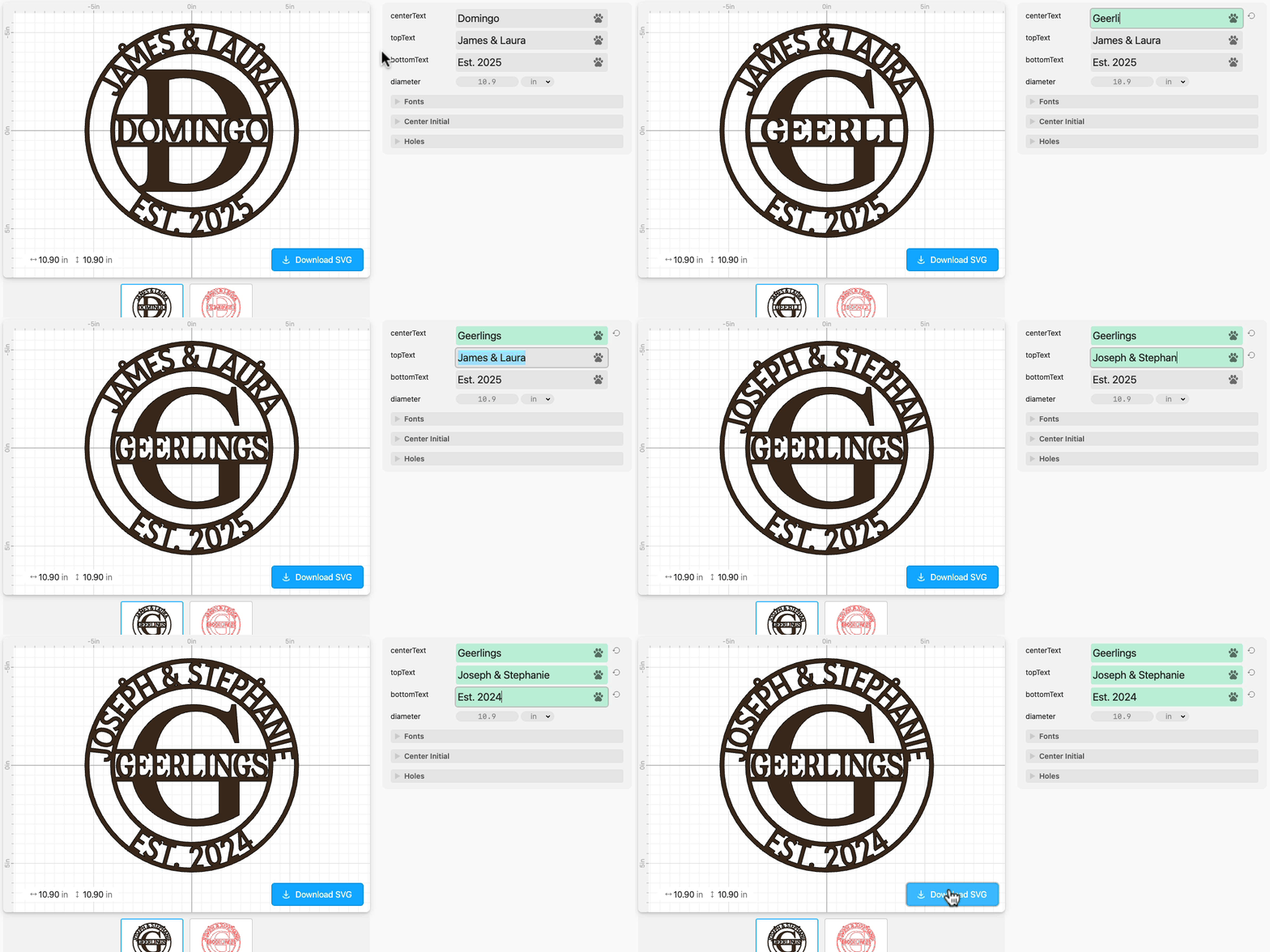
- Type anything for the center name and the circular text
- Text is automatically perfectly placed within the bars and sized to fit
- The large center initial takes the first letter of the center name, or customize it to whatever you want
- Choose any font for each text area
- Customize the number and size of the hanging holes
- Customize the diameter of the finished piece
Make it a Christmas ornament
You can also make this a Christmas ornament using these settings:

Beginner Video: Make a Free Laser Cut Name Keychain

In this short, beginner friendly video guide, Federico shows how easy it is to create a free laser-cut key chain with a custom name. Go to the free keychain generator template to make your own laser cut keychain!
Just type any name in the text field and click the Download SVG button to get an SVG file ready to cut. In your laser software, set the filled name to Engrave and the outline to Cut.
If you’re just getting started or want to explain what Cuttle does to a friend, this is the perfect place to begin!
Video Tutorial: Make Geometric and Optical Art with Cuttle

It’s been a minute since I’ve sent out a Cuttle newsletter, so I’ve got some catching up to do with Federico’s livestreams! More in next week’s newsletter 😅
In Federico’s livestream from three weeks ago, he explores a book of optical and geometric art, and demonstrates how to recreate some of these patterns in the Cuttle Editor.
He explores creative ways to use Cuttle features like Repeat modifiers, Masking, and Compound Paths to create fun patterns. You can explore the designs he created here.
You can catch Federico’s streams live on our Facebook Group on Thursdays at 1pm PT / 2pm MT / 3pm CT / 4pm ET.
Video Tutorial: Make a Circular Monogram

In Federico’s livestream from four weeks ago, he created a personalizable Circular Monogram.
He creates the basic structure by applying the Outline Stroke modifier to a circle. He uses Cuttle’s built-in text shapes such as Split Text and Text Around Circle to complete the design. Finally, he sets up the project as a template so users can easily customize it.
Here’s the template he created. This livestream was the inspiration for the official template we launched above!
Video Tutorial: Design Your Own Laser Cut Earrings

In Federico’s livestream from five weeks ago, he answered Catie N’s request for designing your own laser cut earrings in Cuttle.
He shows several ways to create a classic teardrop shape, like modifying a circle, drawing with the Pen tool, and using an emoji from the Noun Project. He also demonstrates the new Add Hole feature for quickly adding holes to your design. Finally, he explores creative uses of Cuttle’s Repeat Modifiers to generate unique earring patterns.

Toby Schachman